The safest start is Gemini in Chrome, which is built in. Add Claude in Chrome for browser actions, Grammarly for writing, and Perplexity for sourced research. Be careful with sidebar extensions: two fake AI sidebars with over 900,000 installs stole users' chat histories in early 2026. Check the publisher, permissions, and update history before every install.
In January 2026, security researchers at OX Security reported two Chrome extensions with more than 900,000 combined installs that were quietly sending users' ChatGPT and DeepSeek conversations to attacker-controlled servers. One of them carried Google's "Featured" badge. Nobody was hacked in the traditional sense. People clicked Allow.
That's the context every "best AI Chrome extensions" list should start with, and almost none do. This guide covers the extensions worth installing for real productivity gains, but it begins with the part that decides whether an extension is worth the risk at all.
Are AI Chrome Extensions Safe to Install?
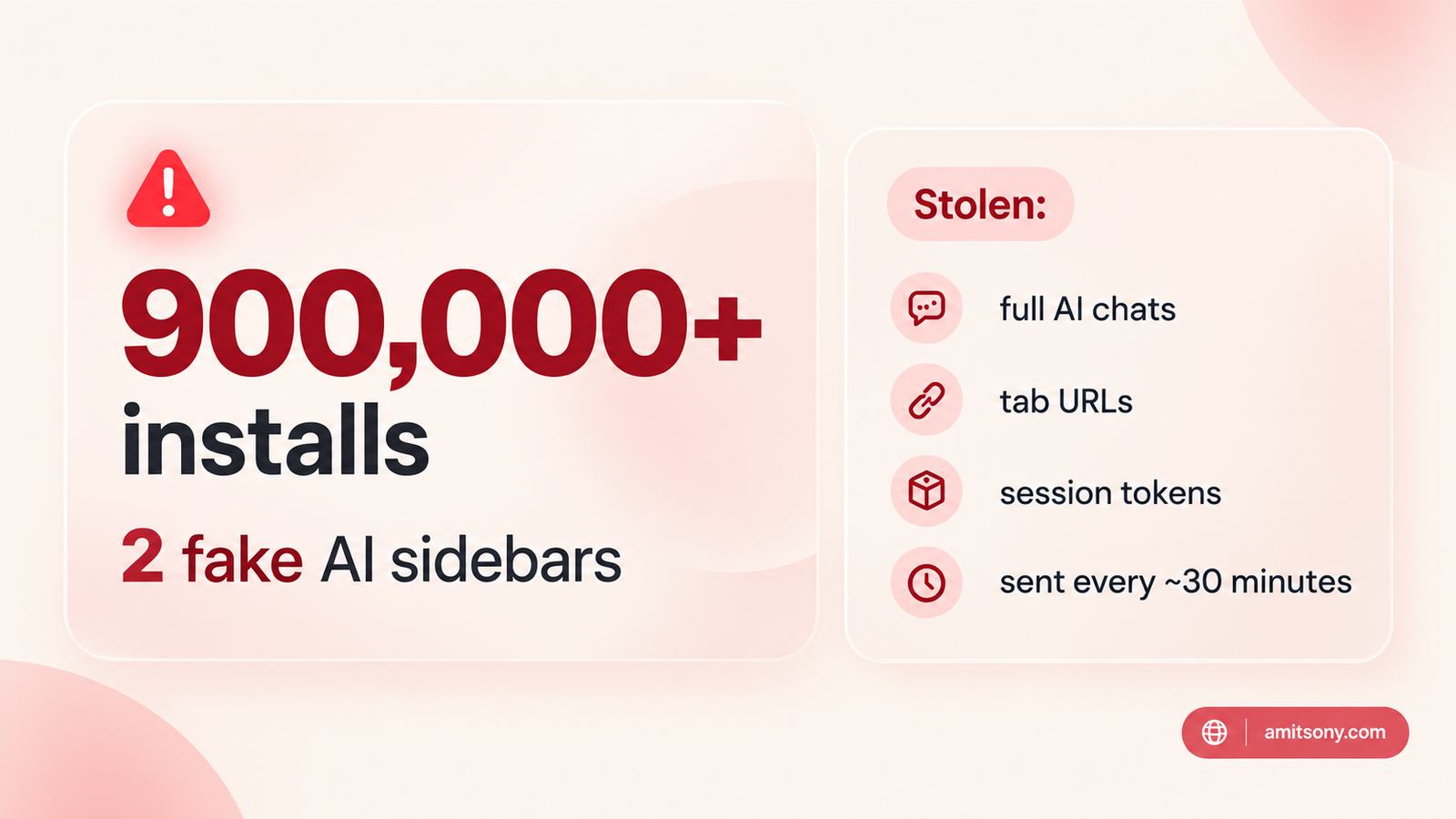
Some are, and some are not, and the badge on the store listing won't tell you which. The two extensions in the OX Security report, "Chat GPT for Chrome with GPT-5, Claude Sonnet & DeepSeek AI" with roughly 600,000 users and "AI Sidebar with DeepSeek, ChatGPT, Claude and more" with roughly 300,000, copied a legitimate extension from a company called AItopia and added code on top.
After install, they asked users to consent to "anonymous, non-identifiable analytics data." In reality they collected full AI conversations, every open tab URL, search queries, and URL parameters containing session tokens and user IDs, sending it all out roughly every 30 minutes. Researchers named the technique "prompt poaching."
OX Security reported both to Google on December 29, 2025, and both were still live on January 7, 2026. They have since been removed from the store. The takeaway isn't that Chrome extensions are unsafe by nature, it's that a popular, polished, Featured extension can still be malicious, and the damage ran for months before removal.
Do You Even Need an Extension for AI in Chrome?
Often not. Gemini in Chrome is built into the browser itself, so there's no third-party publisher to vet. It can work with the content of your open tabs, compare pages, answer questions about a YouTube video, and help you write.
Availability varies by country, and some of the more agentic features are limited to paid Google AI plans, which start at $19.99/month for AI Pro. Check what actually appears in your own Chrome before you plan a workflow around it.
Start here before adding anything from the store. A built-in tool can't impersonate itself, and it removes one entire category of risk.
Which Extension Is Best for an AI That Acts Inside Your Browser?
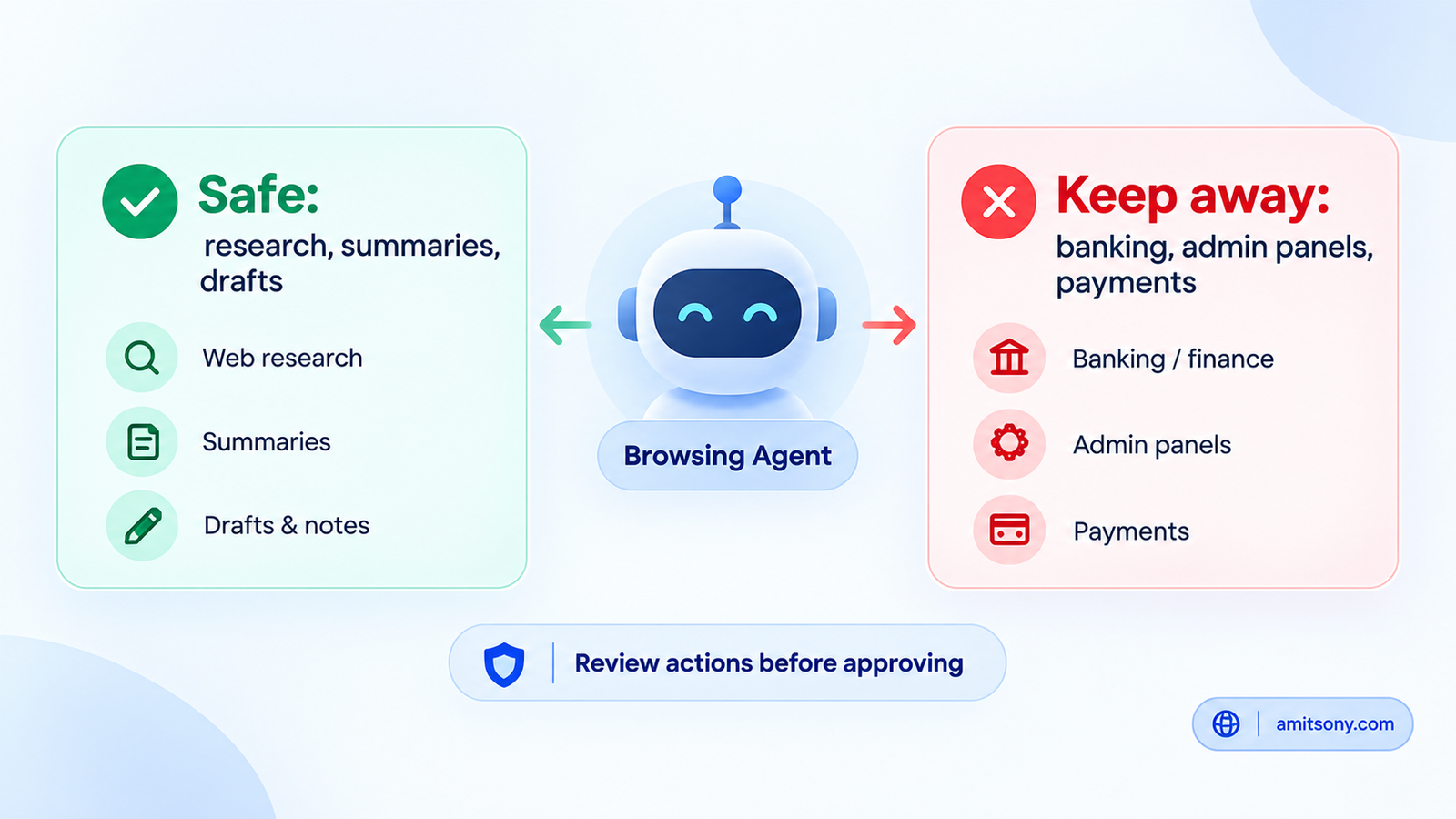
Claude in Chrome, from Anthropic, is a browsing agent rather than a chat sidebar. According to third-party comparisons it can navigate sites, click, fill forms, and work across tabs, and it's available on paid Claude plans, where Pro runs $17/month billed annually or $20/month billed monthly. Availability and features change, so confirm on Anthropic's official site, and install only from the listing where the publisher is Anthropic.
Agents that click and type for you carry a risk that read-only sidebars don't: hidden instructions placed on a web page can try to steer the agent. Keep any browsing agent away from banking, email admin, and other sensitive tabs, and review what it does before approving actions that move money or send messages.
The same caution applies to every agentic browser tool in this category, not just one product. Treat autonomy as something you grant in small steps.
Which Extension Is Best for Everyday Writing?
Grammarly is the most widely installed writing extension, reportedly with tens of millions of Chrome users. It works inside Gmail, Docs, LinkedIn, and most text boxes, which is exactly why it's worth understanding what it can see.
Pro runs $12/month billed annually or $30/month billed monthly, with a monthly cap of 2,000 AI prompts. The free tier works for basic corrections and caps AI use at a small allowance.
Long-established, publisher-verified, and widely audited by businesses. For plain writing help, it's the lowest-risk install on this list.
Which Extension Is Best for Research With Sources?
Perplexity answers questions with citations you can click, and its browser extension can summarize the page you're on. The Pro plan runs about $20/month.
The value is traceability, you can check where a claim came from instead of trusting a confident paragraph. That makes it a strong pick for research and fact-checking, and a weaker one for creative drafting.
Use it when you need to verify something, not when you need something written.
Which Extension Is Best for Meetings?
Otter records and transcribes calls, with searchable archives, and a Chrome extension for browser-based meetings. Free gives 300 minutes a month with a 30-minute cap per session, and paid plans run from roughly $8.33/month billed annually.
Meeting extensions see everything said on a call, so tell participants you're recording, and check your company's policy before enabling it on work calls.
What About the Popular Multi-Model Sidebars?
Monica and Sider are the names that show up most often in this category, with plans from roughly $8 to $10 a month and access to several AI models from one sidebar. Sider is reportedly among the highest-rated in the store.
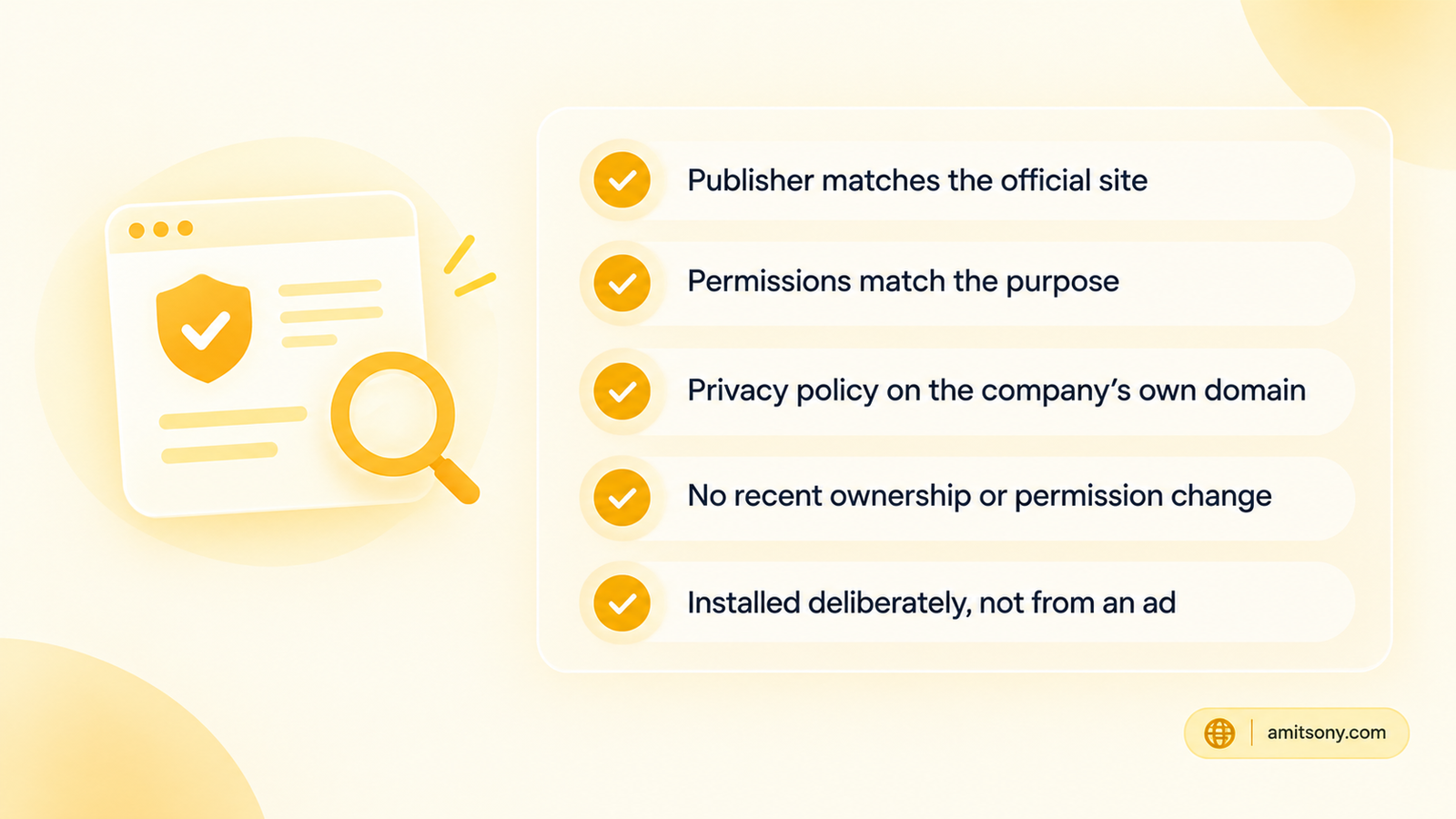
This is also exactly the category the January 2026 impostors copied. If you want one, verify that the publisher matches the official website, read the permissions before you click Add, and don't rely on install counts or a Featured badge as proof of safety.
I've left these two unlinked on purpose. In a category full of lookalike listings, find the official site yourself and follow its link to the store, don't start from a list.
How Do You Vet an AI Extension Before Installing?
Check the publisher against the company's official website, not just the name in the store. The impostors in January used near-identical branding and even redirected users between the two listings when one was uninstalled.
Read the permission prompt. Anything that can "read and change all your data on all websites" deserves a real reason. A grammar checker has one, a random sidebar offering "analytics" usually doesn't.
Look at the privacy policy's hosting. In the January case, researchers noted the fake policies were hosted on a free app-building platform rather than on a company site, which is a cheap signal worth checking in thirty seconds.
Re-check after updates. Security guidance for organizations is to revalidate an extension when its permissions or ownership change, since a clean extension can be sold or updated into a harmful one.
How Many AI Extensions Should You Actually Run?
Fewer than you think. Each one adds a publisher you're trusting, a permission set to review, and a little more load on your browser.
A sensible stack is one built-in assistant, one agent or research tool if your work needs it, and one writing tool. Open chrome://extensions today, remove anything you installed once and forgot, and treat anything with broad permissions as guilty until proven useful.
Keep sensitive work in a separate Chrome profile with no AI extensions at all. It's the cheapest protection available.
Which Should You Pick?
Zero-install AI help: Gemini in Chrome
An agent that acts in your browser: Claude in Chrome, with sensitive tabs kept out of reach
Everyday writing: Grammarly
Research with clickable sources: Perplexity
Meeting transcripts: Otter, with participants informed
Multi-model sidebars: Only after you've verified the publisher yourself
Productivity gains are real, but the best AI extension is the one you'd still trust after reading its permissions twice.
Frequently Asked Questions
Are AI Chrome extensions safe?
Some are and some aren't. In January 2026, two fake AI sidebar extensions with over 900,000 installs, one carrying a Featured badge, were found stealing users' ChatGPT and DeepSeek conversations, so check the publisher and permissions every time.
What is prompt poaching?
It's the name researchers gave to extensions that quietly capture and send out your conversations with AI chatbots. The January 2026 case collected full chats, tab URLs, and session tokens.
Do I need an extension to use AI in Chrome?
Not always. Gemini in Chrome is built into the browser, so it has no separate publisher to vet, though availability varies by country and some features need a paid Google AI plan.
Is a Featured badge proof that an extension is safe?
No. One of the malicious extensions in the January 2026 report had a Featured badge and about 600,000 users, and both stayed live for over a week after being reported.
How can I check which extensions I've installed?
Open chrome://extensions in your browser, review each one's permissions, remove anything you don't use, and keep sensitive work in a separate profile without AI extensions.