Install a model like Qwen3-TTS locally, record a clean 10 to 20 second sample of your own voice, load it as the reference audio, and type the text you want spoken. You need an NVIDIA GPU with roughly 6 to 8 GB of VRAM. Check the weight licence before using the output commercially.
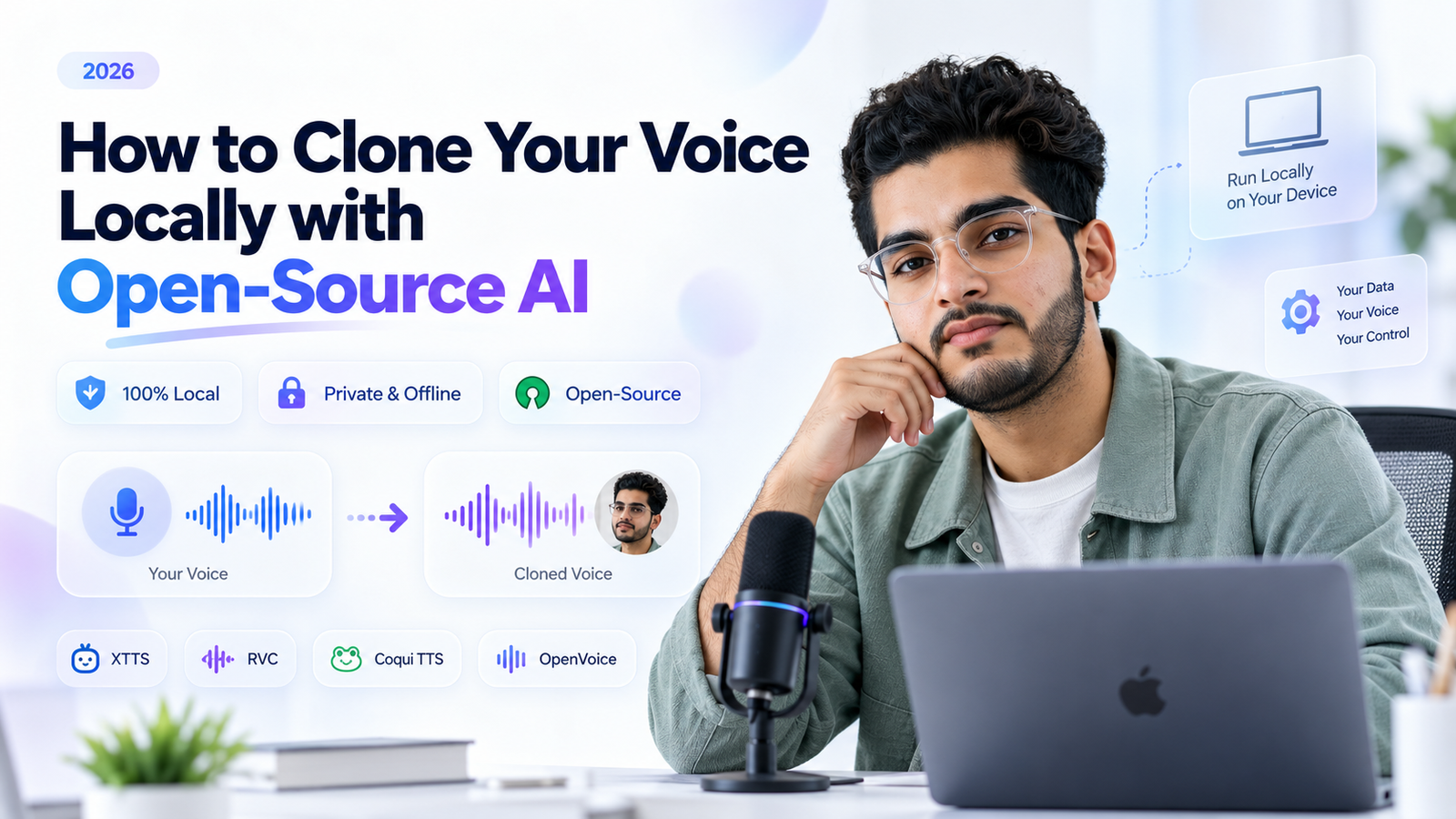
INTRO: Cloud voice cloning is easy until you remember what you just did. You uploaded a recording of your voice to someone else's server. Running everything on your own machine removes that worry.
The catch is that open source voice cloning is a tangle of licences, Python versions and half-maintained repos. This guide cuts through it. You will pick a model, record a good sample, run the clone, and know exactly what you are allowed to do with the audio.
What hardware do you need for open source voice cloning, and what does it cost?
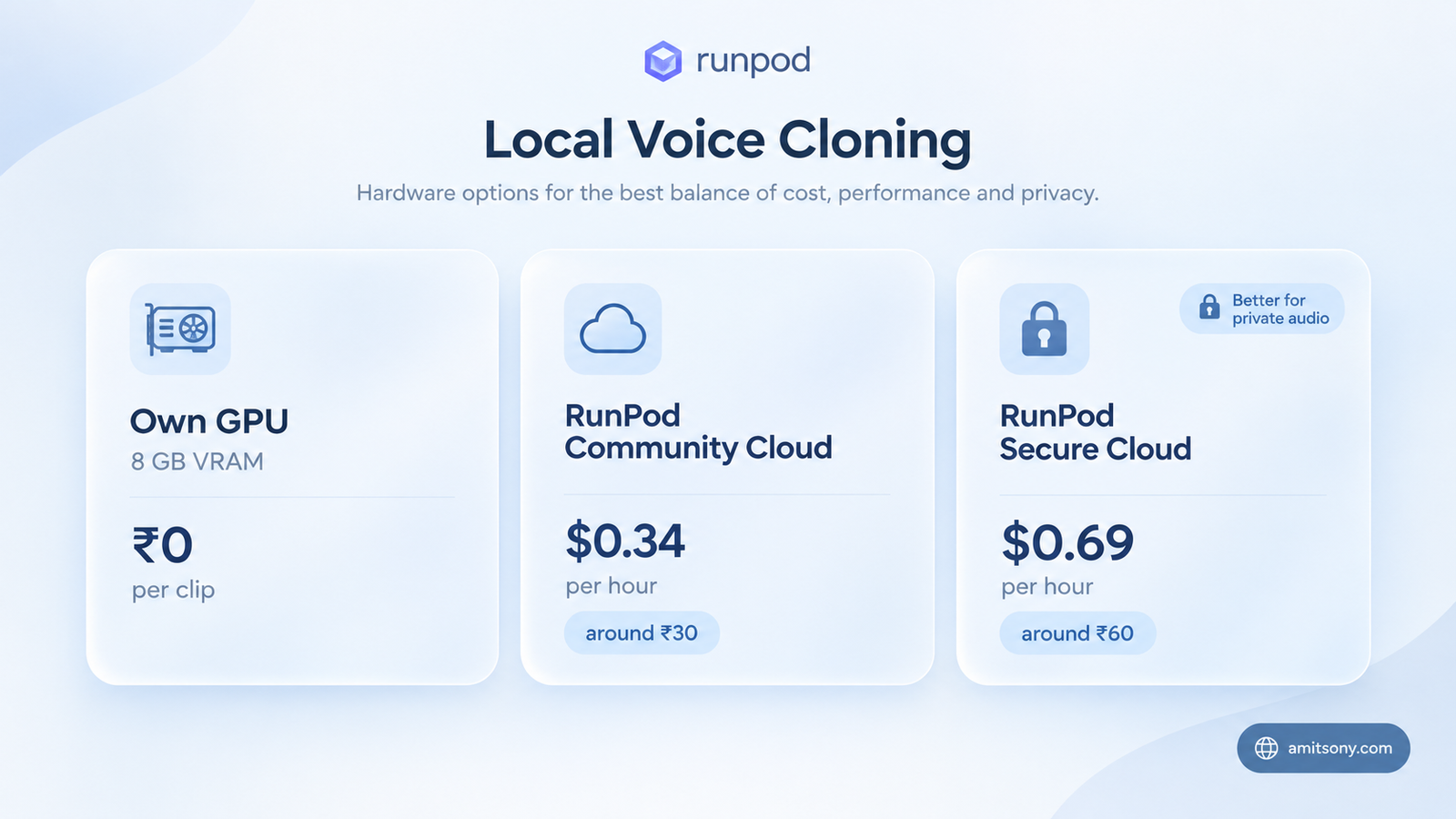
An NVIDIA GPU with 8 GB of VRAM is the comfortable floor. The model used in the walkthrough below needs roughly 6 to 8 GB at 1.7 billion parameters, and about 4 to 6 GB for the smaller 0.6 billion version. An RTX 3060 or 4060 handles either.
AMD and Apple Silicon users are not locked out, but most of these projects are written for CUDA first. Expect more setup pain and fewer ready-made scripts. Before you spend an evening on a model, check that its README mentions your platform.
No GPU at all? Rent one by the hour. RunPod lists an RTX 4090 at $0.34 per hour on its Community Cloud and $0.69 per hour on Secure Cloud, which works out to roughly ₹30 and ₹60. A two hour cloning session costs less than a coffee.
One warning. Community Cloud runs on third-party hosts, so I would not upload a private voice sample there. Pay the extra for Secure Cloud, or use your own card.
How do you record a clean voice sample for cloning?
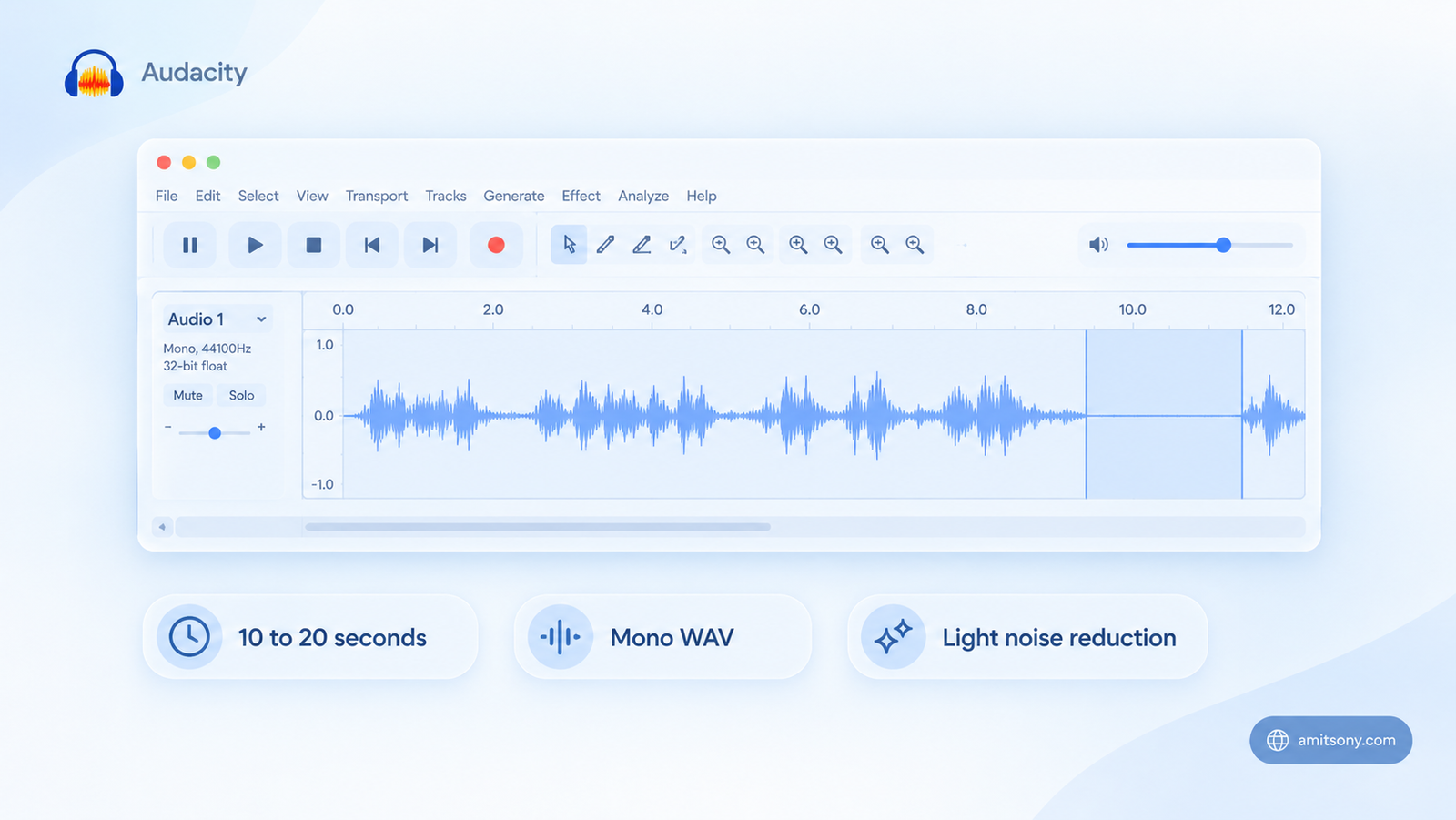
Your sample matters more than your model. A clean 10 second clip beats a noisy two minute one every time.
Record in a small room with soft furnishings. A wardrobe full of clothes works surprisingly well, and a phone held about a hand span from your mouth is enough. Skip background music, fans and echo.
Speak in the tone you want the clone to use. Read the sample in a flat monotone and the clone will sound flat too, because these models copy pacing and emotion along with timbre.
Open the clip in Audacity , the free open source editor. Trim the silence, apply Noise Reduction lightly, and export a mono WAV. Heavy noise reduction leaves a watery sound that the model then copies faithfully.
Keep the clip between 10 and 20 seconds. Most models need only 3 to 6 seconds to work, but a slightly longer sample gives more stable results. Write down exactly what you said, word for word, because some tools ask for that transcript.
Which open source voice cloning model should you pick?
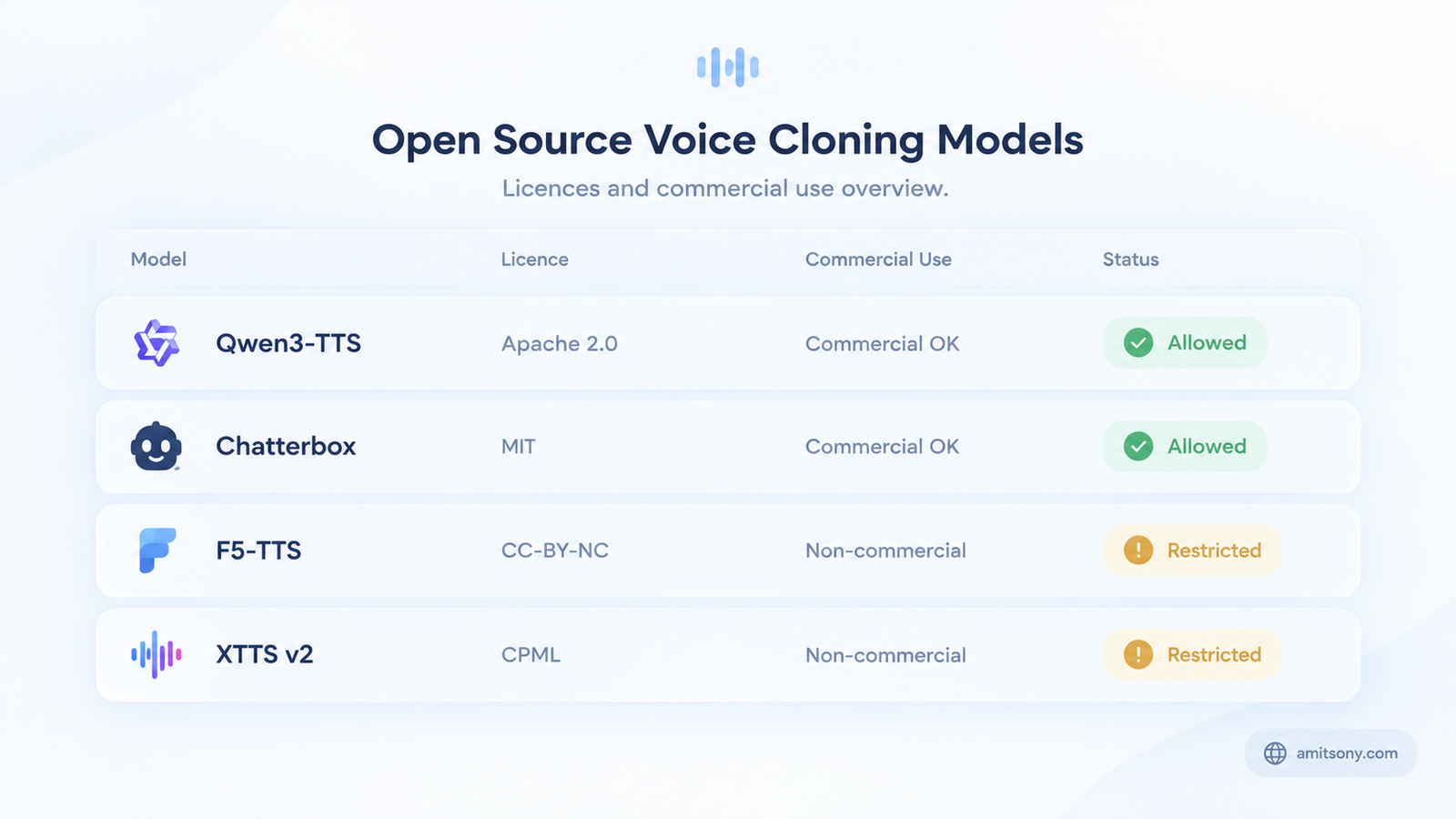
Pick by licence first and quality second. That order saves you from rebuilding a project later.
Qwen3-TTSQwen3-TTS is my starting point. It uses the Apache 2.0 licence, clones from a 3 second sample, supports 10 languages and runs on modest GPUs. Commercial use is allowed.
Chatterboxchatterbox is the other safe pick. It is MIT licensed, handles 23 languages and adds an inaudible Perth watermark to every file it generates. That is a plus if you care about responsible use.
F5-TTSF5-TTS has a clean command line and a quick web interface. The catch is that its pretrained weights carry a CC-BY-NC licence, so treat it as a personal and research tool.
Then there is Coqui TTScoqui-ai-TTS and its XTTS v2 model. It clones from about 6 seconds of audio in 17 languages. But the weights use the non-commercial CPML licence, and the company behind them shut down its paid services, so nobody is left to sell you a commercial licence. Fine for a hobby. Skip it for anything that earns money.
How do you clone your voice step by step with Qwen3-TTS?
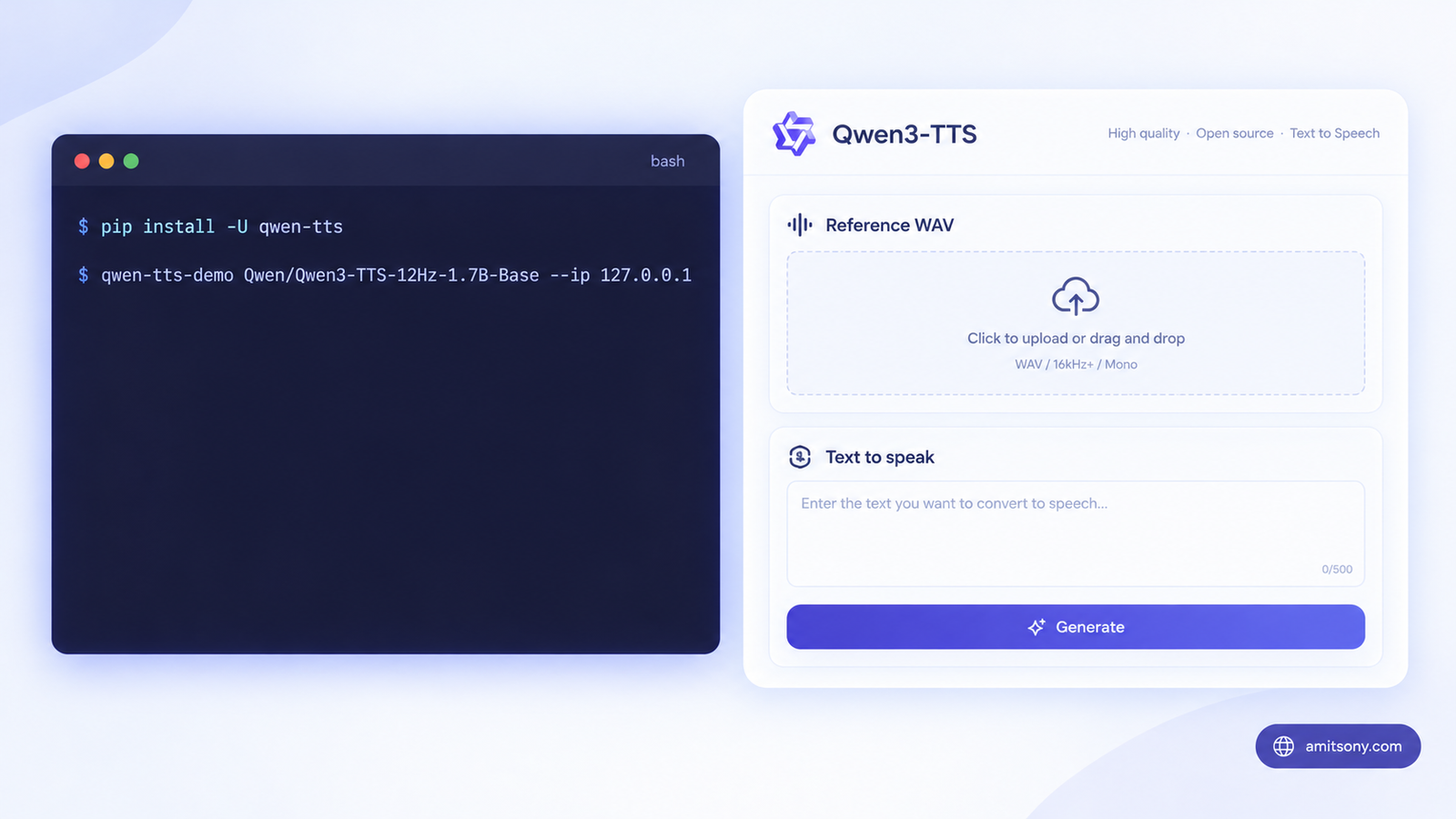
Step 1. Create a fresh virtual environment so the dependencies do not collide with your other projects.
Step 2. Install PyTorch built for your CUDA version, then the Qwen package. If your driver is older, pick the matching index URL from the PyTorch install page.
```
pip install torch torchvision --index-url https://download.pytorch.org/whl/cu128
pip install -U qwen-tts
```
Step 3. Launch the web demo with the Base model, which is the one that supports cloning.
```
qwen-tts-demo Qwen/Qwen3-TTS-12Hz-1.7B-Base --ip 127.0.0.1 --port 8000
```
The first run downloads several gigabytes of weights, so give it a few minutes. Short on VRAM? Swap in Qwen/Qwen3-TTS-12Hz-0.6B-Base instead.
Note the address. Many guides use 0.0.0.0, which exposes the page to everyone on your network. Use 127.0.0.1 so only your own machine can reach it.
Step 4. Open http://127.0.0.1:8000 in your browser. Upload your WAV, paste the transcript if the interface asks for it, type a short sentence and hit generate. Interface wording can shift between releases, but the flow stays the same.
Step 5. Listen on headphones and save the best take. Start with one sentence, not a full paragraph.
How do you clone a voice with Chatterbox or F5-TTS instead?
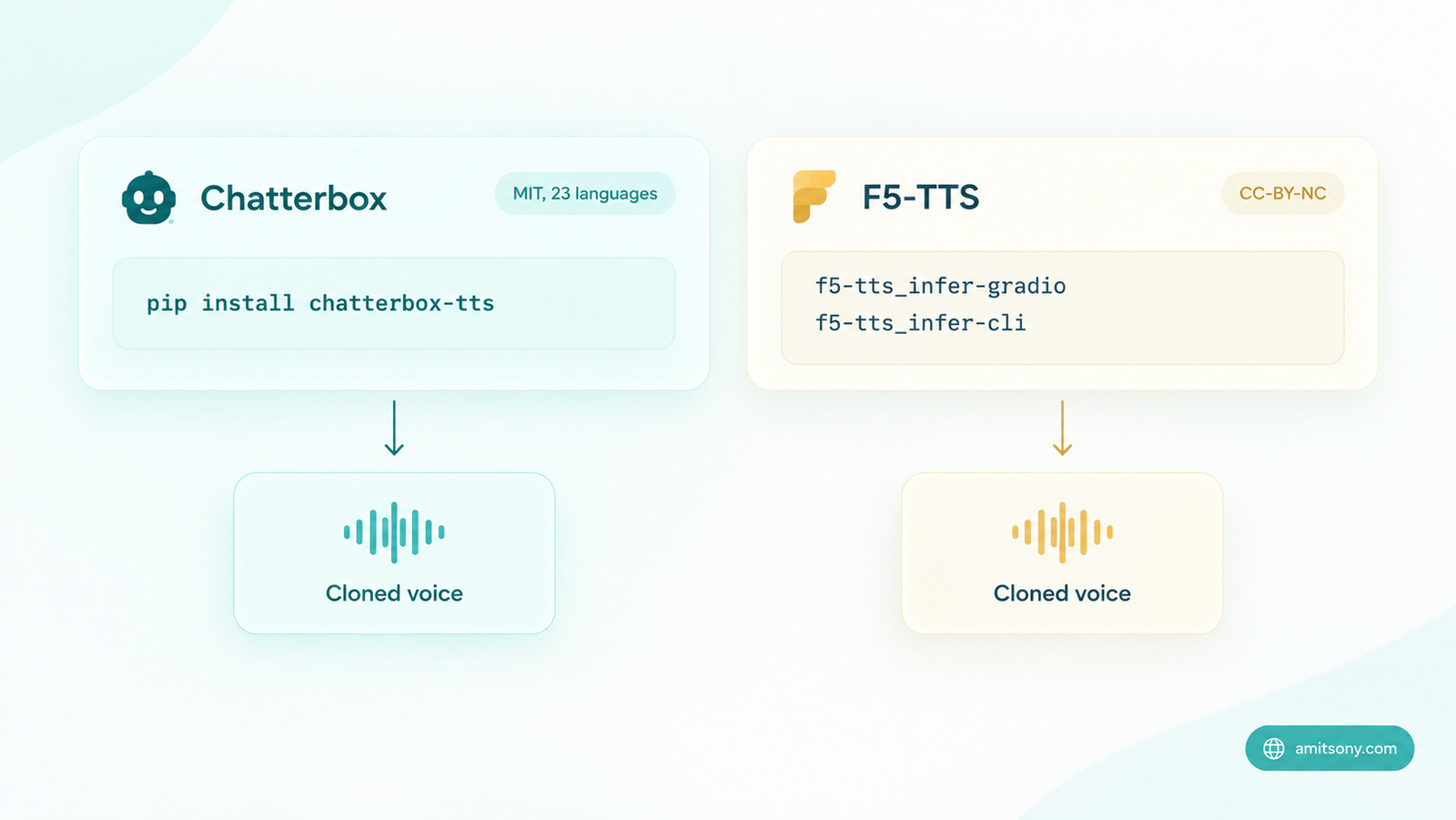
Chatterbox installs with one command. Resemble AI built and tested it on Python 3.11, so use that version.
```
pip install chatterbox-tts
```
After that, follow the README in the repo for the current example scripts. Chatterbox is the one I would pick for expressive reading, because it offers emotion control on top of cloning.
F5-TTS is better for batch work. Install it in a Python 3.10 or 3.11 environment, then start the web interface with a single command.
```
pip install f5-tts
f5-tts_infer-gradio
```
Prefer scripting? The command line takes your reference clip, its transcript and the new text.
```
f5-tts_infer-cli --model F5TTS_v1_Base --ref_audio "my_voice.wav" --ref_text "Exactly what you said in the clip." --gen_text "The new sentence you want in your voice."
```
Leave the transcript empty and the tool will transcribe the clip itself, but that costs extra GPU memory. Typing it yourself is faster and more accurate.
How do you make a cloned voice sound more natural?
Generate one sentence at a time. Long paragraphs drift, and the voice can wander halfway through. Stitch the sentences together afterwards.
Punctuation steers the delivery. Commas create pauses and question marks lift the pitch. Write the script the way you would read it aloud, not the way you would type it.
Make three takes of every line and keep the best one. Zero-shot cloning is a bit of a dice roll, and the best take is usually not the first.
If you want a polished result, normalise the loudness in Audacity before you publish. Raw model output often sits quieter than normal speech.
Still not close enough? Fine-tuning is the next step. Community pipelines built on Qwen-based models need around 24 GB of VRAM and 5 to 15 minutes of clean speech. That is only worth the effort for long narration projects.
Is it legal and ethical to clone a voice locally?
Running locally changes privacy, not legality. A cloned voice of someone else is still a cloned voice of someone else, even if the file never leaves your laptop.
Clone only your own voice, or a voice where you hold clear written permission. I am not a lawyer, and laws on impersonation and personality rights differ from country to country, so check the rules where you live before publishing.
Tell your audience when a voice is synthetic. Platforms increasingly ask for that label on realistic AI audio, and listeners trust you more when you volunteer it.
Finally, the weight licence decides what you can do commercially. Apache 2.0 and MIT models are safe to build on. CC-BY-NC and CPML models are for personal and research use only.
Frequently Asked Questions
How many seconds of audio do you need for open source voice cloning?
Most modern models work from 3 to 6 seconds. A clean 10 to 20 second clip gives noticeably more stable results.
Can you clone a voice without a GPU?
A few lightweight models run on a CPU, but expect slower generation and rougher quality. Renting a cloud GPU is usually the easier route.
Is open source voice cloning free for commercial use?
Only if the model weights allow it. Apache 2.0 and MIT weights do, while CC-BY-NC and CPML weights do not.
Does local voice cloning work in languages other than English?
Yes. Qwen3-TTS supports 10 languages and Chatterbox supports 23, with quality varying by language.
Is it safe to clone someone else's voice?
Only with their clear permission. Without consent you risk legal trouble and real harm to the person.