Mostly yes, with real caveats. ChatGPT Work, launched July 9, 2026, genuinely completes multi-hour projects across connected apps, delivering real spreadsheets, slides, and documents. The catch: pricing isn't flat, usage meters against your existing plan allowance the same way Codex does, and independent reviewers say it's not yet reliable enough for unsupervised work where every number must be exact.
OpenAI's own framing for ChatGPT Work, launched July 9, 2026 at DevDay, is blunt: you give it an outcome, not a prompt. Instead of asking it to draft an outline, you ask it to build the finished report, and it breaks that goal into steps, pulls context from over 1,400 connectable apps, and works independently for hours before handing back a real file.
That's a genuinely different pitch from a chatbot. This review is built entirely from OpenAI's own product pages and help documentation, cross-checked against independent testing and real customer case studies, to answer the actual question: does it finish real work, and what does that actually cost you?
What Exactly Is ChatGPT Work?
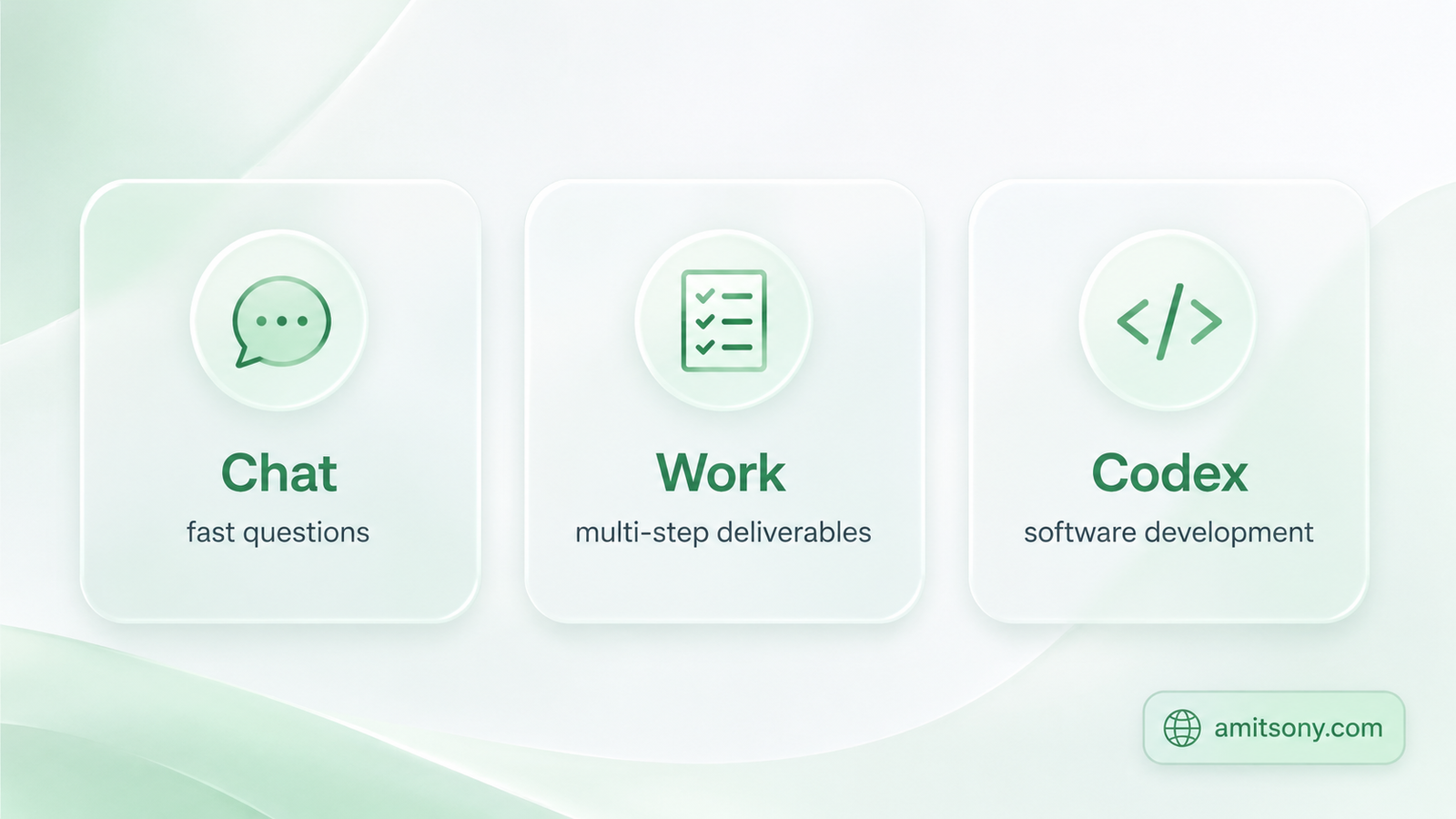
ChatGPT Work sits alongside Chat and Codex as one of three distinct modes inside the rebuilt ChatGPT desktop app. Chat handles fast, conversational questions. Codex stays dedicated to software development. Work is built specifically for longer, multi-step projects with a finished deliverable at the end, research, analysis, documents, spreadsheets, presentations, reports, or even a working web app.
It runs on GPT-5.6, specifically leaning on the Sol tier for the hardest agentic tasks, with Codex technology built directly in after OpenAI merged its standalone Codex app into the main ChatGPT desktop app this year. More than 5 million people already use Codex weekly, and OpenAI says over 1 million of them now use it for work outside software development entirely.
In practice, you open ChatGPT, select Work, describe the outcome you want, and it plans the steps, gathers information from your connected apps, and executes independently. You review the result and ask for changes in the same chat rather than starting over.
How Does the Pricing Actually Work?
There's no separate price tag for ChatGPT Work itself. It's included with your existing ChatGPT plan, but usage is metered the same way Codex's is, not flat-rate. OpenAI's own help documentation states plainly that Work "follows the same usage structure as Codex," and that longer, more complex tasks eat more of your plan's allowance.
As of July 2026, plan pricing runs Free at $0, Go at $8/month, Plus at $20/month, Pro starting at $100/month, and Business at $20/seat/month billed annually or $25/month with a two-seat minimum. Enterprise and Edu stay quote-only.
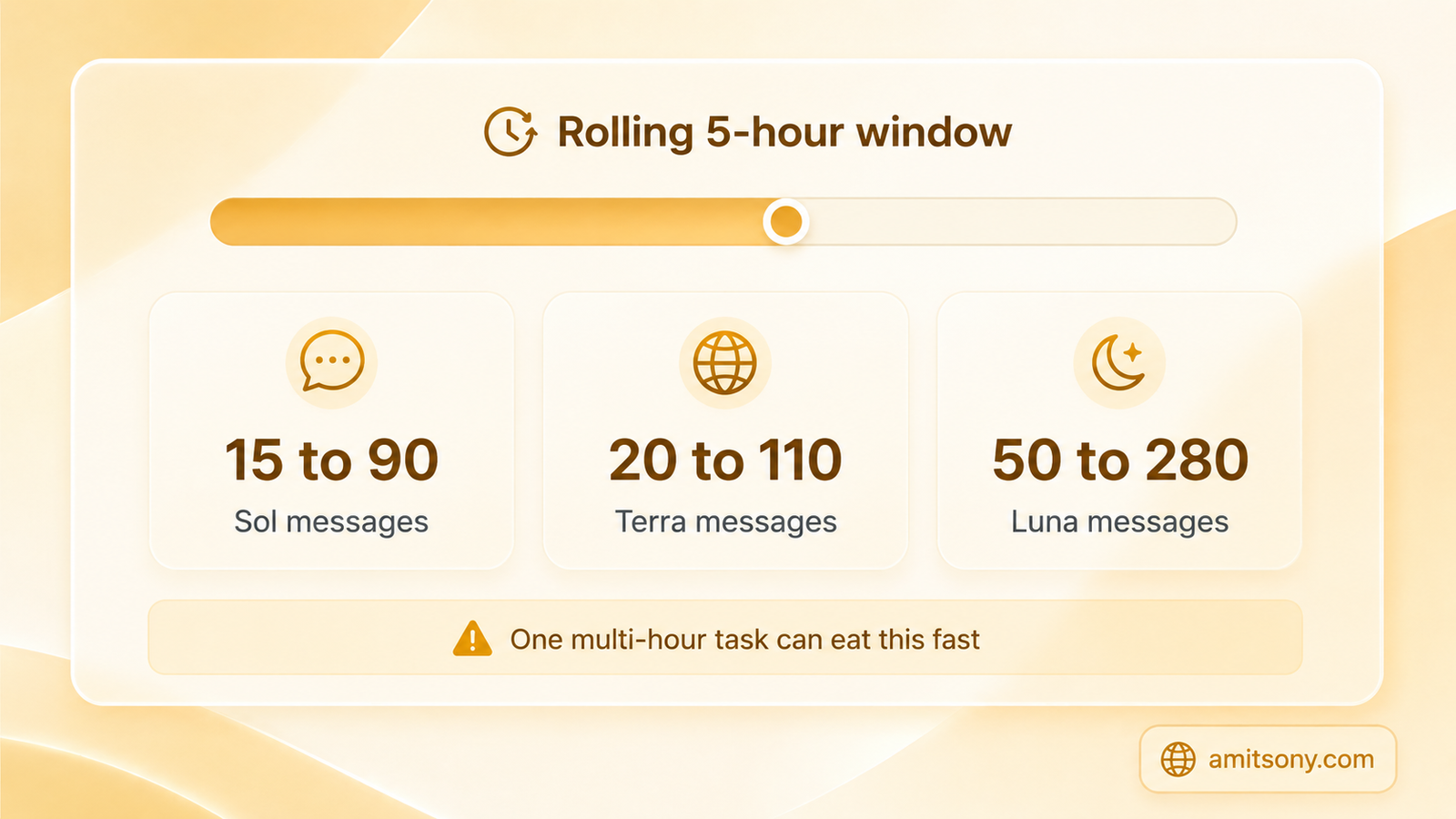
Here's the part that catches people off guard: on Plus, GPT-5.6 usage works out to a rolling five-hour window of roughly 15 to 90 Sol messages, 20 to 110 Terra messages, or 50 to 280 Luna messages, three model tiers sharing one allowance. A single multi-hour Work session across a dozen connected tools can visibly eat into that in one sitting.
OpenAI hasn't published a per-task rate, and reviewers who've actually tested this agree the gap between the sticker price and real usage is where most people get caught. Treat your first week as a measurement exercise, not a production rollout.
Which Plans Actually Get ChatGPT Work?
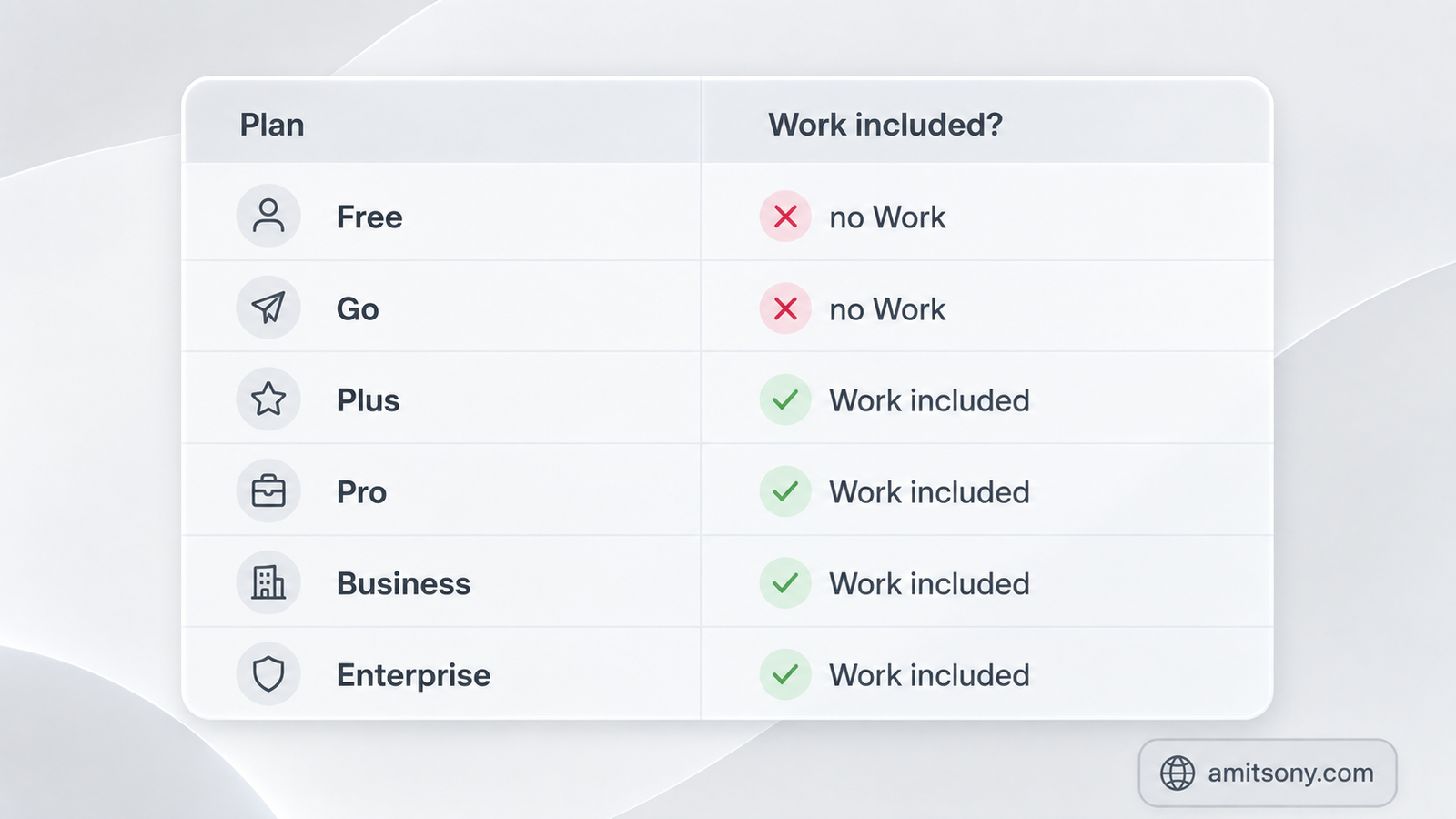
Free and Go plans don't include Work at all, full stop. Pro, Enterprise, and Edu got access first on web and mobile starting July 9, with Plus and Business rolling out over the following days.
The rebuilt desktop app itself, with Chat, Work, and Codex sitting side by side, is available on every plan including Free. That's worth noting specifically because having the app doesn't mean having access, the Work entitlement depends entirely on your subscription tier, not which app you've downloaded.
What Can It Actually Finish in a Multi-Hour Session?
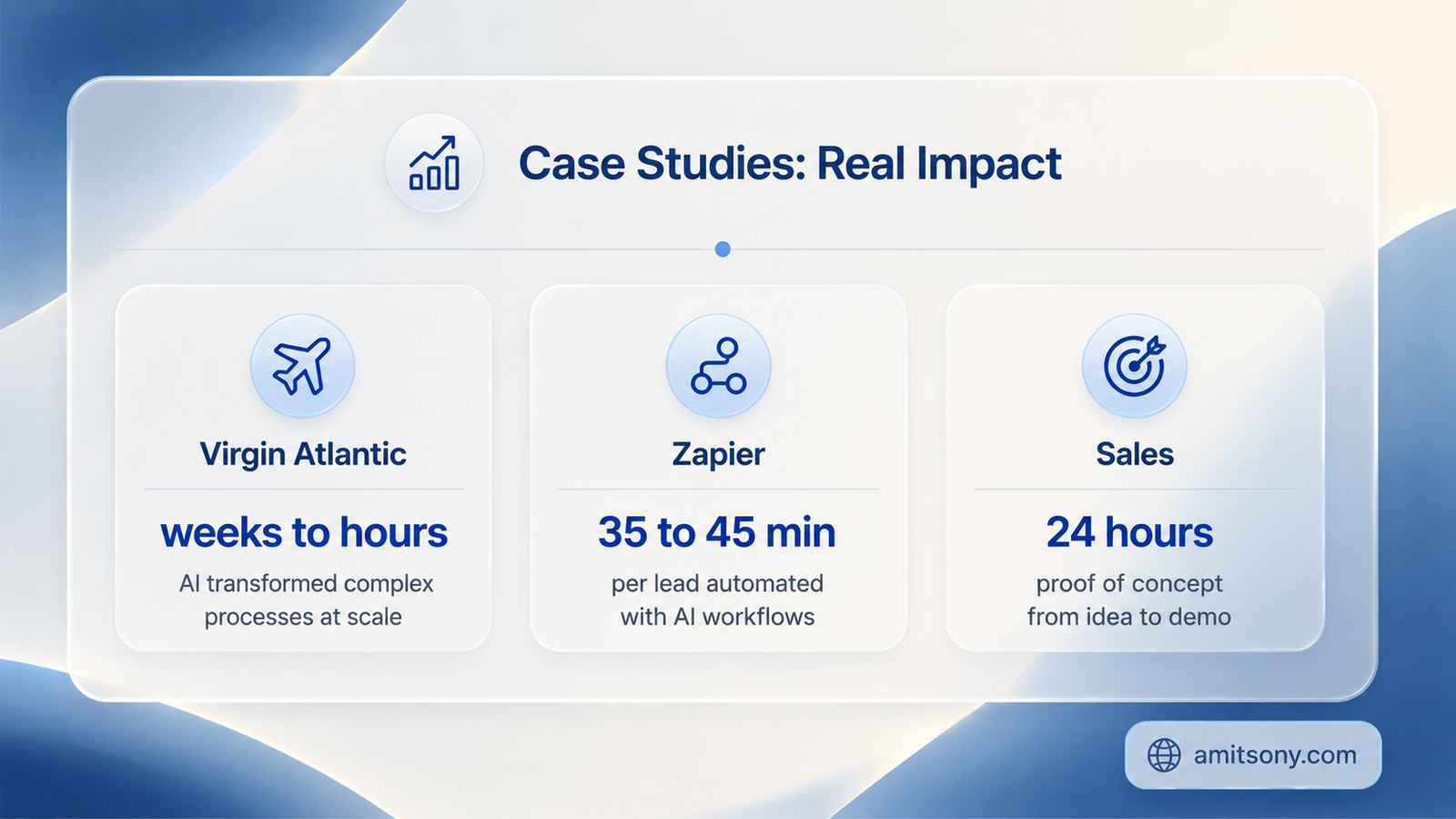
OpenAI's own published case studies give a real sense of scale. Virgin Atlantic used Work to benchmark customer journeys against competitors, research and analysis that would normally take weeks compressed into hours, producing a dataset showing exactly where they were outperforming or lagging.
Zapier built a lead-triage QA system with it, tracing each lead's journey across HubSpot, Gong, and email touchpoints that previously took 35 to 45 minutes of manual inspection per lead, and generating visual maps of where prospects were dropping off.
In a sales example OpenAI cites, Work turned a discovery call's raw notes into a tailored proof-of-concept document within 24 hours, work that normally takes weeks, by structuring the notes and routing pieces of the request to the right internal specialist automatically.
These are OpenAI's own showcased wins, so treat them as the ceiling, not the average. Still, the pattern is consistent: research and synthesis work that's tedious but well-defined is where it seems to actually deliver.
Where Does It Actually Fall Short?
Independent reviewers are more measured than OpenAI's own case studies. One detailed review sums it up cleanly: worth trying for repeatable, reviewable multi-step tasks like briefs, documents, and browser workflows, but not yet reliable enough for unsupervised file operations or deliverables where every number has to be exact.
Code-heavy work is a specific weak spot despite the Codex technology underneath. Work can't directly deploy to production infrastructure, and for real software development, dedicated tools remain the better call. It's built for business tasks that happen to touch some code, not for shipping software.
Treat every financial figure, every exact quote, and every deliverable with real stakes as something you personally verify before it goes anywhere. The autonomy is real, but so is the need for a human final check.
How Should You Actually Use It Without Wasting Your Plan Allowance?
Write tight, specific briefs rather than vague goals. A clearer outcome description means fewer wasted steps and less allowance burned figuring out what you actually meant.
Use Plan mode, where available, to catch a bad direction early before the agent spends hours executing on a misunderstood brief. Reviewing the plan costs far less than reviewing a finished but wrong deliverable.
Start on the cheaper Terra model rather than defaulting to Sol for everything, and treat your first real workflow as a measurement exercise. Watch exactly what it costs in usage before scheduling anything to run automatically or repeatedly.
Is ChatGPT Work Worth It?
For genuinely multi-step, well-defined projects, research synthesis, first-draft reports, competitive analysis, structured documents, yes, it does what the name promises more often than a skeptic might expect. For anything where a single wrong number matters, or real software needs to ship, it's an assistant that still needs a supervisor, not a replacement for one.
Frequently Asked Questions
Is ChatGPT Work included in my existing ChatGPT subscription?
Yes, there's no separate fee, but usage meters against your plan's existing allowance the same way Codex does, so heavy multi-hour use can eat into that allowance fast.
Does ChatGPT Free or Go include Work?
No. Free and Go plans don't include Work at all. Pro, Enterprise, and Edu got it first, with Plus and Business rolling out shortly after.
Can ChatGPT Work actually be trusted to run unsupervised?
Independent reviews say it's reliable for repeatable, reviewable tasks like briefs and documents, but not yet reliable enough for unsupervised file operations or deliverables where every number must be exact.
How much does ChatGPT Work actually cost per task?
OpenAI hasn't published a per-task rate. Usage is metered against your plan's shared allowance, and a multi-hour session across many connected tools can consume a meaningfully large share of it.
Is ChatGPT Work good for software development?
Not really. Despite having Codex technology built in, OpenAI positions dedicated tools as better for real software development. Work is built for business tasks that happen to involve some code, not for shipping production software.