
Agent Skills are folders containing a SKILL.md file that teaches an AI agent how to do one task well. The agent reads only each skill's name and description at first, then loads the full instructions when a request matches. Anthropic created the format in October 2025, and the open standard now works across 40 plus tools.
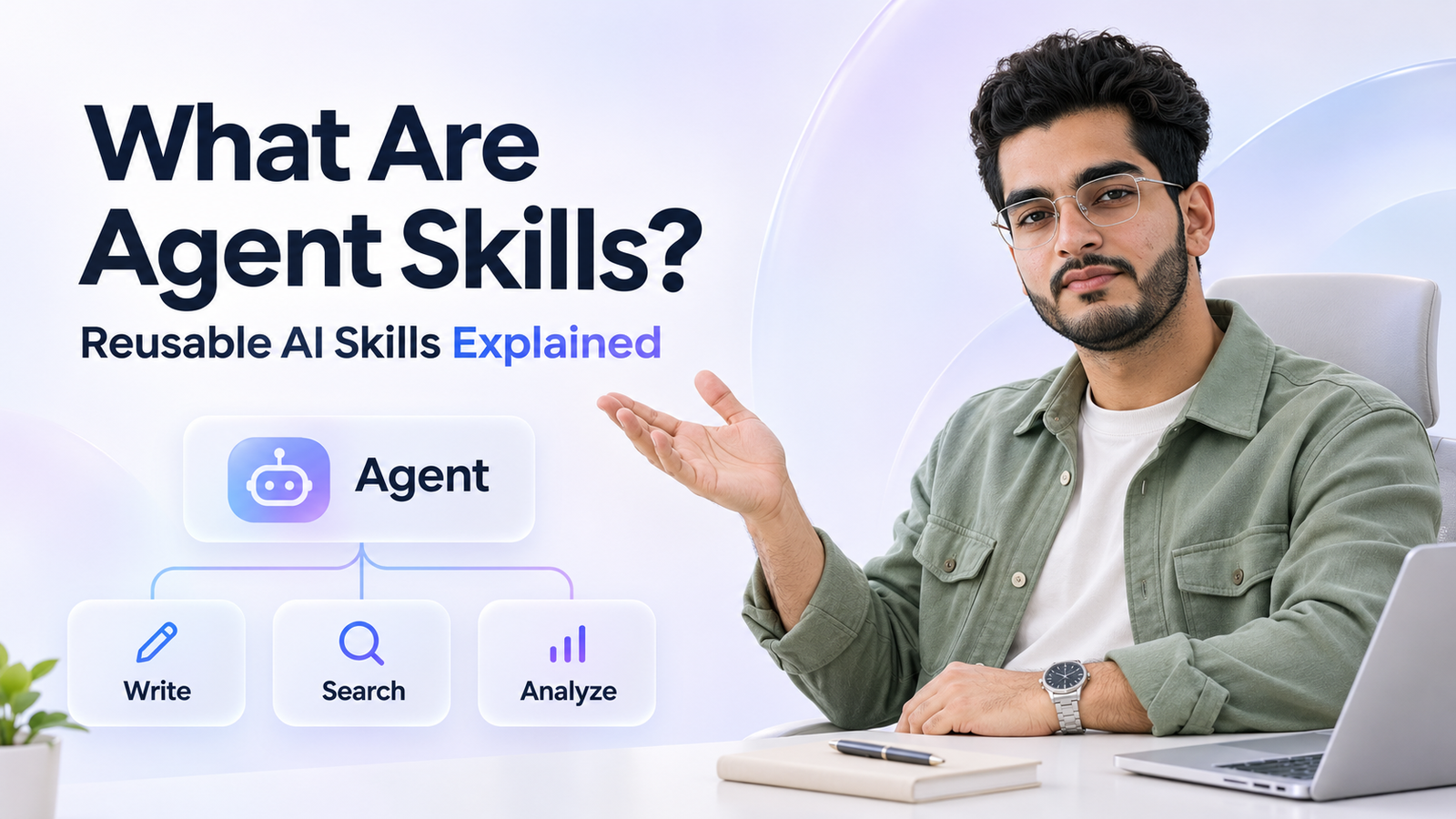
Every time you start a new chat, you re-explain how you want things done. Agent Skills fix that. You write the instructions once, in a folder, and any compatible agent can reuse them.
This guide explains what a skill is, how it loads, which tools support it and how to write one, with worked examples you can copy. It also covers when not to write a skill, and the security habits that keep a shared skill from becoming a risk.
What are agent skills?
An Agent Skill is a folder with one required file, SKILL.md. The file has a short header, written in YAML, with a name and a description, followed by plain Markdown instructions. The folder can also hold scripts, reference documents and templates.
Think of it as a recipe card for a task. The agent does not memorise every card. It keeps a list of titles and reads a full card only when the job matches.
Anthropic launched the format for Claude on October 16, 2025 and published it as an open standard at agentskills.io on December 18, 2025. Within weeks, OpenAI's Codex, Google's Gemini CLI, GitHub Copilot, Cursor and others adopted the same format. By mid-2026 the standard's own showcase listed more than 40 adopters.
The big idea is portability. A skill written for one agent works in the others, so your know-how stops being locked inside one product.
How do agent skills work?
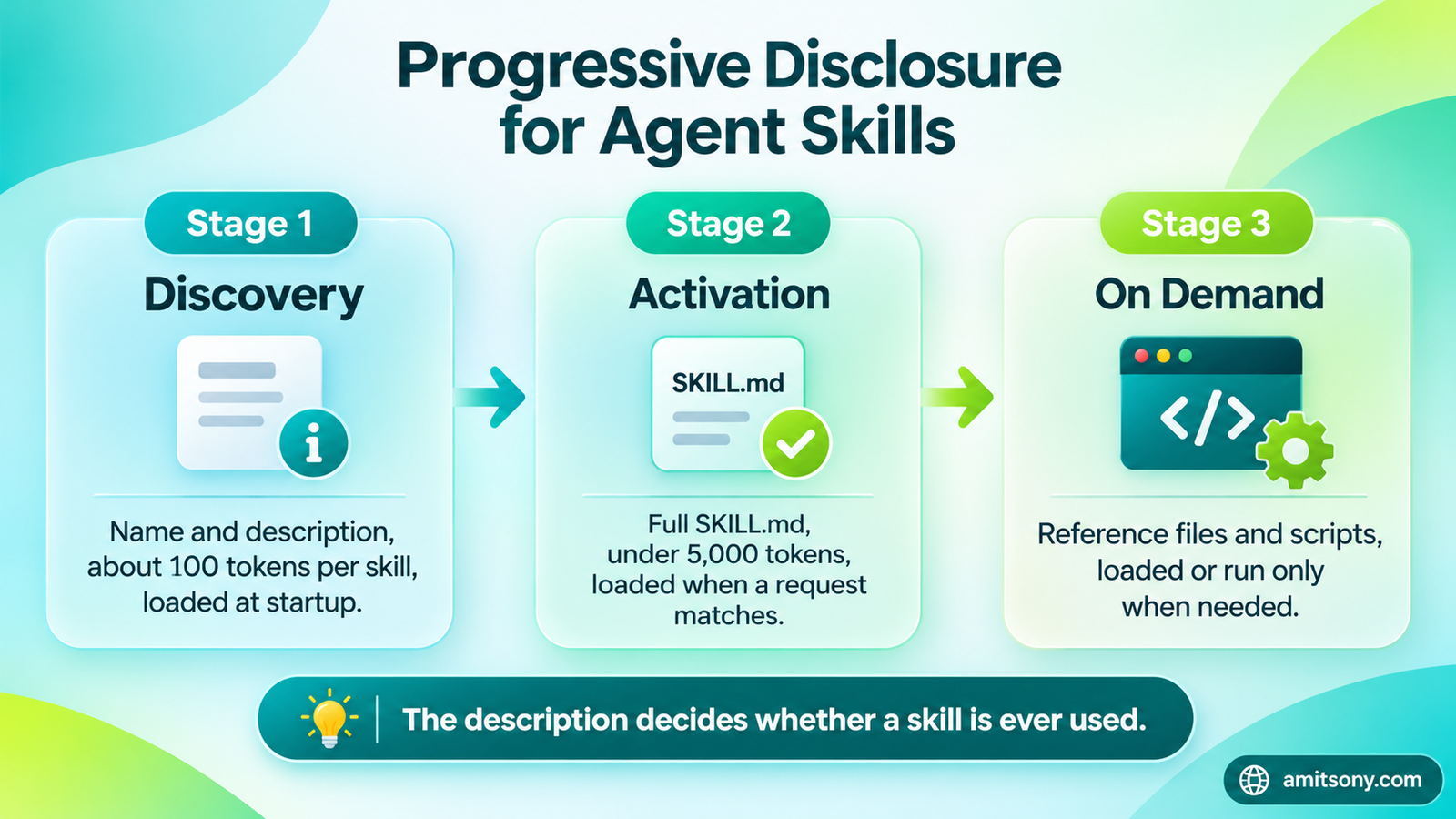
Skills load in three stages, an idea called progressive disclosure. It keeps the agent's context window free for real work.
Stage 1, discovery. At startup the agent reads only the name and description of every installed skill, about 100 tokens each. That is enough to know what exists.
Stage 2, activation. When your request matches a description, the agent loads the full SKILL.md. The recommendation is under 5,000 tokens, and under 500 lines.
Stage 3, on demand. If the instructions point to a reference file, the agent reads that file only when needed. If they point to a script, the agent can run the script without reading its code into context.
The consequence is simple. You can install dozens of skills without paying for all of them in every conversation. But it also means the description does all the routing work. A vague description means the skill never fires.
What does a SKILL.md file look like?
Here is a minimal skill for writing commit messages.
```
---
name: commit-message
description: Use when the user asks to commit, write a commit message, or summarise staged changes. Writes a concise conventional commit.
---
# Commit message
Write the subject line in the imperative mood, under 72 characters.
Add a body only when the change needs a reason, not just a description.
Never mention file names in the subject line.
```
The name must use lowercase letters, numbers and hyphens, stay under 64 characters, and match the folder name. The description is the most important line. It should say both what the skill does and when to use it.
Everything below the header is ordinary Markdown. Write it the way you would brief a capable new colleague: the steps, the format you want and the traps to avoid.
Which tools support agent skills?
Support is wide. Claude Codeclaude-code and the Claude apps support skills natively, and so do GitHub Copilotcopilot , VS Code, Cursor , OpenAI Codex and Gemini CLI. Google's Gemini app also moved from Gems to Skills in 2026, with Skills now the main way to save reusable instructions there. Goose, OpenCode, JetBrains Junie, Kiro and dozens more list support too.
Each tool looks for skills in its own folder. Common locations are .claude/skills, .agents/skills, .gemini/skills, .cursor/skills and .github/skills. Many tools also scan the shared .agents/skills folder.
Watch out for the optional header fields. The core fields work everywhere, but fields such as allowed-tools are honoured by some agents and ignored or rejected by others. Test a skill in every tool you plan to use it in.
What are some examples of useful agent skills?
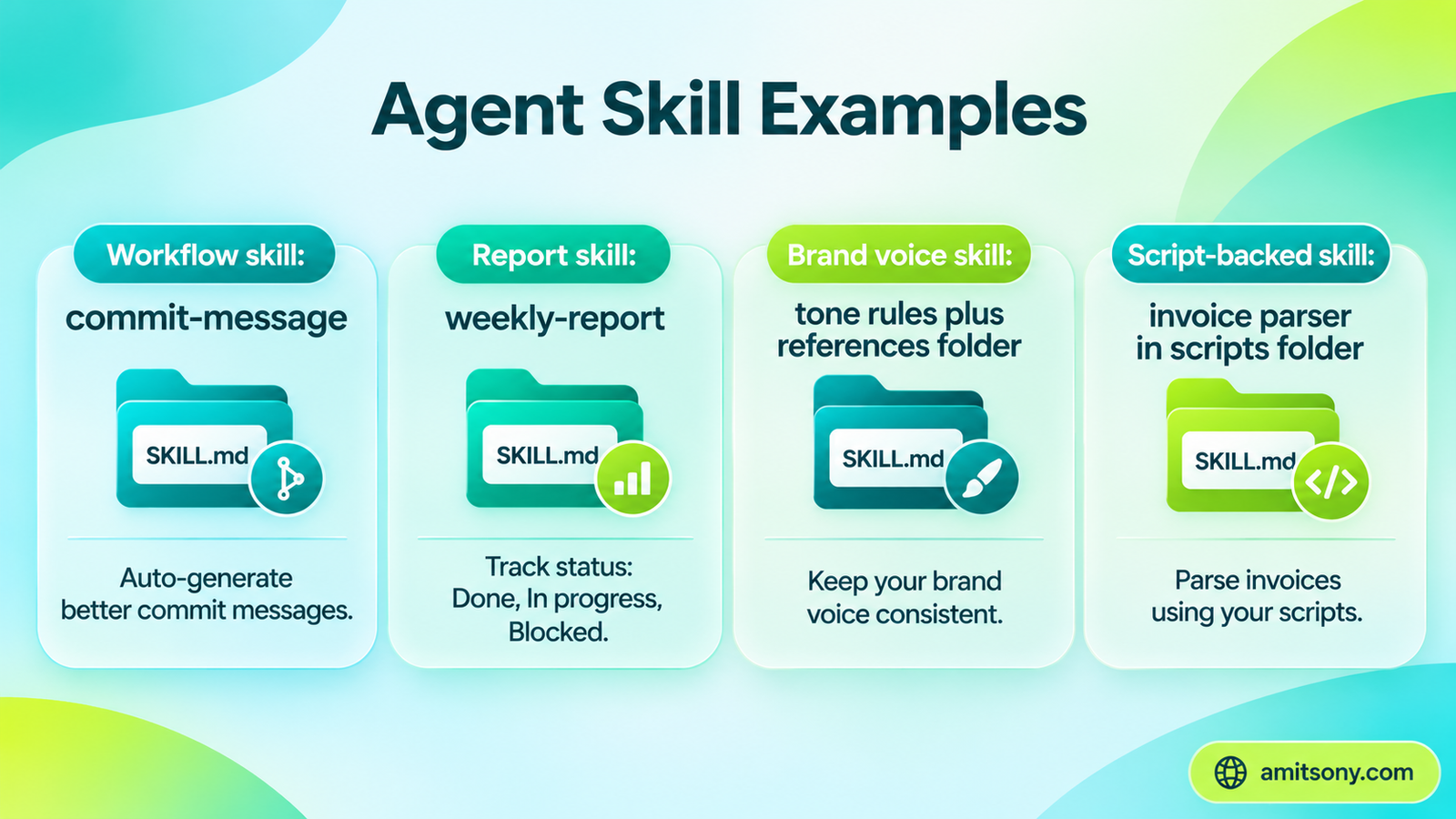
Four patterns cover most needs.
Example 1, a workflow skill. The commit message skill above is the simplest kind. It captures a format you use daily.
Example 2, a weekly report skill for non-developers.
```
---
name: weekly-report
description: Use when the user asks for a weekly update, status report or Friday summary from their notes.
---
# Weekly report
Ask for the raw notes if none are given.
Group items under Done, In progress and Blocked.
Keep each item to one line and put numbers first.
End with one decision the reader must make.
```
Example 3, a brand voice skill. The SKILL.md holds the tone rules, and a references folder holds a banned-words list and three approved sample paragraphs. The agent loads the samples only when it writes copy.
Example 4, a script-backed skill. A skill for extracting invoice fields could include a scripts folder with a small parser. The instructions tell the agent to run the script and then check the output. Running a script is more reliable than asking the model to do arithmetic.
Skills are not limited to coding. In the Claude apps, document creation relies on skills for formats such as Word, PowerPoint, Excel and PDF files, and Google's Gemini Skills cover everyday tasks.
How are skills different from MCP, AGENTS.md and custom prompts?
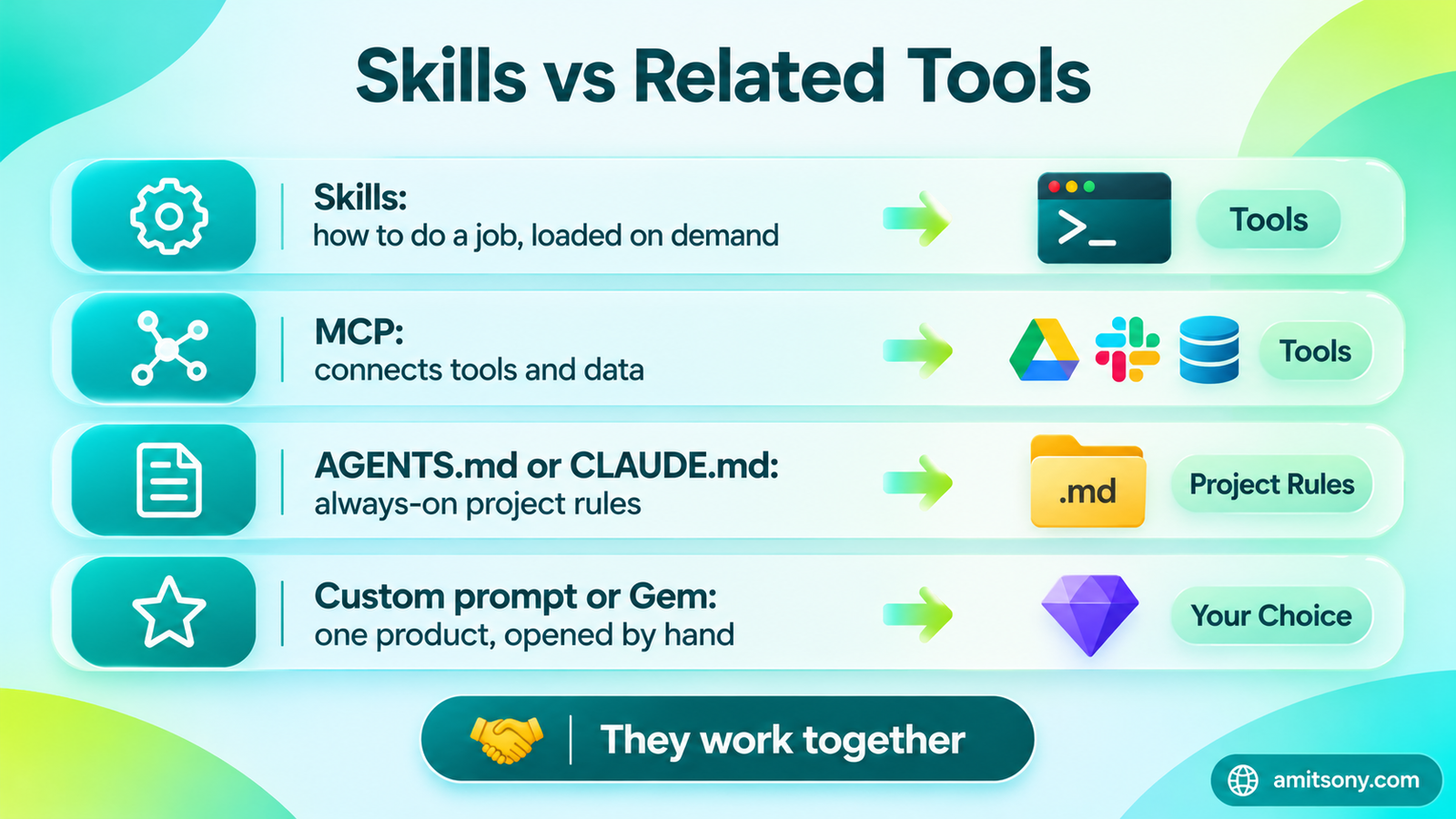
They solve different problems, and they work together.
MCP connects an agent to tools and data, such as a database, a calendar or a ticketing system. A skill tells the agent how to do a job well. A skill might say how to triage tickets, while MCP supplies the ticket system.
AGENTS.md and CLAUDE.md are always-on files. The agent reads them in every session, so they suit project rules that apply everywhere. A skill loads only when needed, which suits specialised workflows.
A custom prompt or a saved assistant such as a Gem lives in one product, and you have to open it deliberately. A skill can fire on its own when the request matches, and the same folder moves between tools.
My verdict: put short rules that always apply in the always-on file, put specialised repeatable workflows in skills, and use MCP for connections.
How do you write a good agent skill, step by step?
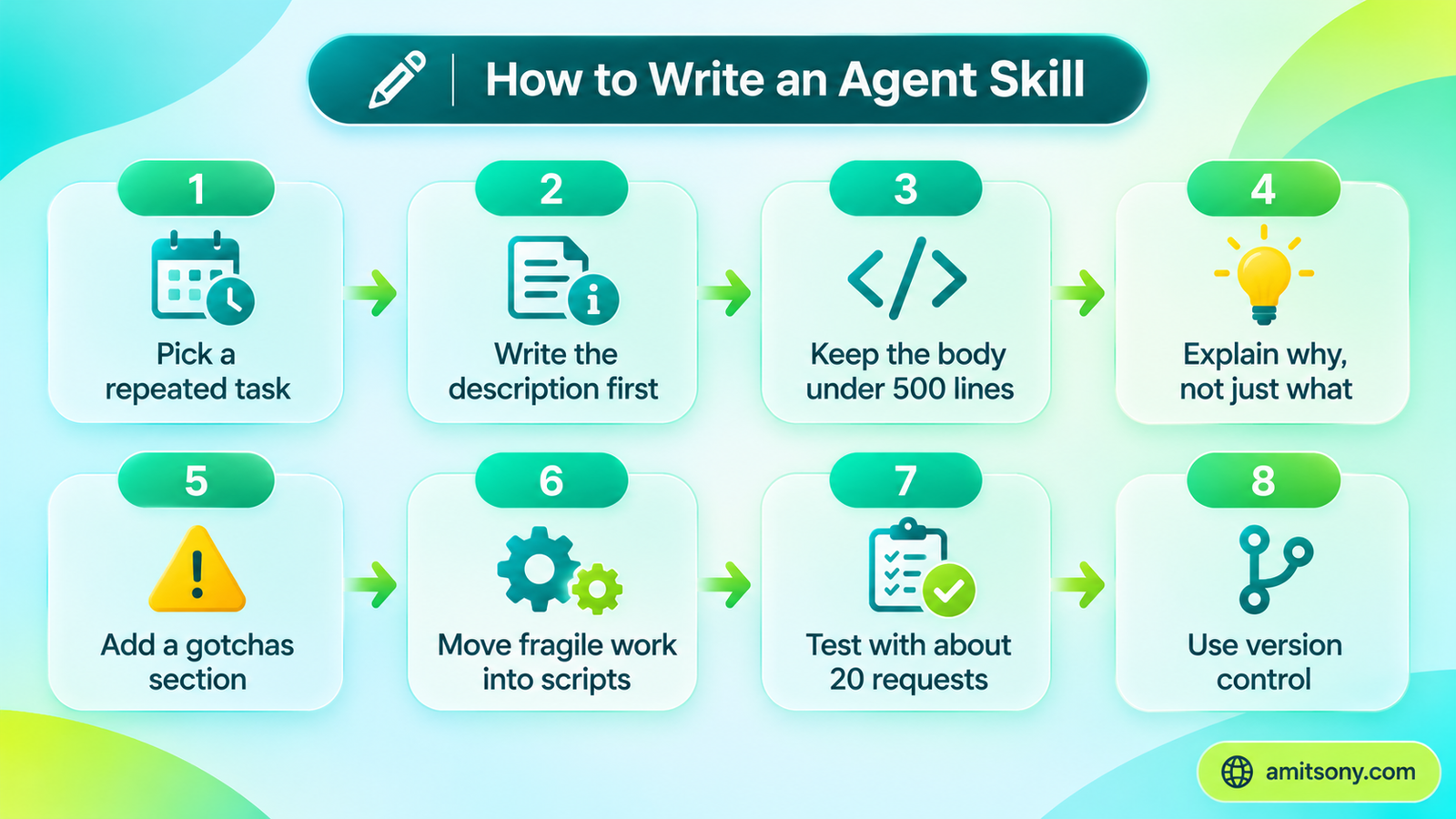
Step 1. Pick one repeated task, something you explain more than twice.
Step 2. Write the description first. Say what the skill does and when to use it, and include the phrases a user would actually type.
Step 3. Keep the body short. Aim for under 500 lines, and put long material in a references folder, one level deep. Tell the agent when to read each file.
Step 4. Explain why, not only what. A rule with a reason helps the agent handle cases you did not foresee.
Step 5. Add a gotchas section. Every time the agent gets something wrong that it could not have guessed, add one line. This is often the most valuable part of a skill.
Step 6. Move fragile work into scripts, such as parsing, calculation or file conversion.
Step 7. Test it. Write about 20 test requests, 8 to 10 that should trigger the skill and 8 to 10 that should not. Run each three times, and fix the description if it misfires.
Step 8. Keep the skill in version control so a change is easy to review and undo.
When should you not write an agent skill?
Skip a skill for one-off tasks. If you will never repeat it, the effort does not pay back.
Skip it when the instructions are short enough for an always-on file. Three lines in AGENTS.md beat a whole folder.
Skip it for rules that apply to every request. A skill the agent must consult constantly defeats progressive disclosure and adds an activation step that can silently fail.
Skip it for work the agent already does reliably. Extra instructions can even make the output worse, so test with and without the skill and keep it only if it helps.
Are agent skills safe to install?
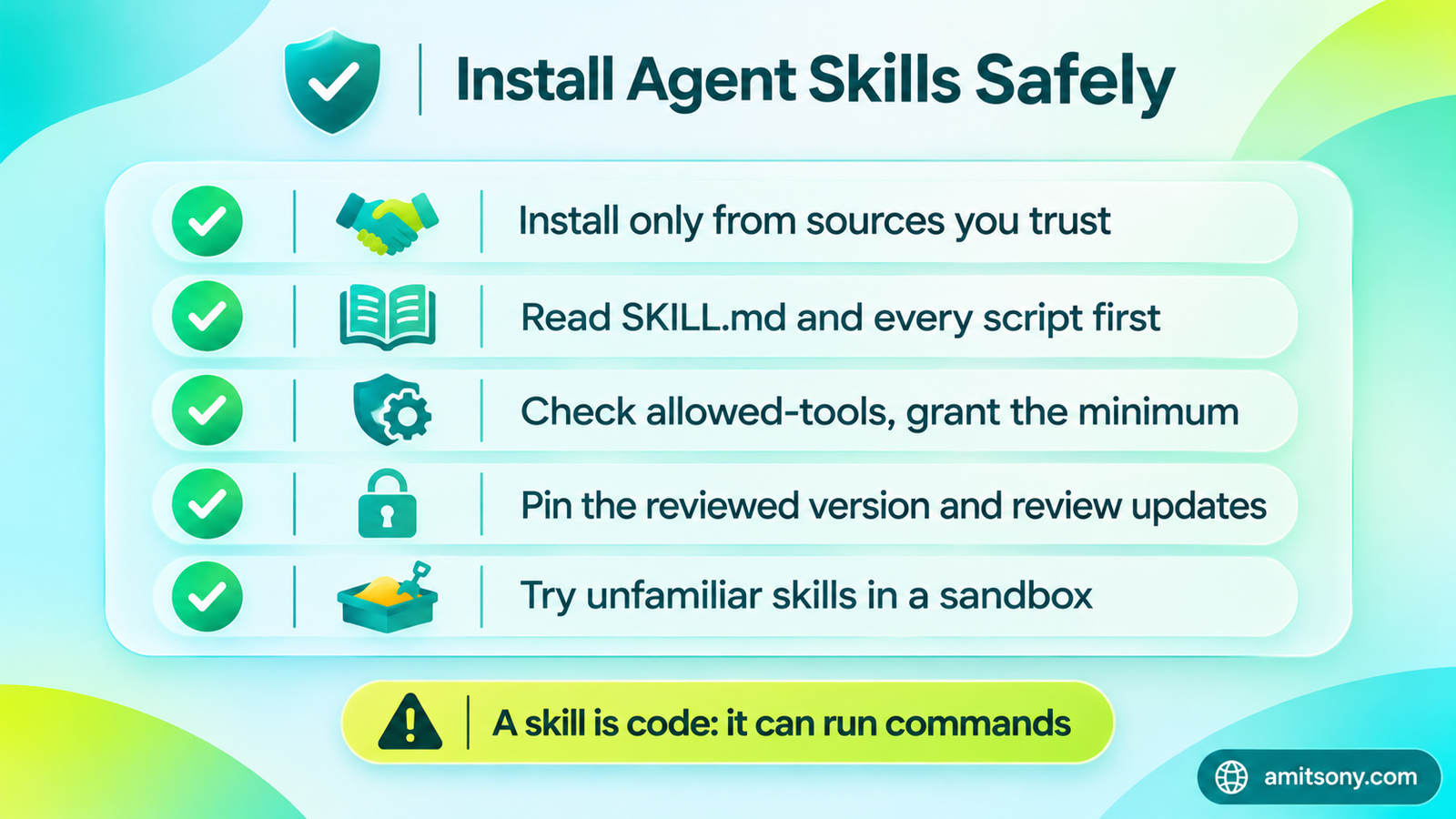
Treat a skill like code, because it can contain scripts and can request tool permissions. A skill from an unknown source can instruct an agent to run commands or expose data.
Security researchers have already audited public skill collections and flagged risky ones. One report is nicknamed ToxicSkills, so search for it if you want the details.
Habits that help. Install skills only from sources you trust. Read the SKILL.md and every script before you enable it. Check the allowed-tools field and grant the minimum. Pin the version or commit you reviewed. Review any change before you update.
Run unfamiliar skills in a sandbox or a test project first, and never keep secrets in a skill folder.
Frequently Asked Questions
What are agent skills?
They are folders with a SKILL.md file that teach an AI agent how to do a specific task, loaded only when a request matches the skill's description.
Who created agent skills?
Anthropic launched the format on October 16, 2025 and released it as an open standard at agentskills.io on December 18, 2025.
Which tools support agent skills?
Claude Code, the Claude apps, GitHub Copilot, VS Code, Cursor, OpenAI Codex, Gemini CLI and more than 40 others, according to the standard's showcase.
Are agent skills the same as MCP?
No. MCP connects an agent to tools and data. A skill teaches the agent how to do a job well. They work together.
Can I use the same skill in different AI tools?
Usually yes, because the format is shared. Optional fields such as allowed-tools can behave differently, so test each tool.