
Midjourney has no free tier in 2026, but several strong alternatives do. Google ImageFX (Imagen 4), Leonardo AI (150 tokens/day), Playground AI (500 images/day), Ideogram v3, Adobe Firefly, and local Stable Diffusion all deliver serious quality at zero cost — no Discord, no subscription required.
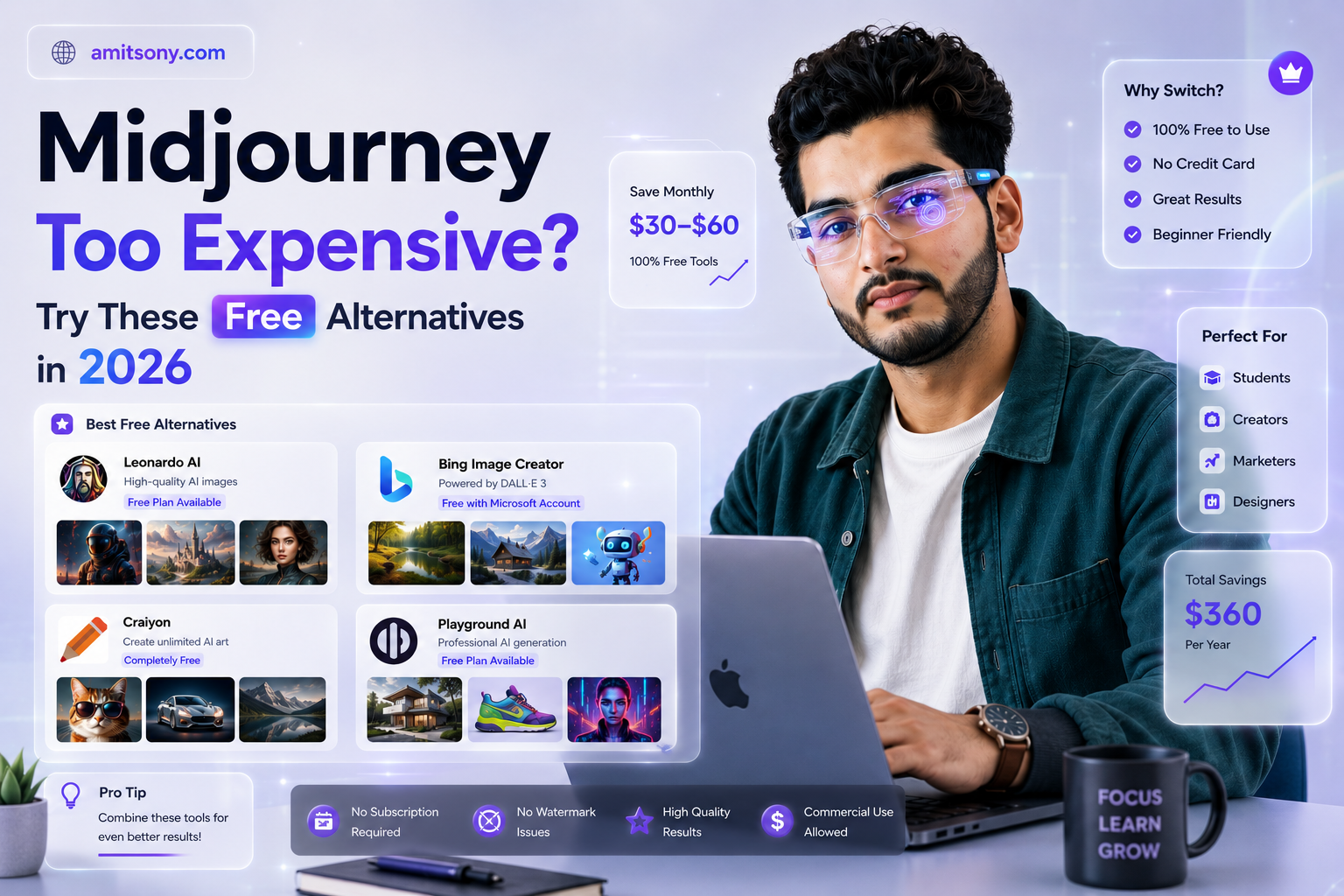
Midjourney raised the bar for AI-generated art. It also raised the price - $10/month minimum, no free trial, and you still have to use it through Discord. For a lot of people, that's a deal-breaker before they've even seen their first image.
The good news? The competition caught up fast. In 2026, there are free tools that match Midjourney's output quality for most use cases — some even beat it in specific areas like text rendering or photorealism. Here's an honest breakdown of the best ones, what they're actually free to do, and which one fits your workflow.
Why is everyone looking for Midjourney alternatives in 2026?
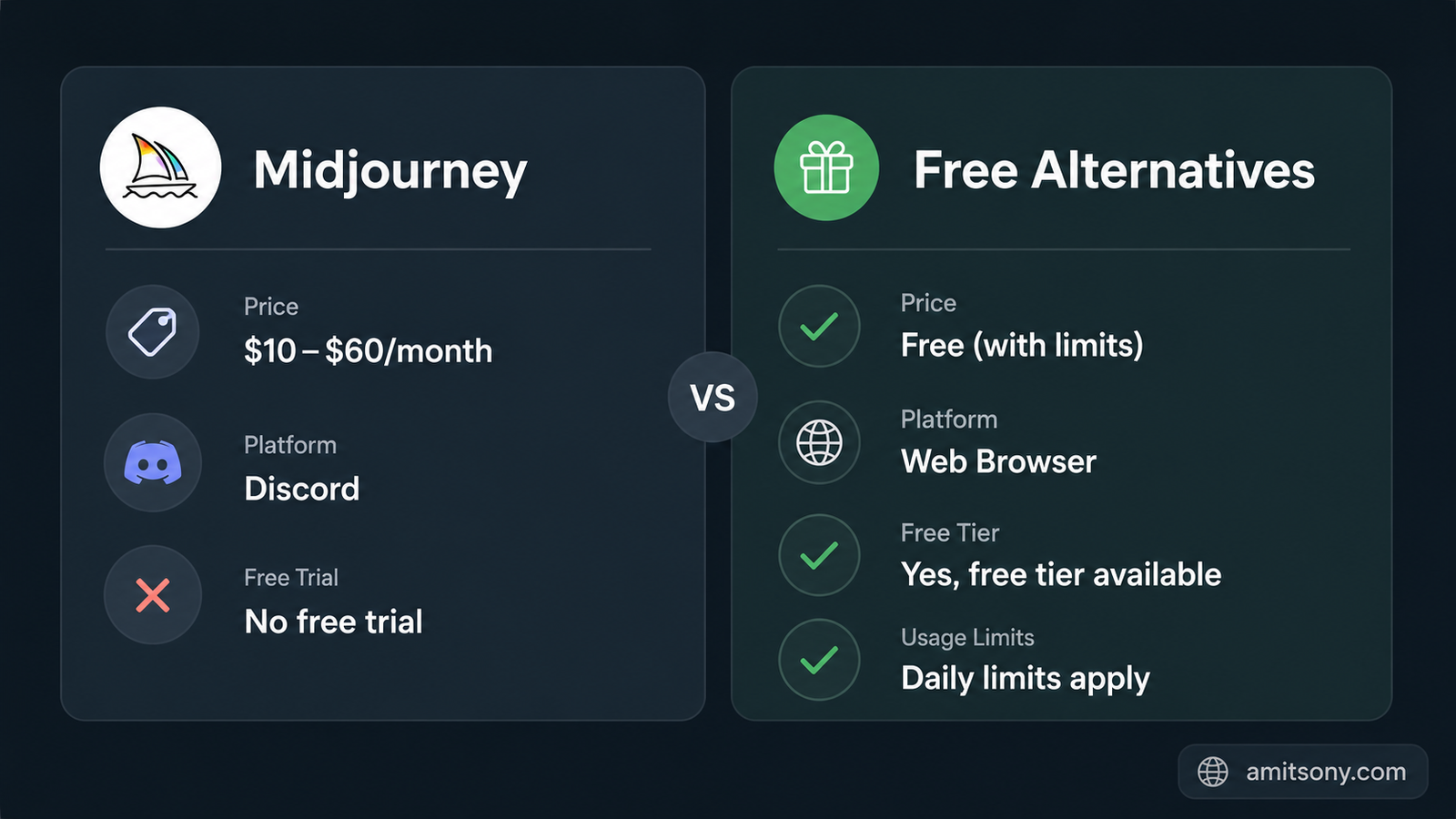
Midjourney V7 is genuinely excellent. The images are artistic, detailed, and have a distinctive aesthetic that's hard to replicate. But it comes with real friction — no free tier, mandatory Discord interface, and a public gallery by default unless you're on the $60/month Pro plan. For freelancers, students, and casual creators, that's a lot to justify.
The bigger shift in 2026 is that free tools are no longer "almost as good." Tools like Google ImageFX running on Imagen 4 and Playground AI are producing results that hold up in direct comparisons. Ideogram v3 actually *outperforms* Midjourney when you need readable text inside images — something Midjourney has always struggled with.
There's also the Discord problem. Most people just want a clean web UI where they can type a prompt, get an image, and download it. Every alternative on this list works exactly that way.
Which free Midjourney alternative gives the best image quality in 2026?
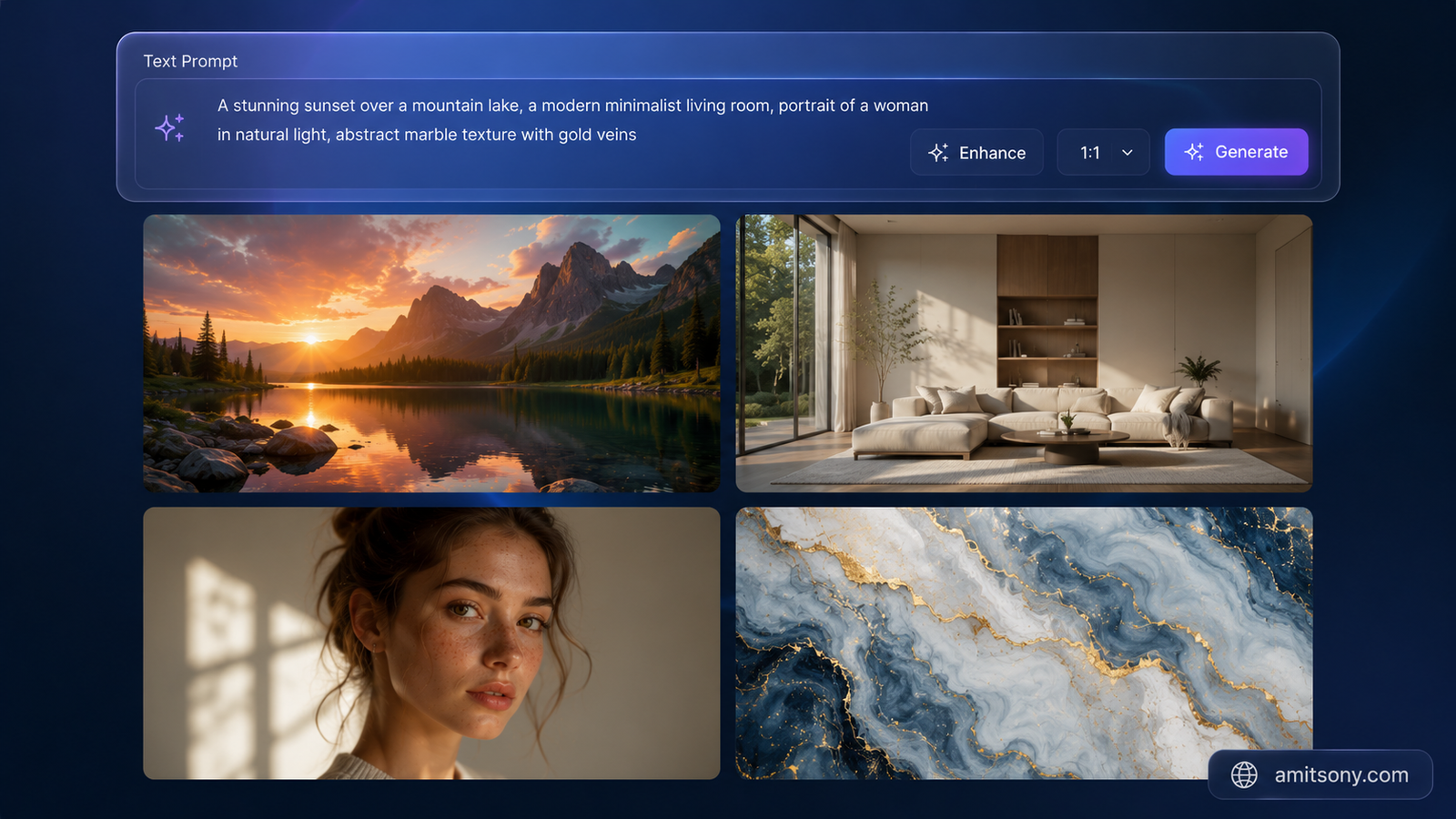
Google ImageFX (powered by Imagen 4) is the strongest answer to this question. It's completely free, requires only a Google account, and produces photorealistic images that rival tools costing $0.03–$0.05 per image on paid platforms. Most free users can generate roughly 20–30 images per day before hitting the daily cap — each prompt returns 4 images at once, so you're getting 5 to 7 prompts worth of creative exploration before the limit kicks in.
The catch is Google's content filters, which are notably strict compared to other tools. Anything remotely edgy, fantastical with violence, or ambiguous in safety classification will get rejected. The other thing to know is SynthID — an invisible watermark baked into every Imagen output. It doesn't affect how the image looks, but it means the image carries a permanent provenance marker. For most creative and commercial uses, that's a non-issue.
If you need more volume, Google AI Studio (the developer-facing version) provides access to the same Imagen 4 models with significantly higher daily quotas — reportedly 500+ images per day on the Gemini Flash model for free accounts. The interface is less polished than ImageFX, but the generation quality is identical and the limits are far more generous.
What is the best free Midjourney alternative for daily creative work?
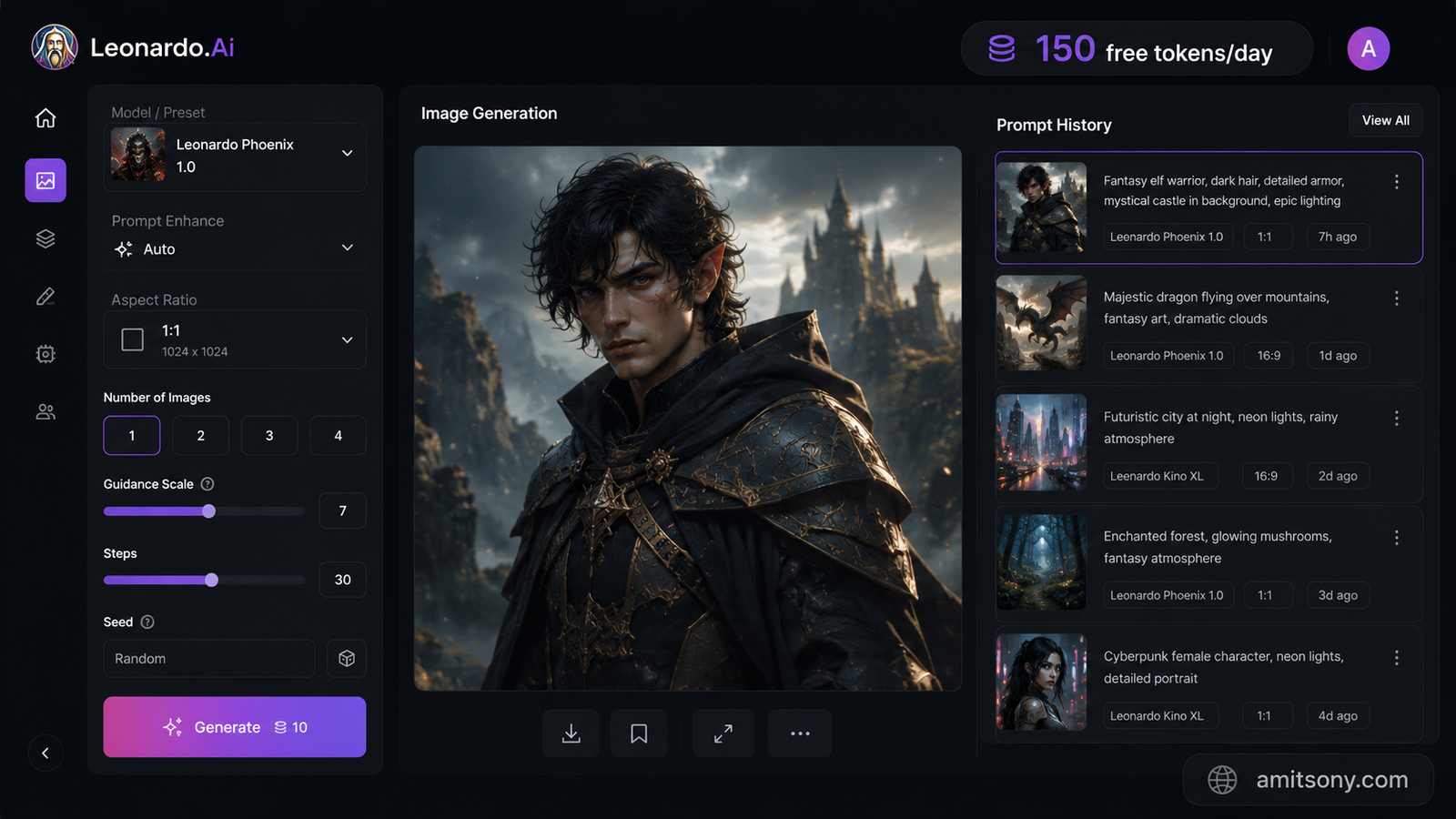
Leonardo AI hits the sweet spot for anyone who wants a proper creative workflow without paying anything. The free tier gives 150 tokens per day — which translates to roughly 18–30 standard images depending on resolution and model settings. What makes Leonardo stand out isn't just the volume; it's the depth of control.
You can choose between multiple models including Leonardo's own Phoenix model and FLUX variants, run a real-time canvas that generates as you sketch, and even do basic LoRA-style fine-tuning on custom styles. The community gallery is one of the most useful features — millions of user images with publicly visible prompts, which is basically a free masterclass in prompt engineering.
For game developers and character designers specifically, Leonardo's consistent character generation is a practical advantage. You can generate the same character across different scenes without losing visual coherence — something that's surprisingly hard to do on most free tools. The platform updates weekly with new models, and the interface feels like a modern design studio rather than a dev tool.
Which free tool should you use if you need to generate a lot of images fast?
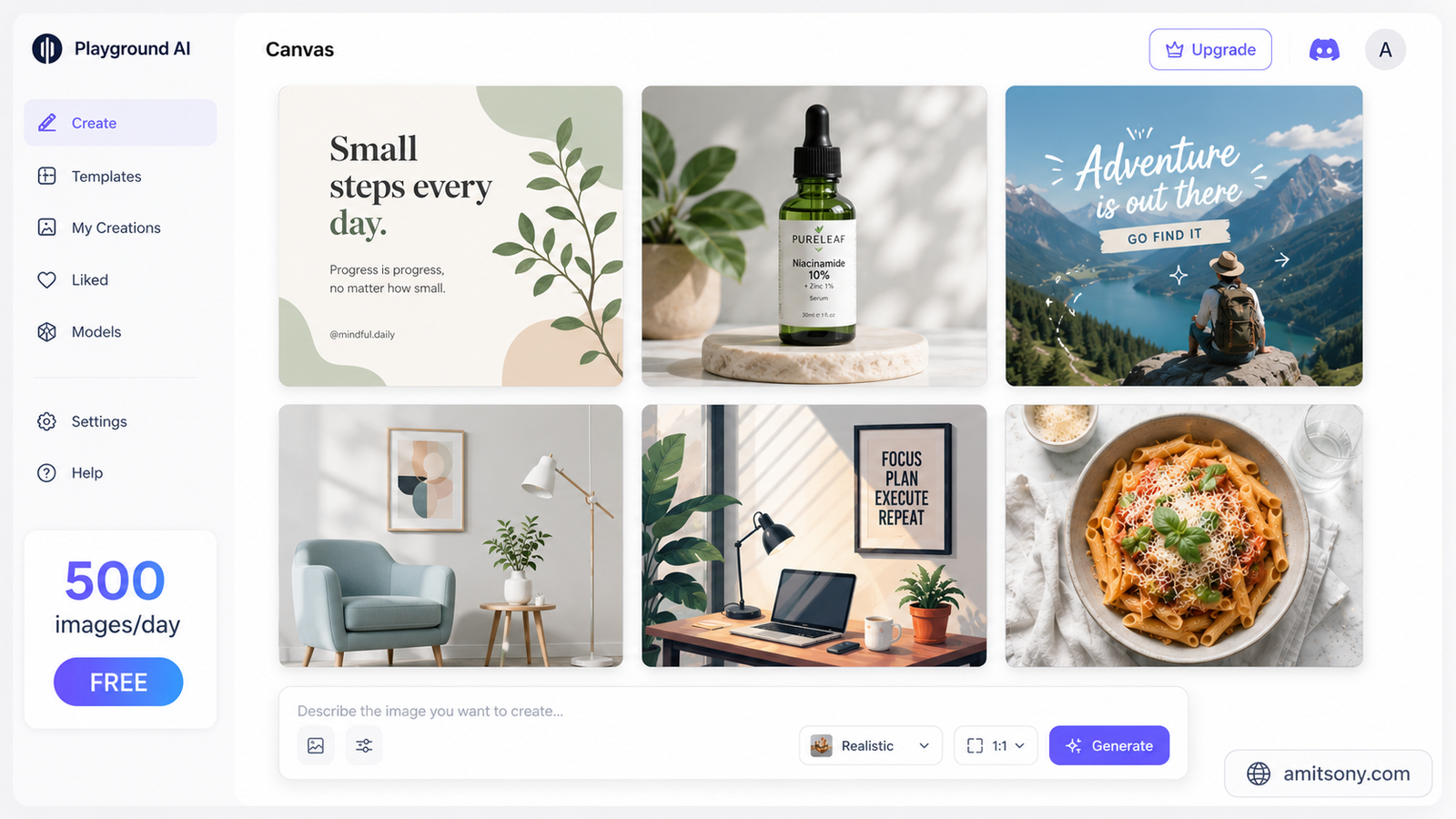
Playground AI is the clear answer here. The free tier offers 500 images per day — a number that's basically unmatched among cloud-based free tools. It supports Stable Diffusion XL and other models, includes a canvas editing mode with ControlNet support, and doesn't require any local setup or hardware.
The quality is comparable to mid-tier Midjourney outputs, which is good enough for social media content, blog graphics, presentation visuals, or rapid concept prototyping. Where Playground falls slightly short is the ultra-high-detail, painterly aesthetic that Midjourney is famous for — if that specific look is what you're after, you'll notice the gap. For everything else, 500 images a day for free is hard to argue with.
Is there a free alternative that handles text inside images better than Midjourney?
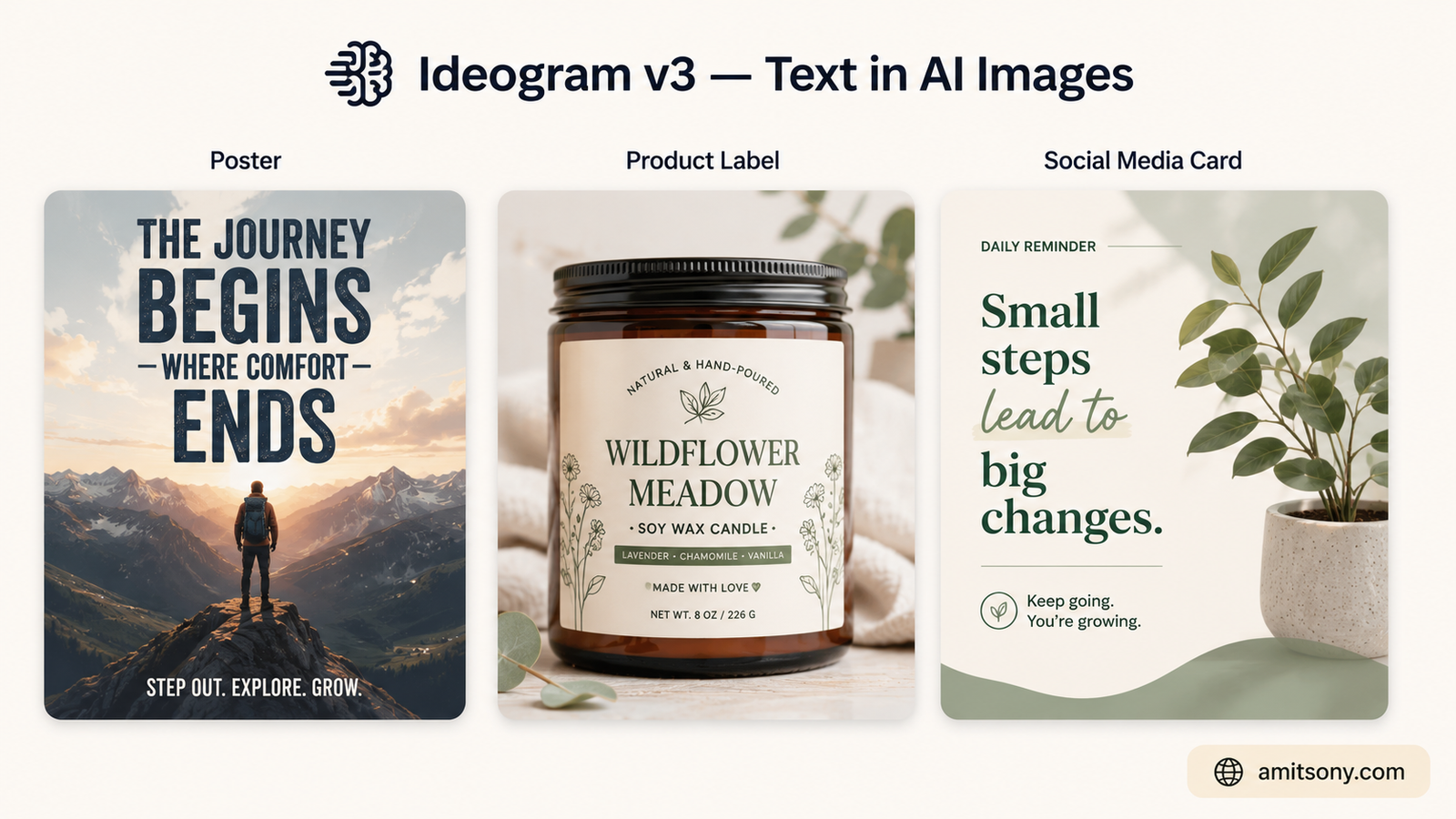
Yes — Ideogram v3 does this better than almost any tool on the market, free or paid. Midjourney has always had a known weakness with text rendering: letters get distorted, words get scrambled, typography looks wrong. Ideogram was specifically built to solve this.
The free tier gives around 10 prompts per day, with each prompt generating approximately 4 variations — so roughly 40 images daily. That's not a huge volume, but for use cases like poster design, social media graphics, logo concepts, or any creative where readable text is part of the image, those 40 images go a long way. Social media managers and graphic designers working on text-heavy visuals consistently rank Ideogram as their most-used free tool.
The interface is clean and simple — no learning curve. You type your prompt, specify the text you want included, and Ideogram handles the layout and rendering. The output quality for text-in-image work is genuinely ahead of tools costing far more.
Can you get truly unlimited free AI image generation without paying anything?
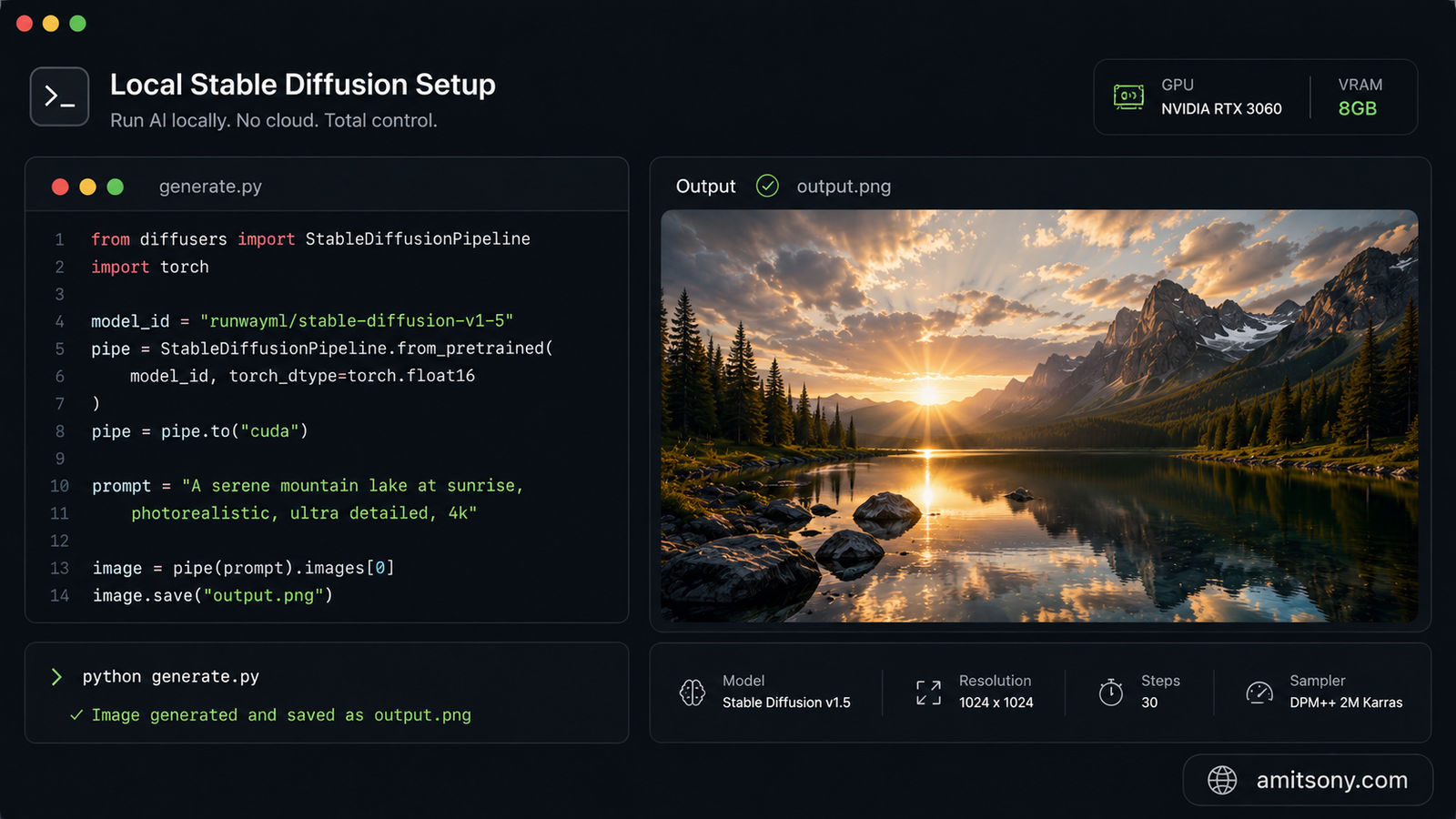
Stable Diffusion running locally is the only genuinely unlimited free option. If you have a GPU with 8GB+ VRAM, you can install it through ComfyUI or Automatic1111 and generate as many images as your hardware can handle — no daily limits, no internet required, no account, no watermarks.
The tradeoff is setup complexity and hardware cost. It's not a beginner-friendly five-minute install. But for power users, developers, or anyone doing high-volume image generation, the economics are compelling: once the hardware investment is recovered (typically within 6–12 months compared to a Midjourney subscription), every generation is free. You also get full model control — Stable Diffusion 3.5, FLUX Schnell, community fine-tunes, LoRAs — and total privacy since nothing leaves your machine.
FLUX Schnell (the lightweight, fast variant from Black Forest Labs) is worth highlighting as a local option. It runs efficiently on consumer GPUs and produces photorealistic outputs that are competitive with FLUX Pro, which costs $0.03–$0.05 per image on cloud platforms. For developers or technically inclined creators, this is the most powerful free path available.
Is Adobe Firefly worth using as a free Midjourney alternative?
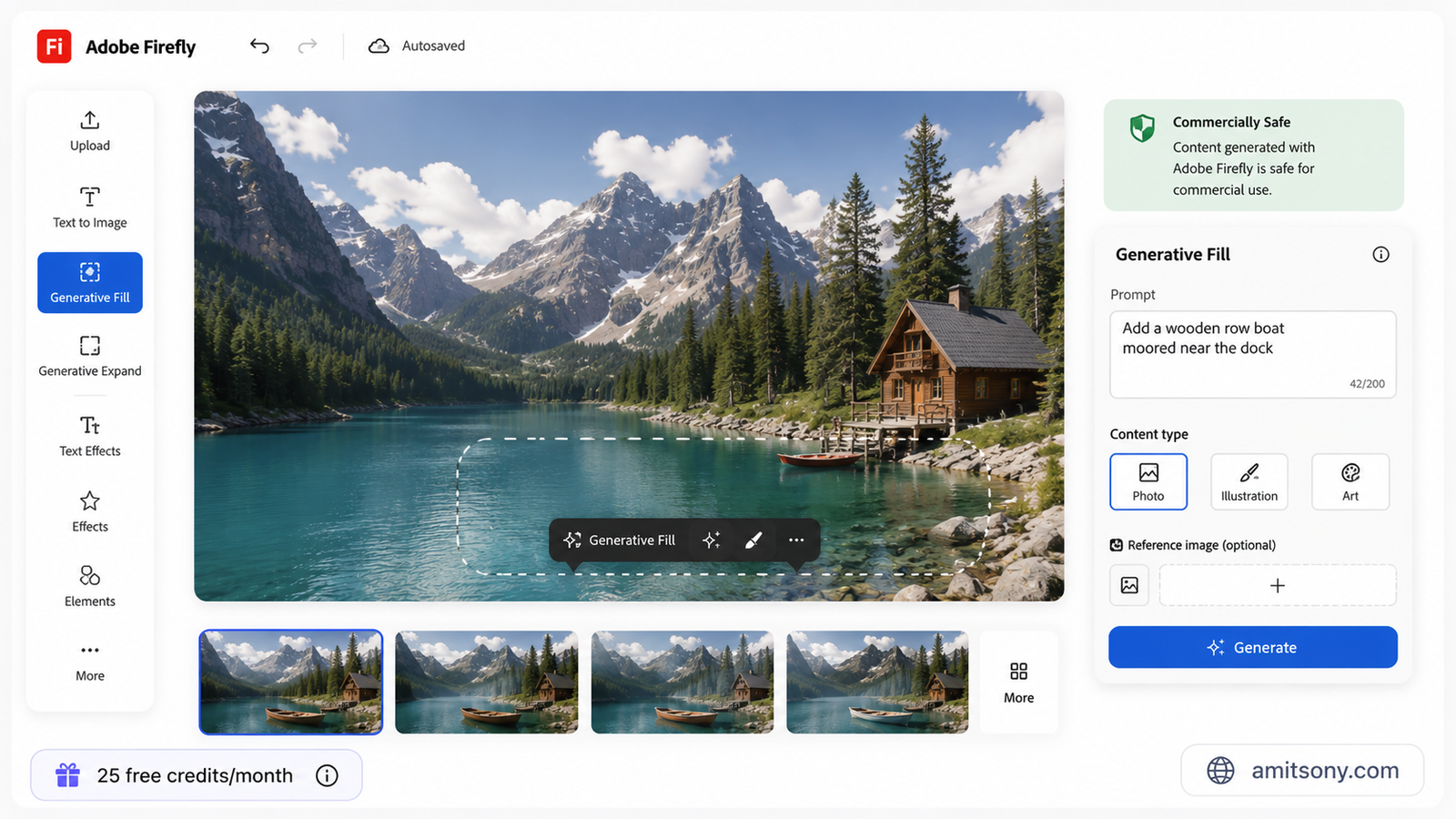
Adobe Firefly earns its place on this list for a specific reason: it's the most commercially safe free AI image generator available. Unlike most tools where the training data provenance is unclear, Firefly was trained exclusively on Adobe Stock, licensed content, and public domain material. Adobe offers IP indemnification for enterprise users, and even on the free tier, you know what you're working with legally.
The free plan gives 25 credits per month — which is modest compared to Leonardo or Playground. Each credit roughly equals one standard image generation. The free tier also comes with watermarked, lower-resolution outputs that aren't cleared for commercial use. So Firefly's free tier is genuinely best for testing and exploration, not production work.
Where Firefly gets more interesting is if you're already in the Adobe ecosystem. Creative Cloud subscribers get 500 credits bundled in, and Photoshop's Generative Fill feature — which uses Firefly under the hood — is one of the most practical AI image tools for professional work. Standard generations (basic resolution, core features like Generative Fill and Recolor) are unlimited on all paid plans, with credits only consumed for premium outputs and video generation. For agencies and freelancers doing client work with legal compliance requirements, Firefly is worth the $9.99/month Standard plan.
How do the best free Midjourney alternatives compare at a glance?
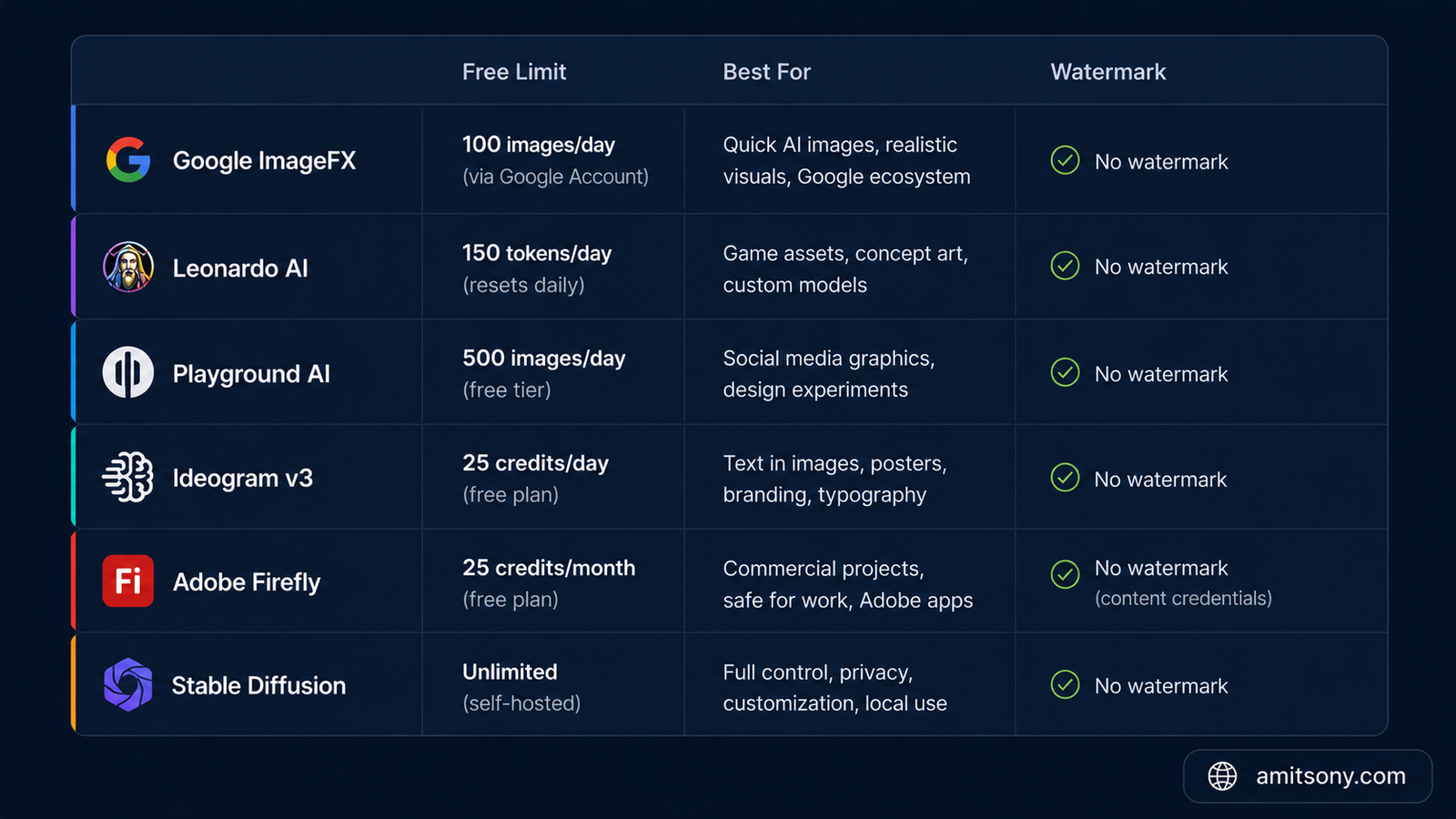
Here's where each tool actually wins, so you can pick based on your real use case rather than hype:
Google ImageFX — Best overall free quality. Imagen 4 produces images that compete with paid platforms. Free with a Google account, ~20–30 images/day on ImageFX, or 500+/day via Google AI Studio. Strict safety filters. No commercial use licence clearly stated on the free tier.
Leonardo AI — Best for daily creative workflow. 150 tokens/day, multiple models, canvas editing, character consistency, community gallery. No watermark on free tier. Not for commercial use without upgrading.
Playground AI — Best for volume. 500 images/day free, Stable Diffusion XL quality, canvas editing with ControlNet. Great for rapid iteration and social media content.
Ideogram v3 — Best for text in images. ~40 images/day (10 prompts × 4 variations). Unmatched text rendering. Clean, beginner-friendly interface. Ideal for posters, graphics, and social content with copy baked in.
Adobe Firefly — Best for commercial safety. 25 credits/month free (watermarked), unlimited standard generations on paid plans from $9.99/month. Best choice for brand work and legal peace of mind.
Stable Diffusion (local) — Best for unlimited, private generation. Truly free and limitless if you have the hardware. Full model control. Not beginner-friendly.
Which free Midjourney alternative should you actually start with today?
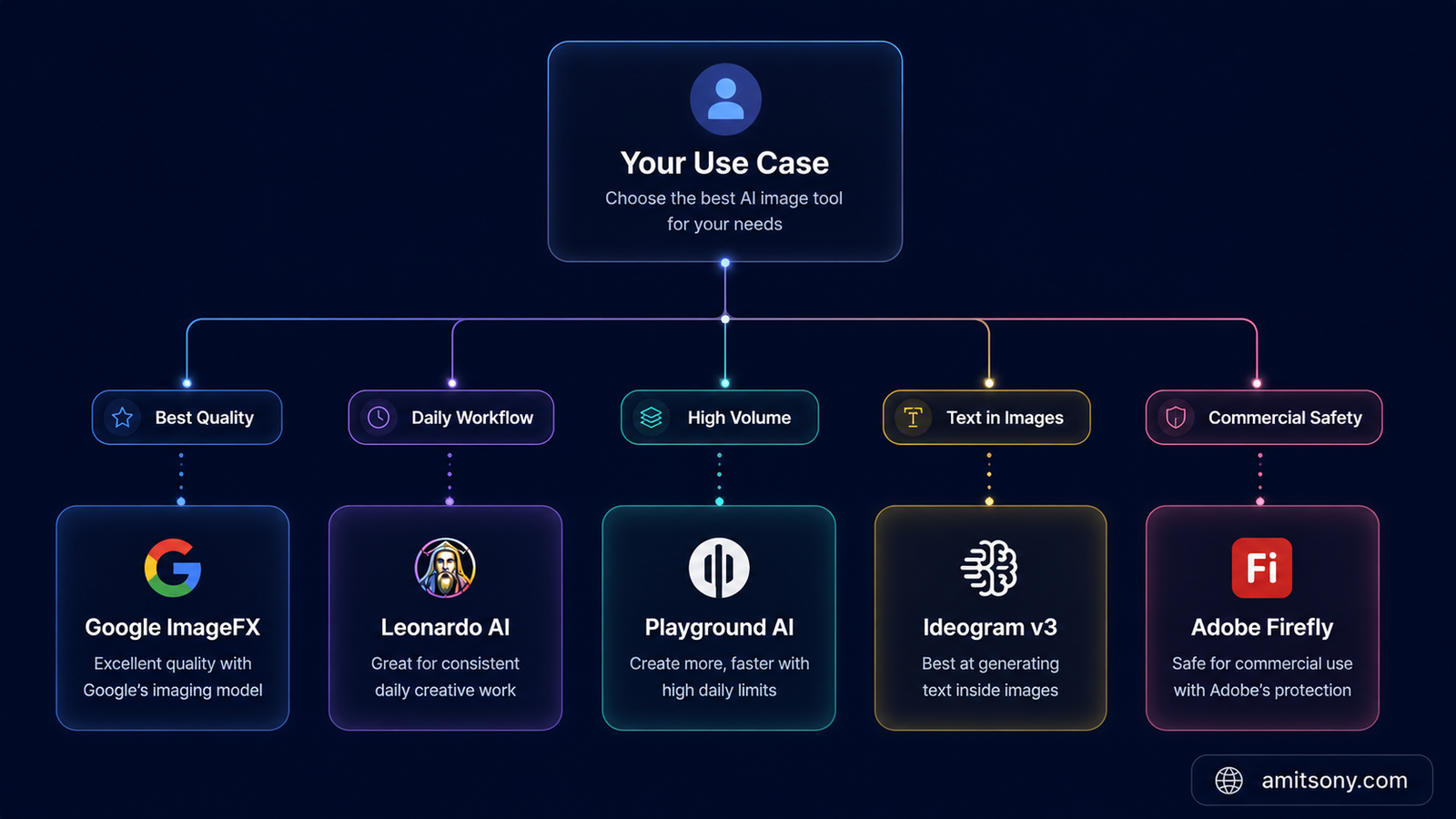
Start with Google ImageFX if you want the fastest path to high-quality results with zero setup. Create a Google account, go to labs.google/fx/tools/image-fx, and start generating. The quality is immediately impressive, and there's no learning curve.
If you want more control and a proper creative environment for daily use, Leonardo AI is the better long-term choice. The 150 tokens/day limit is workable for most people, the interface is excellent, and the range of models gives you flexibility as your prompting skills improve.
For specific use cases: go to Ideogram if text in images matters, use Playground AI if you need high volume for social or marketing content, run Stable Diffusion locally if you're technical and want complete freedom, and use Adobe Firefly (paid standard tier at $9.99/month) if you're doing commercial client work and need solid legal footing.
The honest answer is you don't have to pick just one. These tools all have free tiers, and combining two or three based on the task is exactly what most working creators do in 2026.
Frequently Asked Questions
Does Midjourney have a free plan in 2026?
No. Midjourney removed its free trial in 2023 and has not reinstated it. The cheapest plan is $10/month for the Basic tier.
Which free AI image generator comes closest to Midjourney's art style?
Leonardo AI's Phoenix model and Playground AI with SDXL come closest for the painterly, stylised Midjourney aesthetic. Google ImageFX (Imagen 4) is stronger for photorealistic outputs.
Can I use free AI-generated images commercially?
It depends on the tool. Adobe Firefly's free tier explicitly does not allow commercial use. Leonardo AI, Ideogram, and Google ImageFX free tiers have varying terms — always check the platform's TOS before using an image for commercial purposes. Adobe Firefly paid plans and Stable Diffusion (local) offer the clearest commercial rights.
Is Stable Diffusion still the best free option if I have a GPU?
Yes, for sheer freedom and volume. Running Stable Diffusion 3.5 or FLUX Schnell locally gives you unlimited generations, no watermarks, full privacy, and zero ongoing cost after the initial hardware setup.
How many free images per day can I generate without paying anything?
Playground AI gives 500/day, Leonardo AI gives approximately 18–30/day (150 tokens), Google ImageFX gives ~20–30/day, and Ideogram gives ~40/day (10 prompts). Adobe Firefly's free plan gives only 25 credits per month.
Do free AI image generators add watermarks?
Most major ones — Leonardo AI, Ideogram, Playground AI, and Google ImageFX — do not add visible watermarks on their free tiers. Adobe Firefly's free plan does include watermarks on output images.