Superhuman is the fastest premium client for people who want to stay in their inbox, Shortwave is the strongest AI-native pick for Gmail, and Lindy lets you build a custom email agent. SaneBox sticks to passive filtering only. Watch for self-graded "best" rankings that show up everywhere in this space, and check whether a tool auto-sends or only stages drafts.
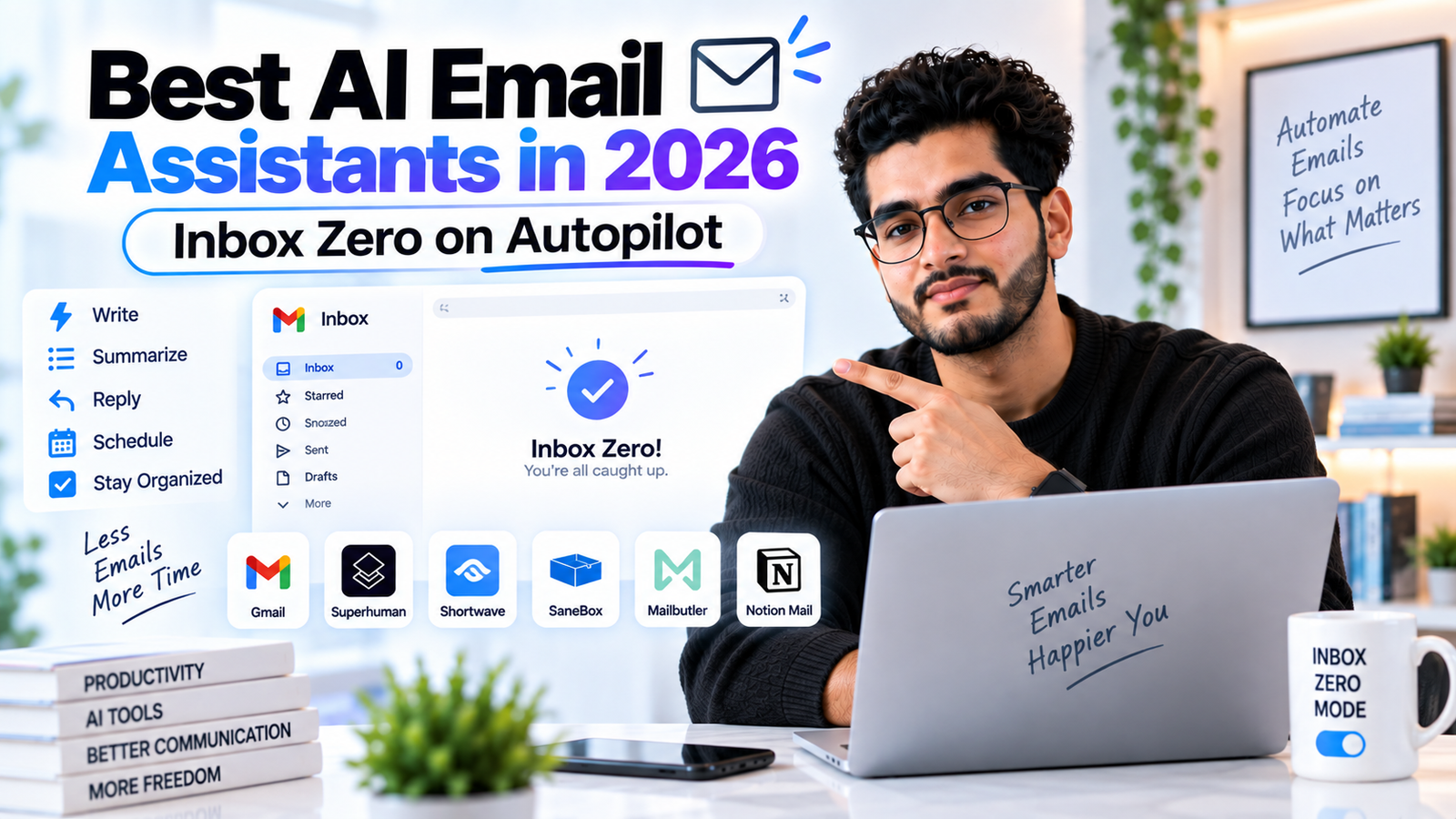
The average knowledge worker spends around 4.1 hours a day on email, more than half a working day, even though 85% of emails get read in under 15 seconds. That gap, huge time cost, tiny per-message value, is exactly what AI email assistants are built to close.
It's also a space where nearly every "best of" list crowns a different winner, and more often than looks obvious, the winner is the publisher's own product. This guide sorts through that, focusing on tools that show up as genuine, independently-cited recommendations across multiple unrelated sources rather than a company grading its own homework.
Assistant vs Agent — What's Actually the Difference?
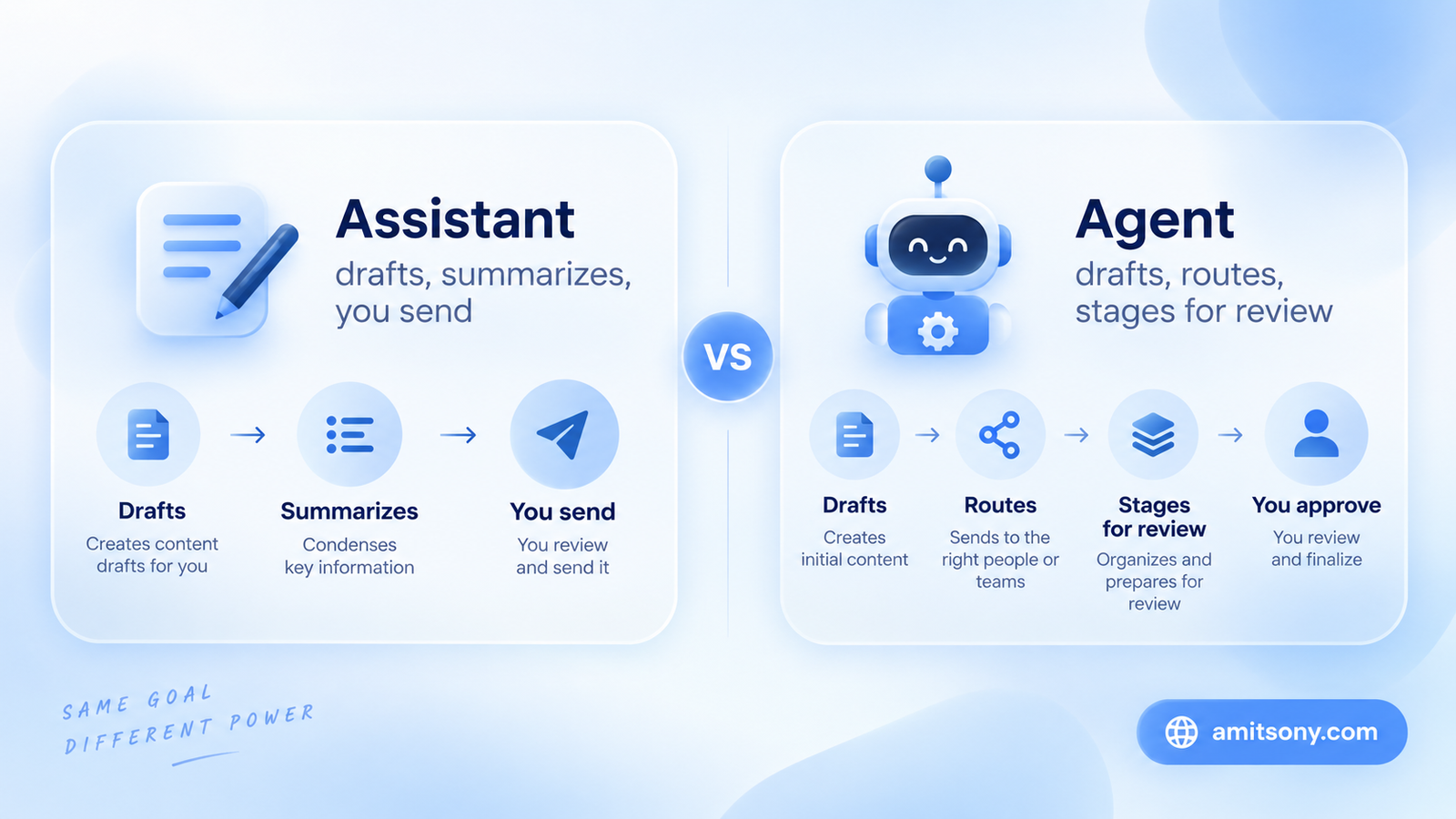
An AI email assistant helps you process email faster: drafting suggestions, summarizing threads, answering questions about your inbox. You're still the one reading and sending every message.
An AI email agent goes further, reading inbound mail, drafting replies grounded in your past conversations and connected tools, routing messages to the right person, and surfacing only what genuinely needs your attention. Done well, this turns the email workday from "process every message" into "review what the agent already staged."
The tools worth trusting with agent-level access share three habits: drafts stay staged rather than sending automatically, the AI references your actual writing style and past replies rather than generic templates, and it's bounded to specific, well-defined workflows rather than let loose on your entire inbox at once.
Which Tool Is Fastest If You Want to Stay in Your Inbox Yourself?
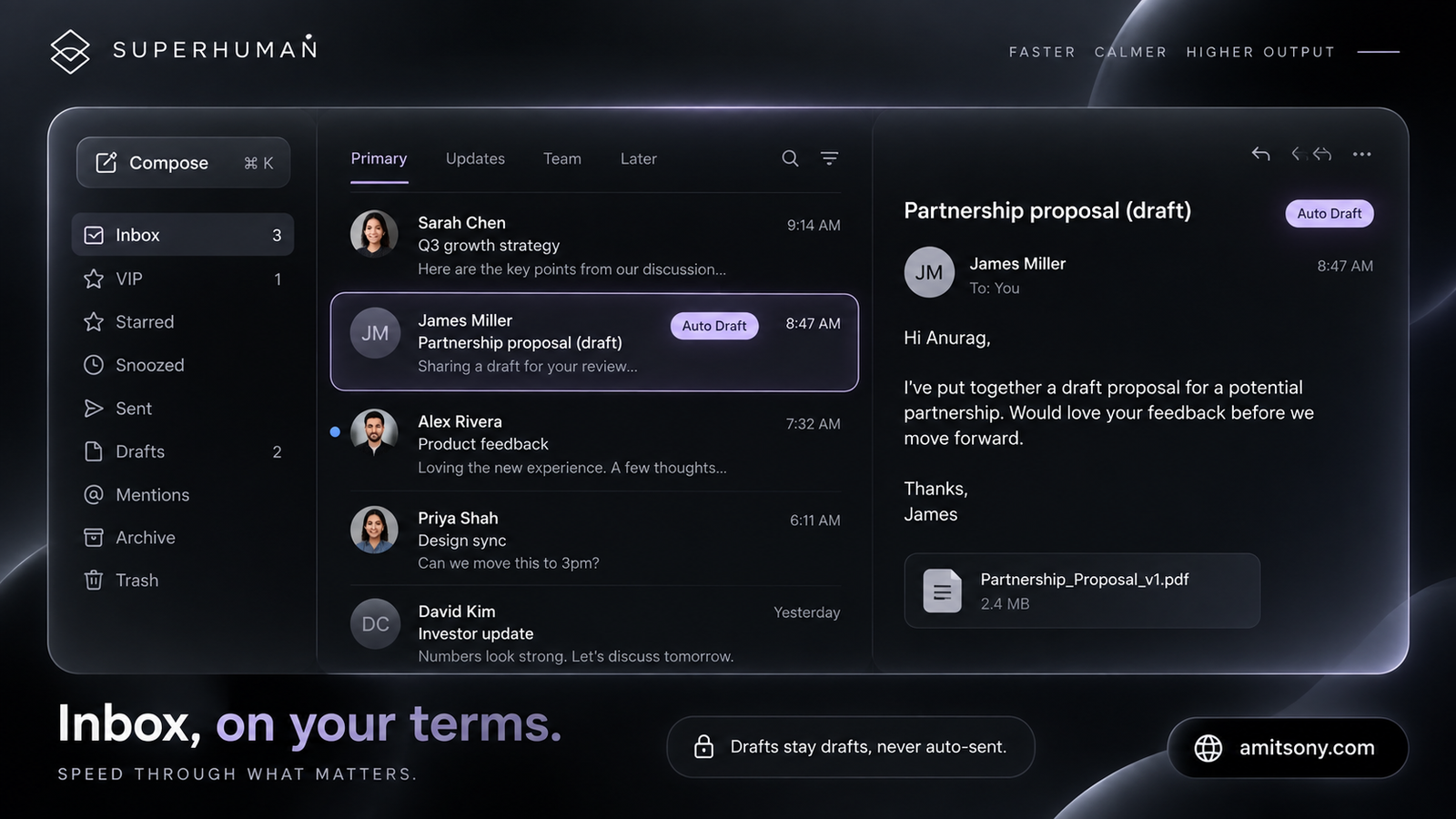
Superhuman, acquired by Grammarly in June 2025, remains the reference point for keyboard-first, high-speed email processing. Split inboxes, Auto Drafts that prepare responses as mail arrives, Auto Labels, and Auto Archive are all built around getting through volume fast rather than automating it away entirely.
Starter runs $30/month or $300/year, and Business at $40/month adds Auto Drafts, an Ask AI feature, CRM integrations, and Mail MCP access.
One safety detail worth knowing: Auto Drafts stay as drafts, they don't send themselves. The more autonomous Superhuman Go actions are foreground and user-invoked too, a meaningfully different model from a cloud agent running unattended in the background.
The right pick for someone who wants to live inside their inbox and move through it faster, not hand it off entirely. If you want email handled while you're not looking, this isn't built for that.
Which Tool Is Best If You Live in Gmail?
Shortwave consistently comes up as the strongest AI-native option specifically for Gmail, built to feel like a modern client rather than a plugin bolted onto the existing Gmail interface.
It leans into AI-powered search and organization across your existing Gmail account rather than requiring a full account migration, which makes it a lower-commitment option for testing whether an AI-native client is actually worth switching to.
Which Tool Drafts Proactively With the Least Setup?
Fyxer AI focuses specifically on proactive drafting with preset categories, less configuration than a fully custom agent builder, more automation than a passive filter.
It's the middle-ground pick for someone who wants AI-written draft replies waiting for them without building custom workflows from scratch first.
Which Tool Just Filters Without Touching Your Drafts?
SaneBox does one thing and stays there: intelligent filtering that moves low-priority mail out of your main inbox automatically, without drafting replies or taking any action on your behalf.
That narrower scope is the appeal for a specific kind of user, someone who wants a cleaner inbox but isn't comfortable with AI drafting replies in their voice or making decisions about what gets a response.
The right choice if your actual problem is inbox clutter, not reply-writing time. Don't expect drafting help here, that's not what it's built for.
Which Tool Lets You Build Your Own Custom Email Agent?
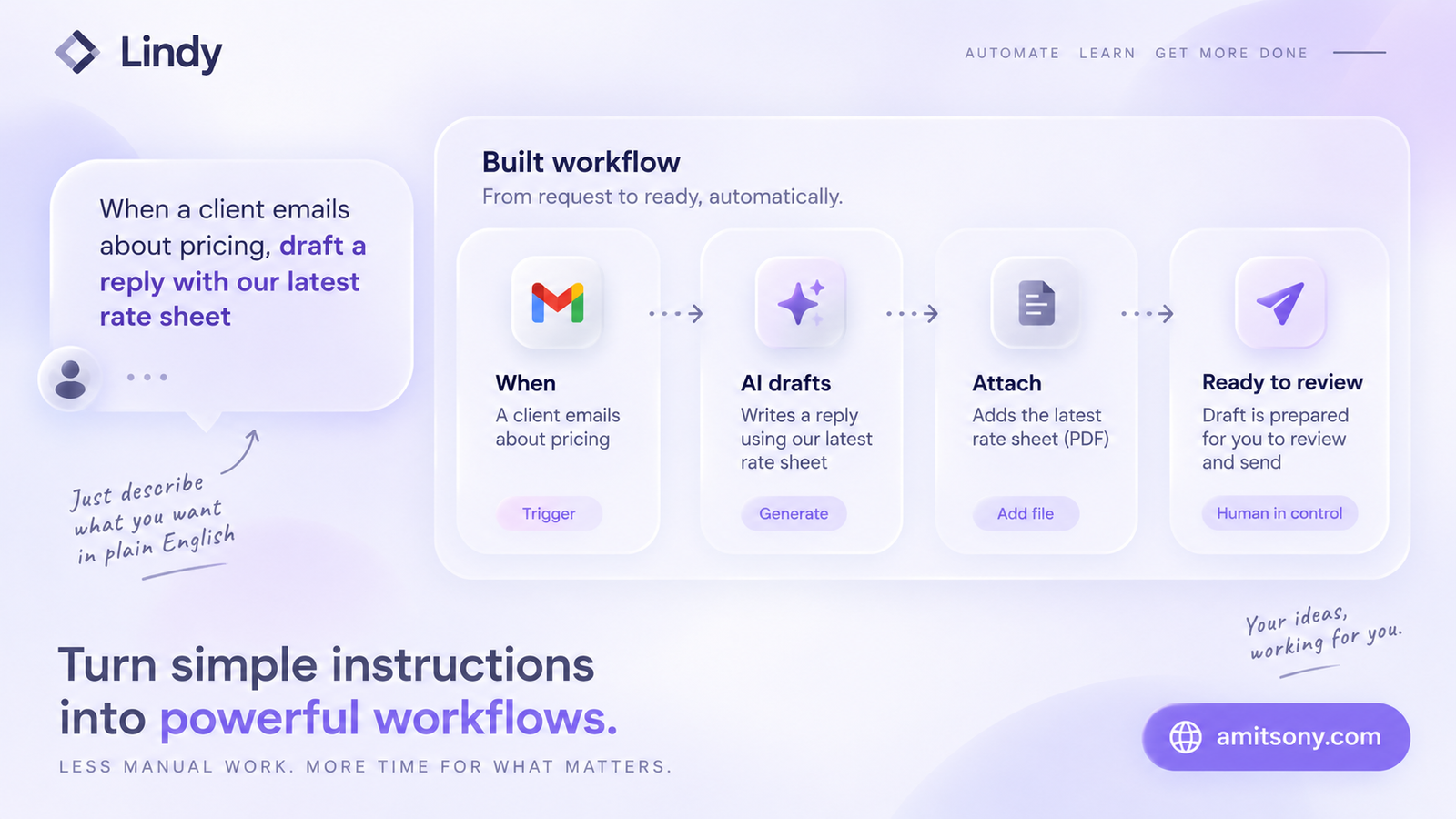
Lindy is the most flexible option in this category, letting you build custom email agents rather than working within one company's preset feature set. Describe the workflow you want in plain English and it constructs the automation around it.
Pricing runs Plus at $49.99/month, Pro at $99.99/month, and Max at $199.99/month, with no permanent free plan, just a 7-day trial. Its credit-based system meters by compute intensity, which can make costs harder to predict than a flat-rate competitor, especially once voice or heavier automations get involved.
Worth it specifically if your email workflow is unusual enough that a preset tool like Fyxer or Superhuman doesn't fit. Budget more headroom than the plan price suggests, and expect a real setup investment before it runs smoothly.
Which Tool Is Best for a Shared Team Inbox?
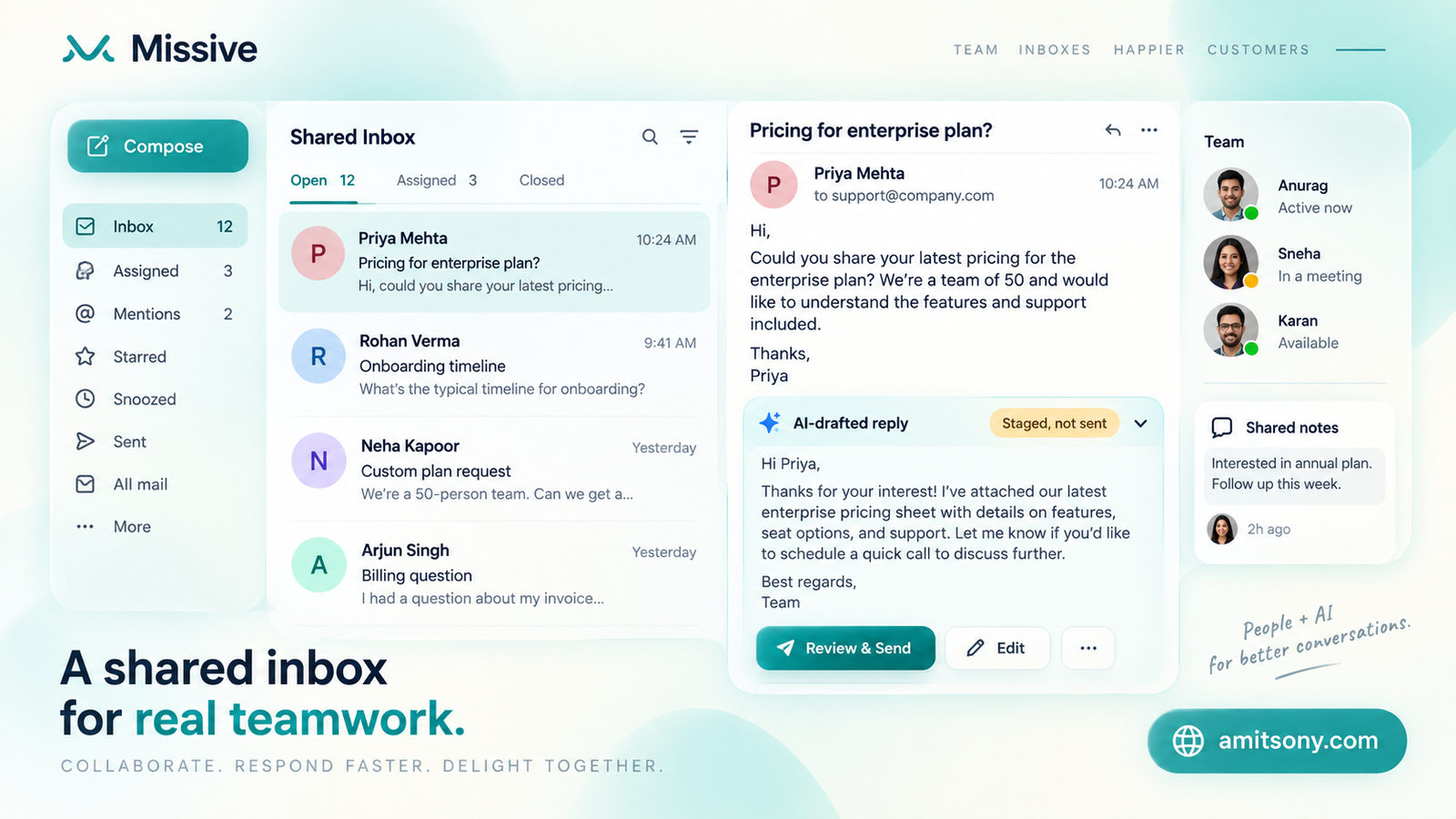
Missive is built around the team case specifically, a shared inbox where AI assistance works alongside multiple teammates rather than for one person alone, with an audit trail and human review built into the workflow.
Teams that get real value from this pattern consistently report the same thing: the speed is nice, but the consistency, every teammate's reply matching the same tone and referencing the same canned responses, is the part that actually compounds over time.
Do You Already Have a Free AI Email Assistant Without Knowing It?
If you already pay for Google Workspace or Microsoft 365, Gemini inside Gmail and Microsoft Copilot inside Outlook are both real, built-in options worth checking before paying for a separate tool.
Microsoft's 365 Copilot connector reached further in 2026 too, since July it can write and send mail, manage drafts and calendar events, and update mailbox settings directly, not just summarize and suggest, on every plan including Free.
Check what's already included in a subscription you're paying for before adding a new tool and a new bill on top of it.
What Should You Actually Look for Before Trusting One With Autopilot?
Confirm whether the tool sends automatically or only stages drafts for your review. That single distinction determines how much real risk you're accepting versus how much time you're actually saving.
Check whether it learns your actual writing style and references real past replies, or falls back on generic templates that read as obviously AI-written to anyone who receives them.
Start it on one bounded, well-defined workflow, newsletter triage, meeting-follow-up drafts, not your entire inbox on day one. Expand scope only once you trust the pattern it's actually producing.
Quick Verdict
There's no single best AI email assistant in 2026, despite how many lists claim otherwise. Superhuman wins for speed inside the inbox, Shortwave for Gmail-native design, Lindy for custom flexibility, SaneBox for pure filtering, and Missive for teams. Check what's already bundled into Gmail or Outlook before paying for any of them.
Frequently Asked Questions
What's the difference between an AI email assistant and an AI email agent?
An assistant helps you process email faster, drafting and summarizing, but you still read and send every message. An agent works more independently, drafting, routing, and surfacing only what needs your attention.
Is Superhuman still independent?
No, Superhuman was acquired by Grammarly in June 2025, though it continues operating as its own product focused on high-speed email processing.
Which AI email assistant is free?
Gemini in Gmail and Microsoft Copilot in Outlook are both included if you already pay for Google Workspace or Microsoft 365, making them worth checking before buying a separate tool.
Is it safe to let an AI email assistant send messages automatically?
Check this specifically before trusting one. Tools like Superhuman keep Auto Drafts as drafts rather than sending automatically, while more agentic tools may take actions directly, so confirm the send behavior before granting access.
Which AI email tool is best for a shared team inbox?
Missive is built specifically around shared inboxes, letting AI assistance work alongside multiple teammates with an audit trail and consistent tone across replies.