Full Notion AI now lives only on the $20/month Business plan, which is pushing people to look elsewhere. ClickUp, Coda, and Taskade bundle AI more cheaply, Slite keeps a team wiki self-updating, and Obsidian or Anytype let you skip the AI markup entirely with your own key or none at all.

Notion quietly changed the deal in 2026. Full AI access, including the agent that can draft, search, and update your workspace, moved off the Plus plan and now sits behind Business at $20 per member every month. If you just wanted occasional writing help, that jump stings.
This guide walks through the alternatives actually worth trying. Some bundle AI into a lower tier, some skip per-seat pricing altogether, and a couple let you bring your own AI key so you never pay a platform markup at all.
Why Are So Many People Looking for Notion AI Alternatives Right Now?
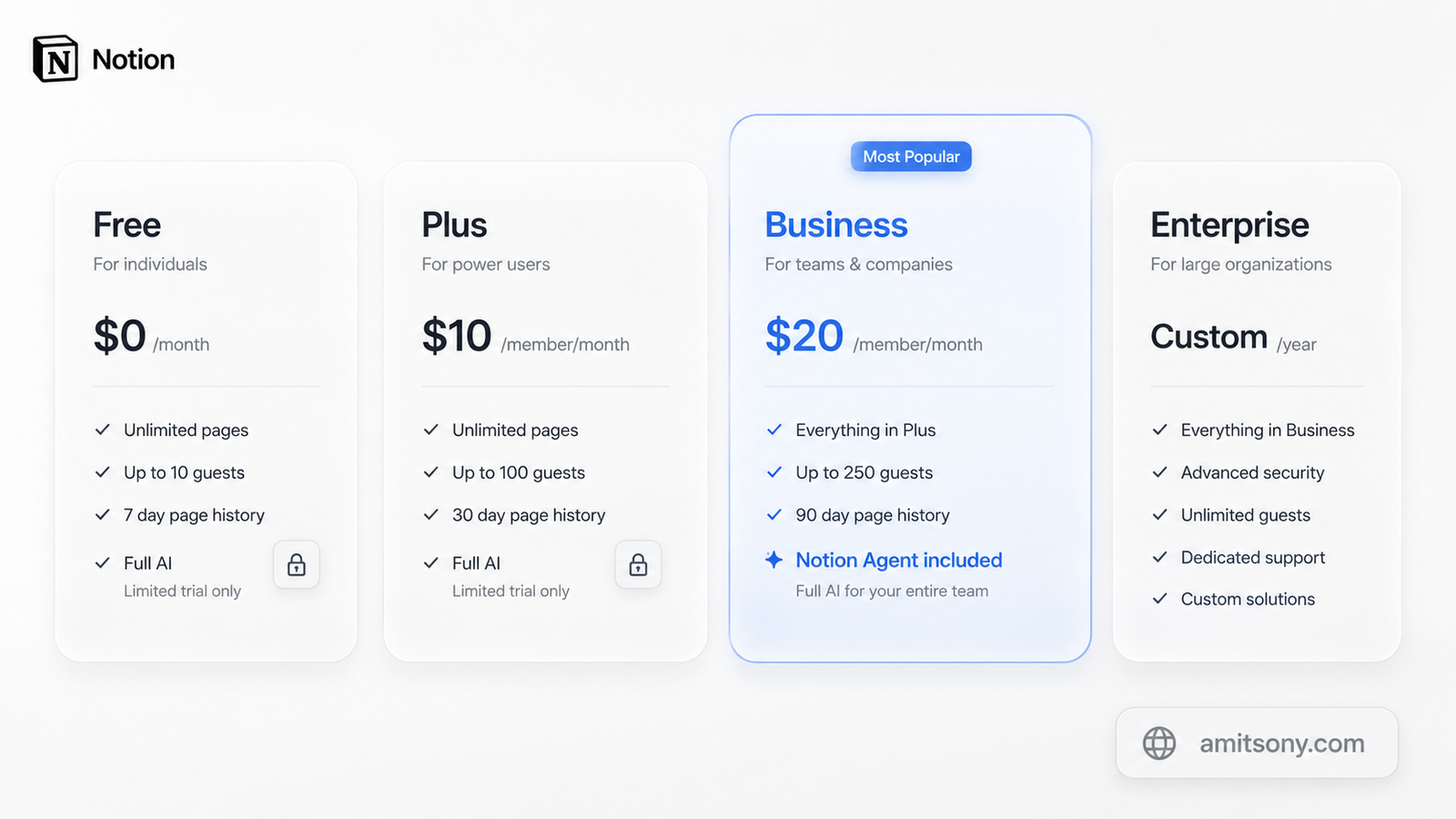
Notion used to sell AI as a flat add-on for $10 per member a month, on top of any plan. That changed in 2025. Full AI, including Notion Agent and Ask Notion, now ships only with Business at $20 per member monthly billed annually.
Plus and Free users get a limited trial and nothing more. Once it runs out, the upgrade prompt only points one way. A solo writer who wanted AI now pays the same rate as a full enterprise seat.
There is also a newer wrinkle. Custom Agents launched in February 2026 and started billing on May 4, 2026. They run on Notion Credits priced at $10 per 1,000 credits, pooled across the workspace and non-refundable if unused.
For a five-person team that just wants AI-assisted docs and a wiki, that math adds up fast. It is the single biggest reason people are shopping around this year.
What Is the Best Overall Notion AI Alternative?
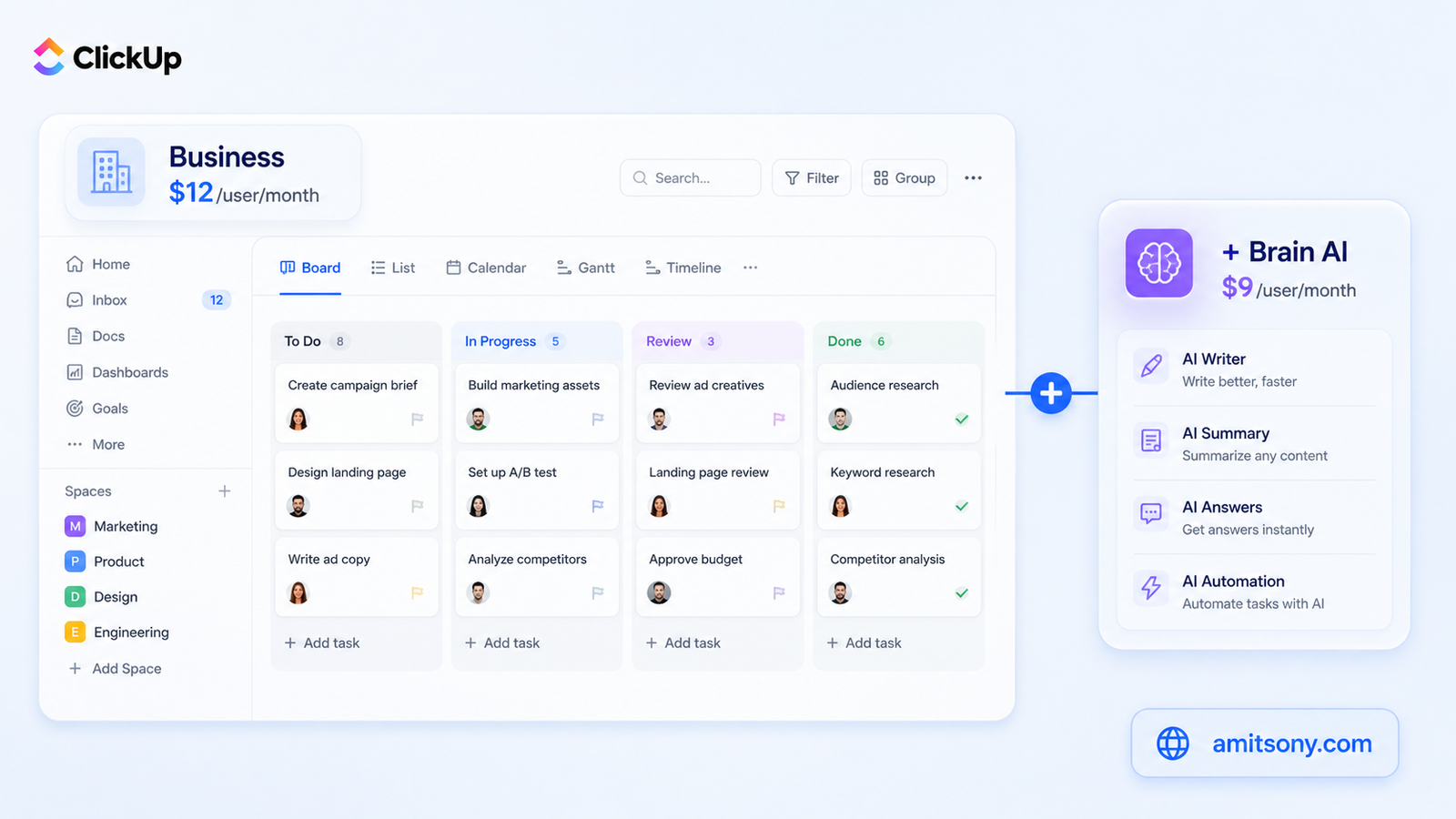
ClickUp is the closest match to what Notion tries to be. It handles docs, tasks, wikis, and whiteboards inside one workspace, and it undercuts Notion on the base price.
The free plan costs $0. Unlimited starts at $7 per user monthly billed annually, and Business runs $12 per user monthly billed annually. Both tiers are cheaper than Notion's equivalent plans.
The catch is AI. ClickUp Brain is a separate line item costing $7 to $9 per user monthly on top of any paid plan, and it bills every member in the workspace, not just the people who use it. A heavier tier called Everything AI adds agents and meeting notetaking for up to $28 per user monthly.
Run the numbers before you commit. A twenty-person team on Business plus Brain lands around $21 per user monthly, which is close to what Notion Business costs on its own. ClickUp still wins if you need stronger project management alongside AI.
Which Tool Bundles AI Into Every Plan, Even the Free One?
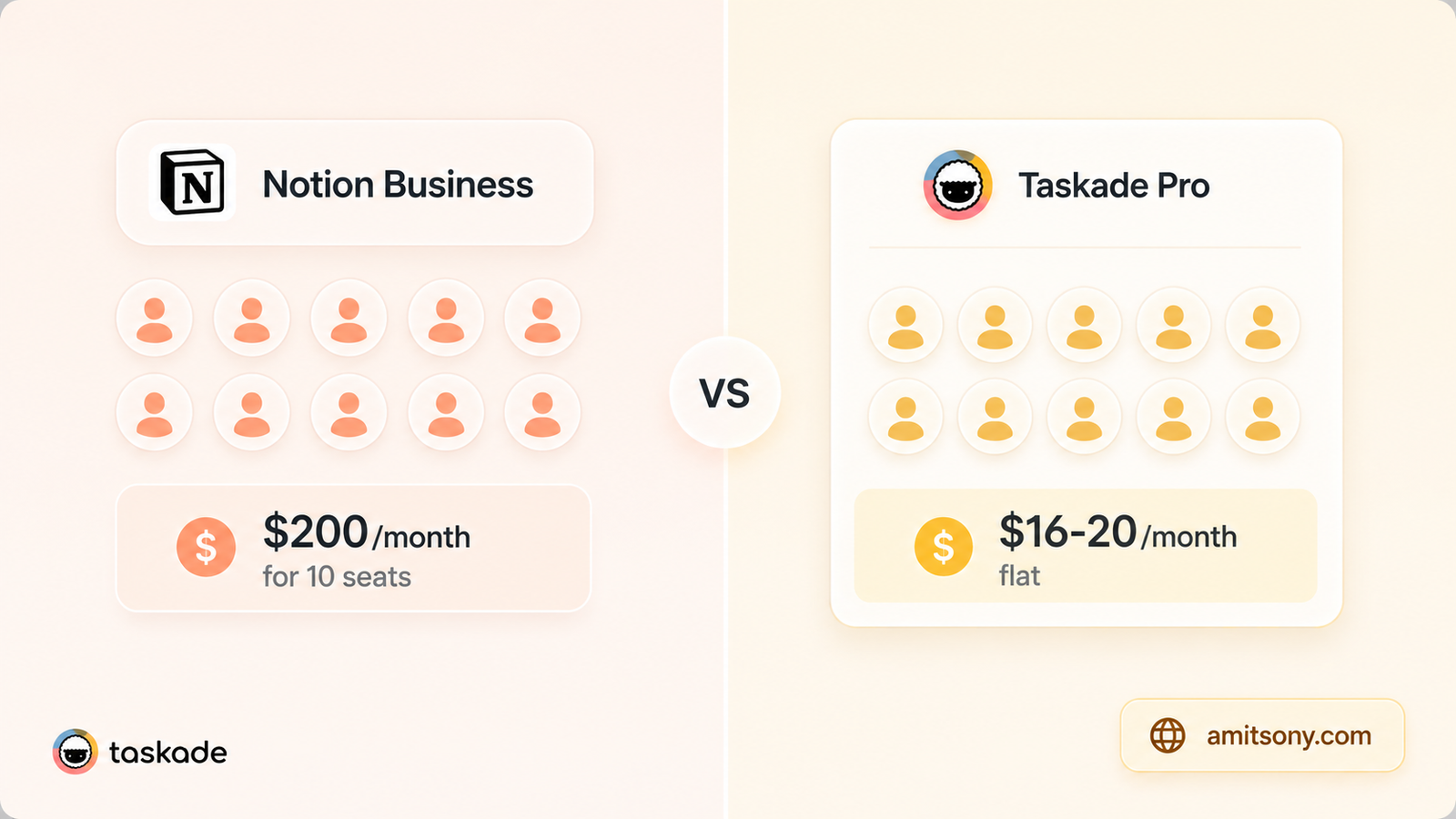
Taskade takes the opposite approach from ClickUp. Instead of charging per seat, it prices the whole workspace, and every tier including the free one comes with AI credits already built in.
The free plan gives you unlimited projects and a starting pool of AI credits at $0. Starter costs about $6 monthly billed annually and covers a small team with a bigger credit allowance. Pro sits around $16 to $20 monthly and covers up to ten seats under one flat price, not ten separate bills.
That flat structure changes the math for small teams. A ten-person group on Taskade Pro pays roughly $16 to $20 total each month, while the same headcount on Notion Business would run into the hundreds.
Taskade also routes prompts through more than fifteen models from OpenAI, Anthropic, and Google, so you are not locked into one AI provider. The trade-off is a lighter note-taking experience than Notion, since Taskade leans harder into task automation than freeform docs.
What's the Best Notion Alternative for a Self-Updating Team Wiki?
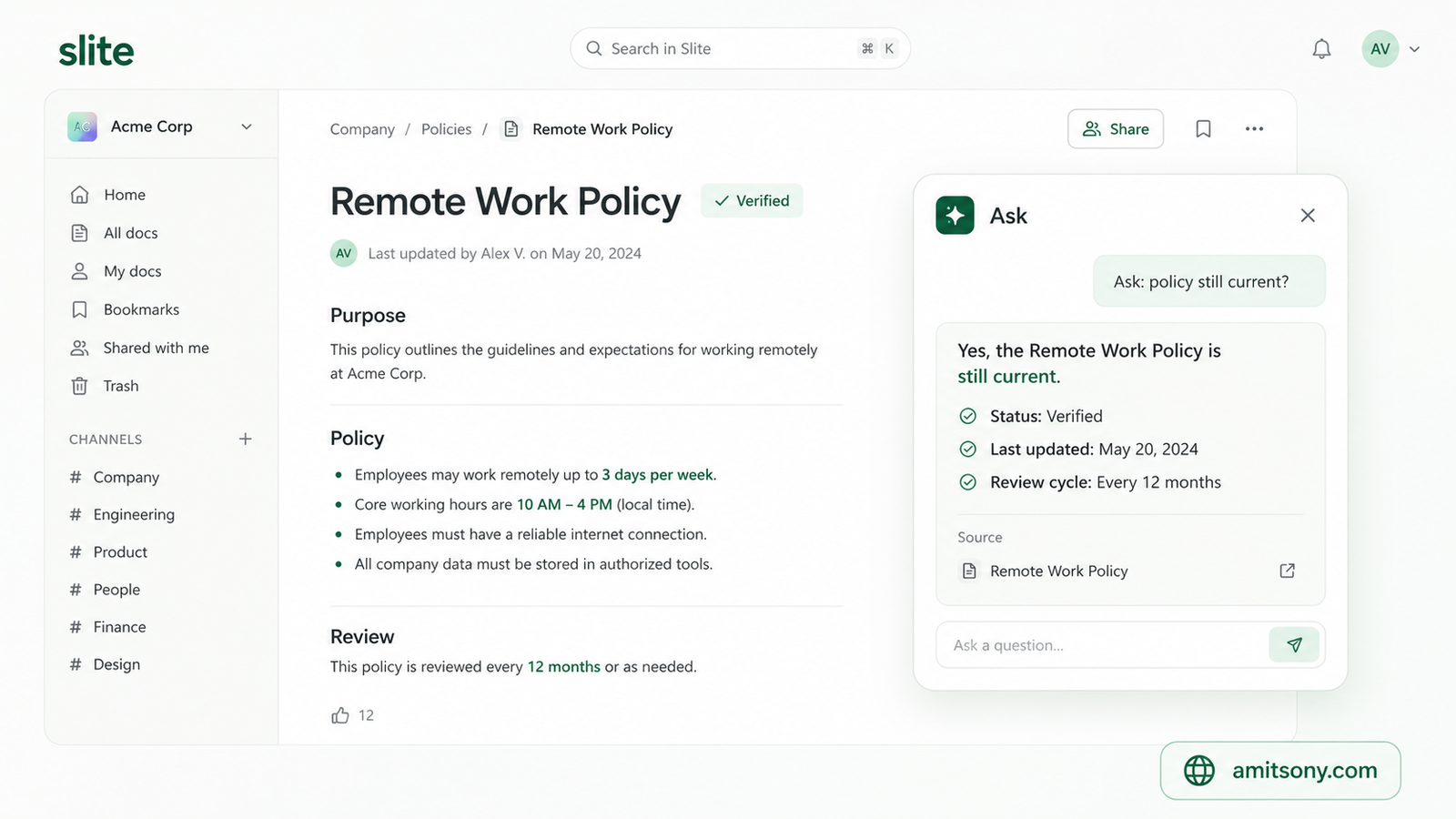
If your Notion workspace has turned into a graveyard of outdated pages, Slite solves a narrower but real problem. It is a team wiki built around one feature called Ask, which answers questions in plain English using your own docs as the source.
Standard pricing runs about $10 per user monthly billed annually and includes AI search with a monthly question cap. Premium moves to roughly $20 per user monthly and removes most of those limits while adding Slite Agent, a tool launched in June 2026 that checks docs for drift and suggests fixes.
Unlike ClickUp, Slite includes AI on every paid plan with no separate add-on to buy. The trade-off is scope. Slite does not try to replace project management or databases the way Notion or Coda do.
Pick Slite if the real problem is stale documentation, not task tracking. Skip it if you need Notion's flexible database views alongside the wiki.
Which Tool Handles Databases and Automation Better Than Notion?
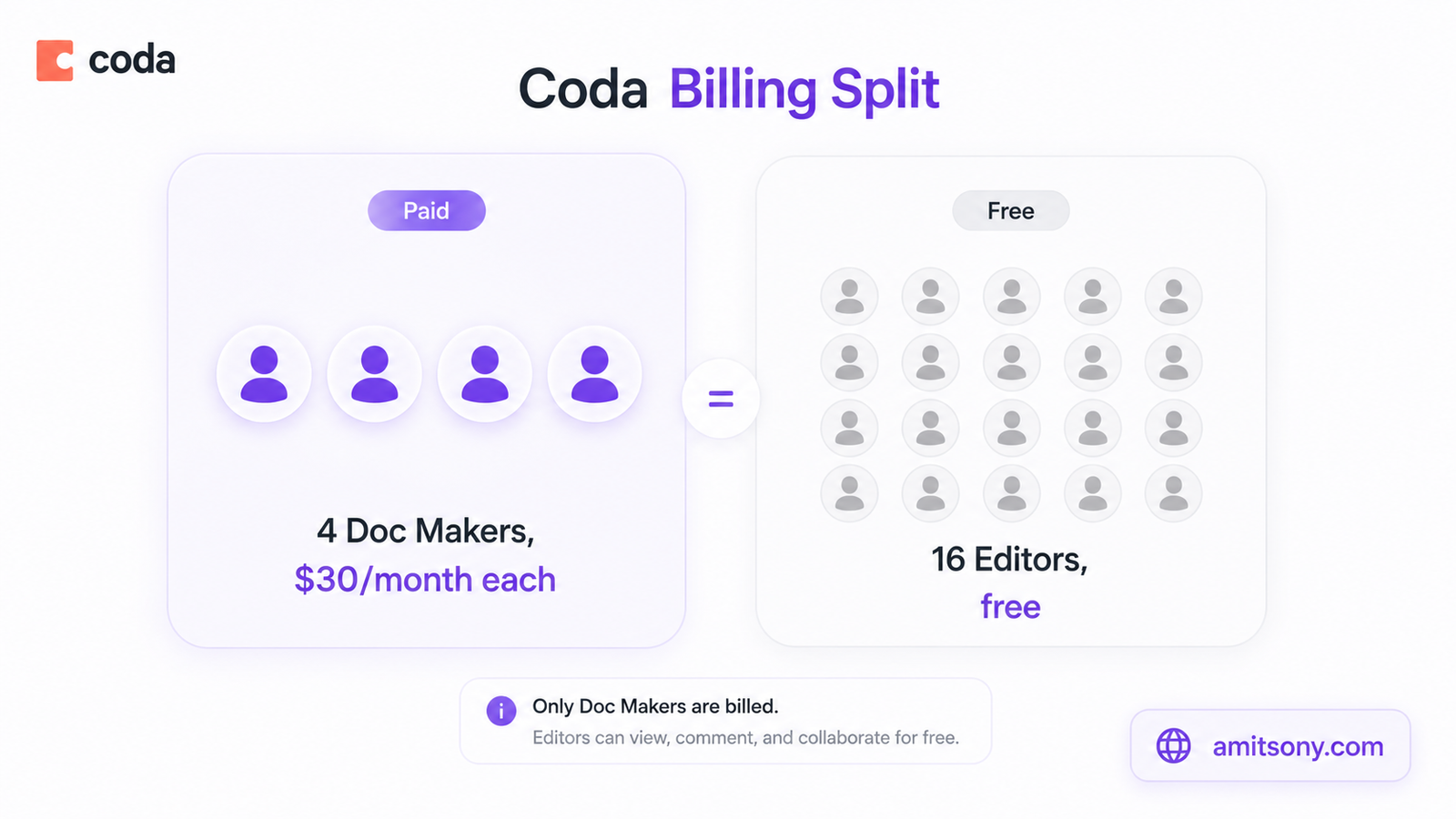
Coda leans into structured data in a way Notion never fully committed to. Formulas, connected tables, and Packs that pull live information from Slack, Jira, or GitHub sit at the center of the product instead of feeling bolted on.
Pricing works differently here too. Coda only charges Doc Makers, the people who build documents and tables. Editors and viewers stay free forever, even on paid workspaces. Pro costs $10 per Doc Maker monthly billed annually, and Team runs $30 per Doc Maker monthly billed annually.
AI is included on both paid tiers through a shared credit pool. A four-person Team workspace gets 24,000 credits monthly to split across everyone, covering summaries, table generation from a prompt, and formula help.
That Doc Maker model can cut costs sharply for teams with a few builders and many readers. A twenty-person team with four Doc Makers pays for four seats, not twenty, which is the opposite of how Notion bills.
What's the Best Privacy-First Notion Alternative With AI?
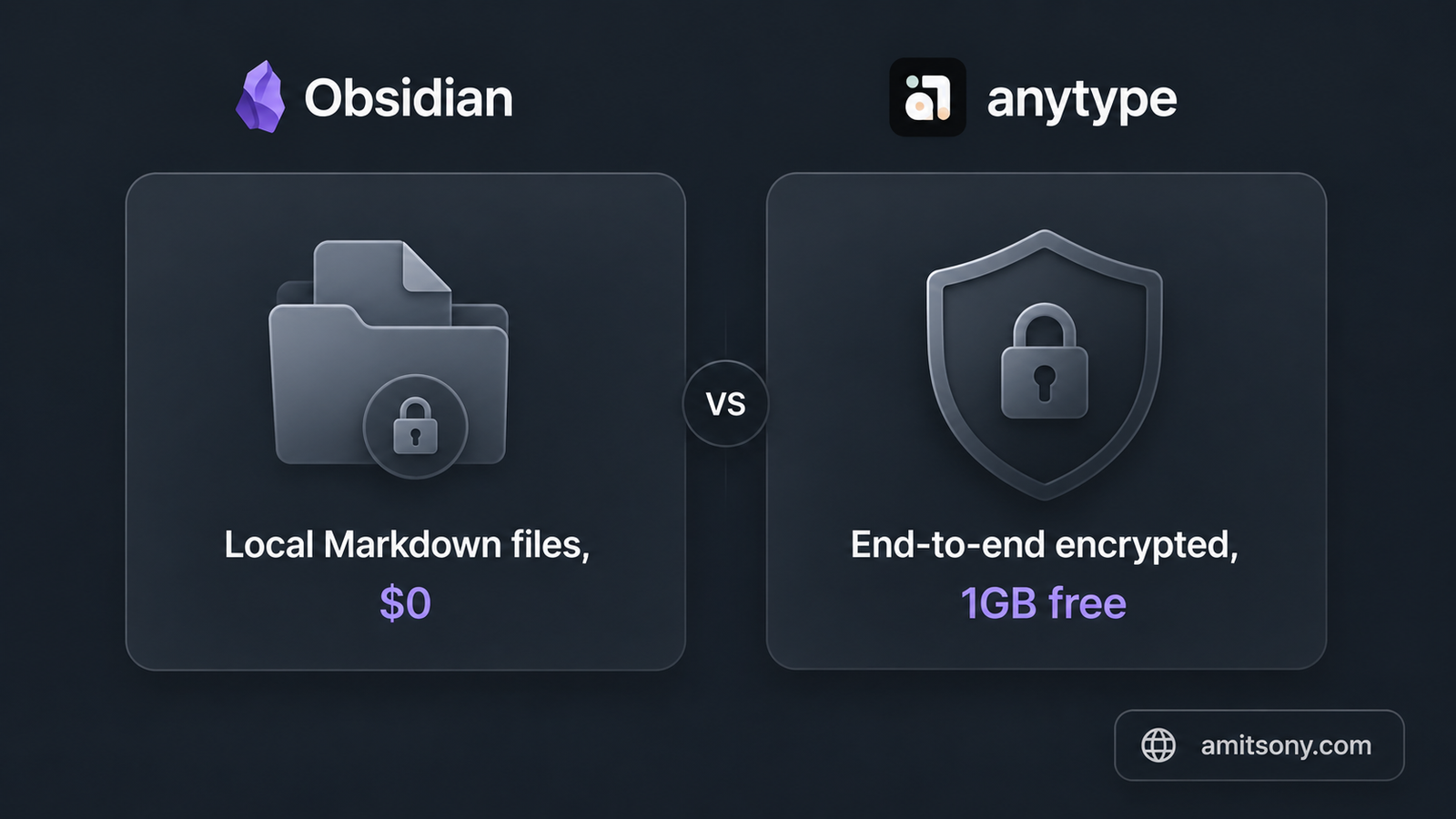
Obsidian takes the most direct route around per-seat AI pricing. The core app is completely free and stores every note as a plain Markdown file on your own device, so nothing depends on a subscription staying active.
There is no built-in AI, and that is the point. Plugins such as Smart Connections or Copilot for Obsidian let you plug in your own OpenAI, Anthropic, or Claude key, so you pay only for the tokens you actually use instead of a flat AI tax. Sync across devices costs $4 monthly billed annually, and Publish for turning notes into a website runs $8 monthly billed annually.
Anytype is the closer Notion look-alike for people who still want privacy without touching Markdown files directly. The free plan includes 1 GB of end-to-end encrypted storage with peer-to-peer sync, and paid tiers scale up from there for teams that need more space or shared workspaces.
Both tools trade some of Notion's collaboration polish for real data ownership. Neither will feel as instant as Notion out of the box, but neither one bills you for AI you did not ask for either.
Is There a Good Notion AI Alternative for Apple Users?
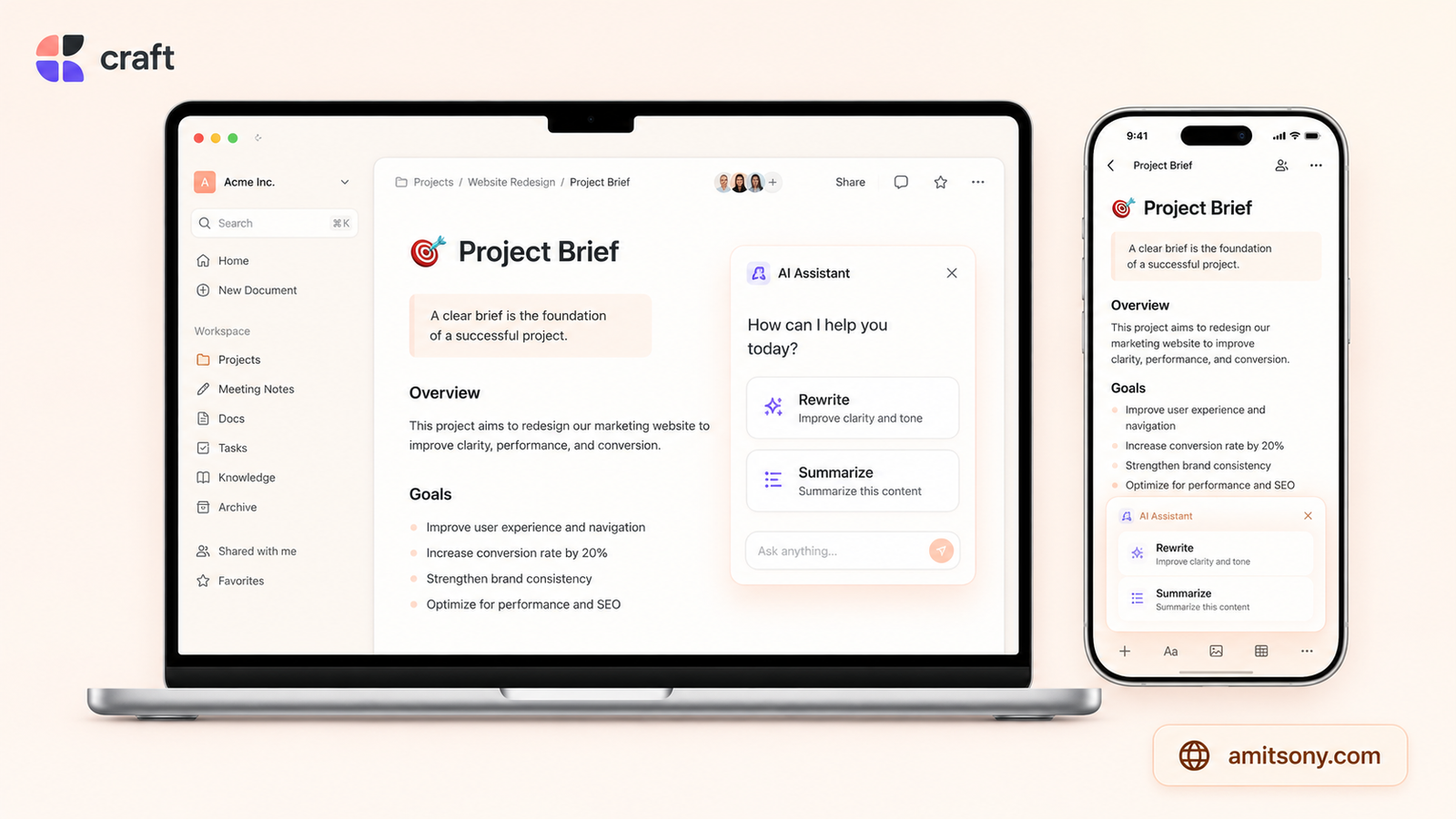
Craft skips the database complexity entirely and focuses on making documents look genuinely good, with native apps for Mac, iPhone, and visionOS that feel far more polished than Notion's cross-platform build.
The free plan covers light use with roughly 1,500 content blocks and 1 GB of storage. Plus unlocks the AI assistant along with unlimited documents for about $8 monthly. Family costs $15 monthly for shared use at home, and Team scales to $50 monthly for small groups that need shared workspaces and admin controls.
Craft's AI assistant handles the basics well: drafting, rewriting, and summarizing inside a doc. It will not build the relational databases Coda or Notion can, and Craft 3 only added simple table-style Collections rather than full kanban boards.
Choose Craft if your daily work is mostly writing and you live inside Apple's ecosystem. Look elsewhere if databases and automation matter more than how the page looks.
Is Notion AI Still Worth Paying for in 2026?
Notion AI still makes sense if your team already lives inside Notion daily and mostly wants writing help, page summaries, and search across content you already built there. The integration is deep because the AI was layered directly into an editor you already know.
It stops making sense the moment AI is the only reason you are paying $20 per member monthly. At that point a cheaper, AI-native tool built after 2022 is doing the same job for less, often without gating the good features behind the top tier.
The honest test is simple. Add up what your team actually uses Notion for beyond AI. If that list is short, one of the alternatives above will likely save real money without losing much.
Frequently Asked Questions
What is the cheapest way to get AI without paying Notion's Business price?
Taskade includes AI credits on its free plan, and Obsidian lets you bring your own AI key so you only pay for tokens used.
Does ClickUp include AI in its base subscription?
No. ClickUp Brain is a separate add-on costing **$7** to **$9** per user monthly on top of any paid plan.
Is Coda cheaper than Notion for a team with many viewers and few editors?
Often yes, since Coda only bills Doc Makers while viewers and editors stay free, unlike Notion's per-member pricing.
Which alternative is best if I care most about data privacy?
Obsidian keeps everything as local Markdown files, and Anytype offers free end-to-end encrypted sync if you want something closer to Notion's interface.
Can I still use Notion for free and pair it with a separate AI tool?
Yes, many people keep Notion's free or Plus plan for docs and use a standalone AI tool or an alternative's cheaper tier just for AI tasks.