Fine-tuning means training a pretrained model on your own smaller dataset so it learns a specific tone, format, or skill. Try prompt engineering and RAG first, fine-tuning is the most expensive fix. When you do need it, QLoRA with Unsloth runs on a free Google Colab GPU, no local hardware required, or use Together AI's managed platform to skip infrastructure entirely.

Two years ago, fine-tuning a language model meant renting a cluster of GPUs and having a machine learning team on staff. In 2026, a technique called QLoRA lets you fine-tune a 7-billion-parameter model on a free Google Colab GPU, no credit card, no local hardware, no PhD required.
That accessibility is real, but it comes with a catch beginners consistently miss: fine-tuning is usually the wrong first move. This guide covers how to figure out if you actually need it, which method fits your hardware, and how to run your first job without wasting a weekend on the wrong approach.
Do You Actually Need to Fine-Tune a Model?
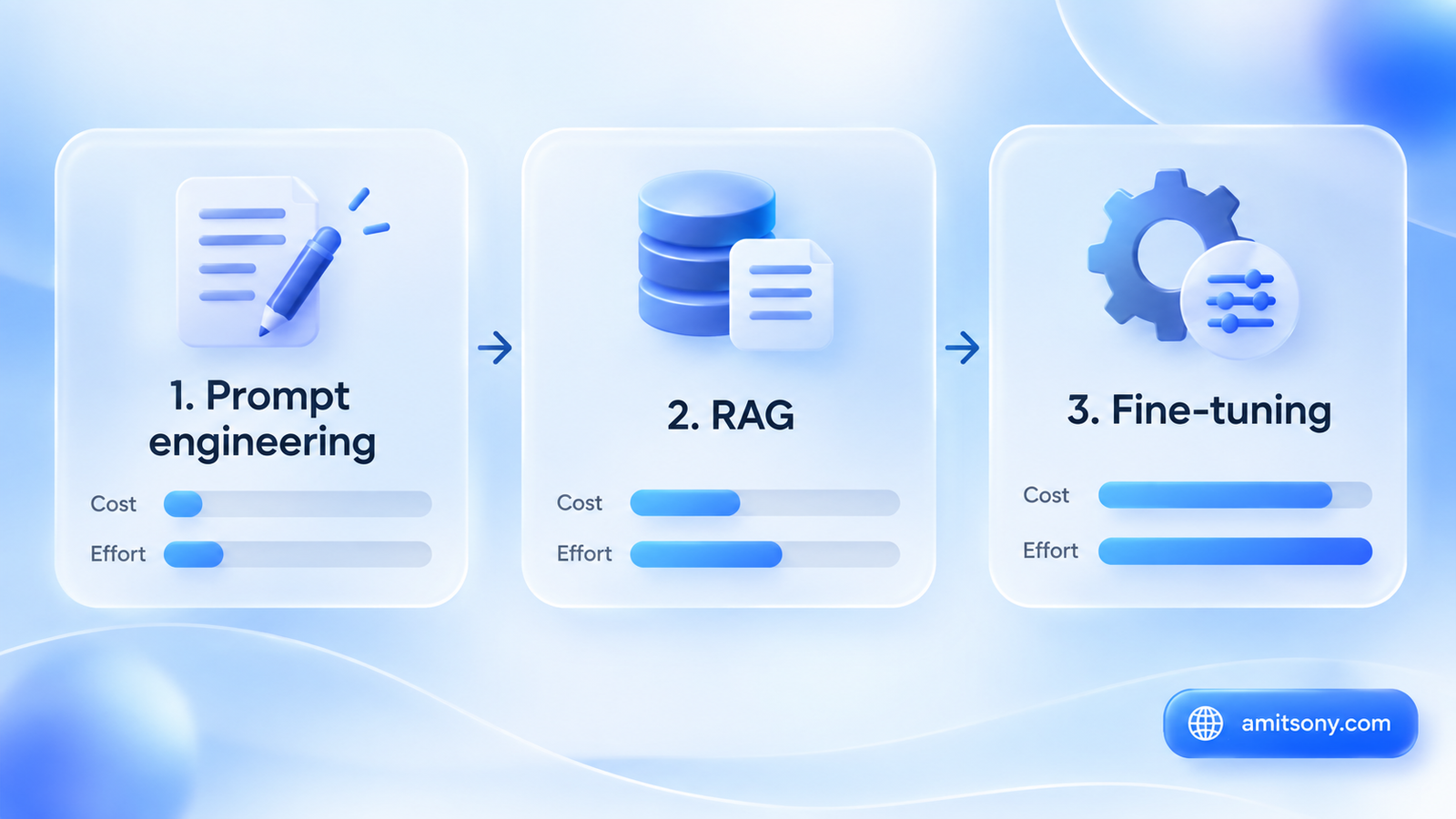
The honest order of operations, repeated by nearly every practitioner writing about this in 2026, is prompt engineering first, RAG second, fine-tuning third. Each step costs more time and money than the last, and most problems get solved before you ever reach the third one.
If your issue is the model doesn't know something, specific documents, a knowledge base, information that changes regularly, that's a RAG problem, retrieval-augmented generation, not a fine-tuning problem. RAG lets a model pull in current, citable information without retraining anything.
Fine-tuning earns its place when the issue is how the model behaves, not what it knows: a specific tone, a rigid output format, a specialized skill your use case depends on repeatedly. If you can't describe the fix as "stop answering like a generic assistant and start answering like this instead," you probably don't need to fine-tune yet.
What Is Fine-Tuning, Actually?
Fine-tuning takes a model that's already been trained on a massive general dataset and trains it further on a smaller, focused dataset built for your specific task. The base model keeps its general language ability; the fine-tuning step teaches it your particular pattern on top of that.
The training data itself is usually a set of example input-output pairs, a prompt and the exact kind of response you want back, formatted as JSONL or a similar structured file. The model learns by seeing hundreds or thousands of these examples repeatedly.
What's the Difference Between Full Fine-Tuning, LoRA, and QLoRA?
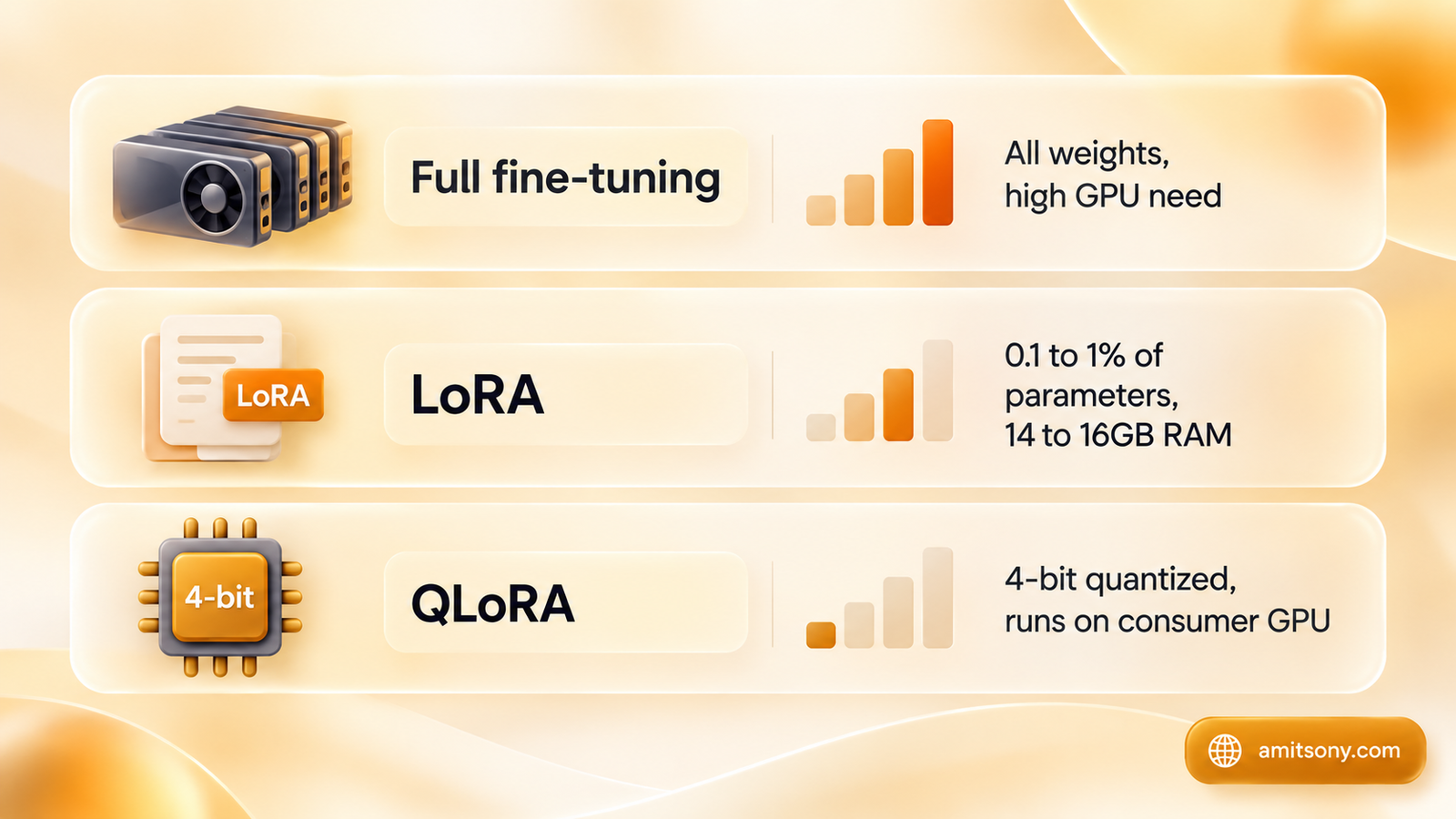
Full fine-tuning updates every single weight in the model. It produces the highest ceiling on quality when you need to shift the model's base behavior substantially, but it demands serious GPU memory and cost, out of reach for most individual builders.
LoRA, Low-Rank Adaptation, freezes the entire original model and injects small trainable matrices into specific layers, typically the attention layers, training only 0.1% to 1% of the total parameters. A 7-billion-parameter model that would need multiple high-end GPUs for full fine-tuning can be LoRA-tuned with roughly 14 to 16GB of RAM.
QLoRA goes a step further by quantizing the frozen base model down to 4-bit precision before applying LoRA on top, cutting memory needs enough to fine-tune genuinely large models on a single consumer GPU. For most beginners in 2026, QLoRA is the actual starting point, not full fine-tuning.
What Hardware Do You Actually Need?
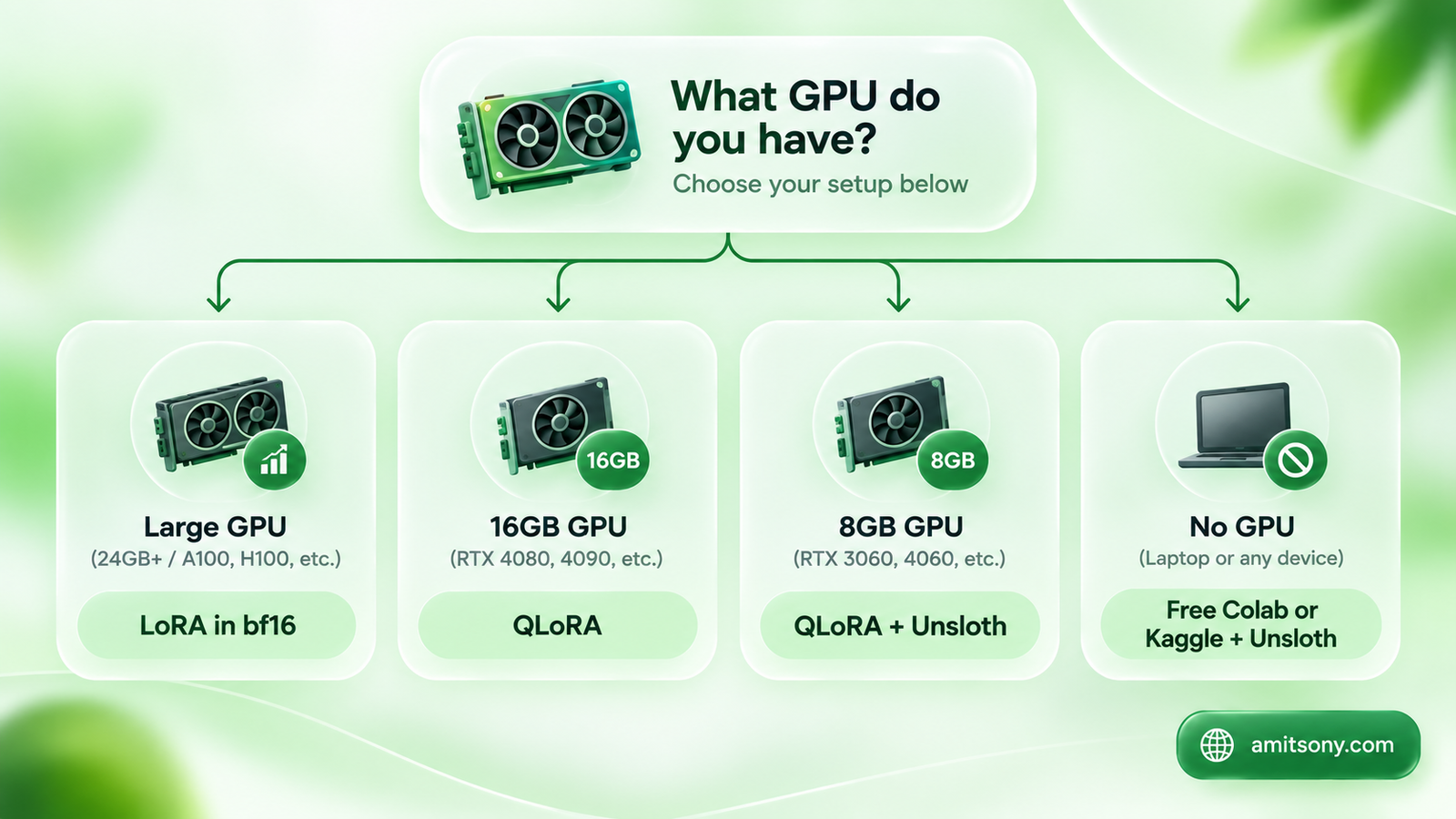
A practical decision tree covers most situations. A large GPU with plenty of memory can run LoRA directly in bf16 for the fastest, highest-quality result. A 16GB GPU, a T4 or RTX 3080, is enough for QLoRA comfortably.
An 8GB GPU, an RTX 3070 or a free-tier Colab T4, still works for QLoRA, just combine it with Unsloth for speed, a batch size of 1, and gradient accumulation to manage memory. No GPU at all isn't a dead end either, Google Colab's free tier and Kaggle's free tier both include enough GPU access to run a real QLoRA job with Unsloth.
This is the detail that makes 2026 genuinely different from a few years ago. Zero-budget beginners have a real, working path now, it's just QLoRA plus Unsloth on a free notebook, not a paid cloud account.
How Much Training Data Do You Need?
Expect somewhere between 500 and 10,000-plus labeled examples, depending on how complex the task is. Simple format or tone adjustments can work with the smaller end of that range, while teaching a genuinely new skill needs more examples and more careful curation.
Quality matters more than volume here. A smaller set of clean, consistent, correctly formatted examples reliably outperforms a larger set with inconsistent formatting or contradictory examples, since the model is learning the pattern in your data, mistakes included.
Which Tool Should Beginners Actually Start With?
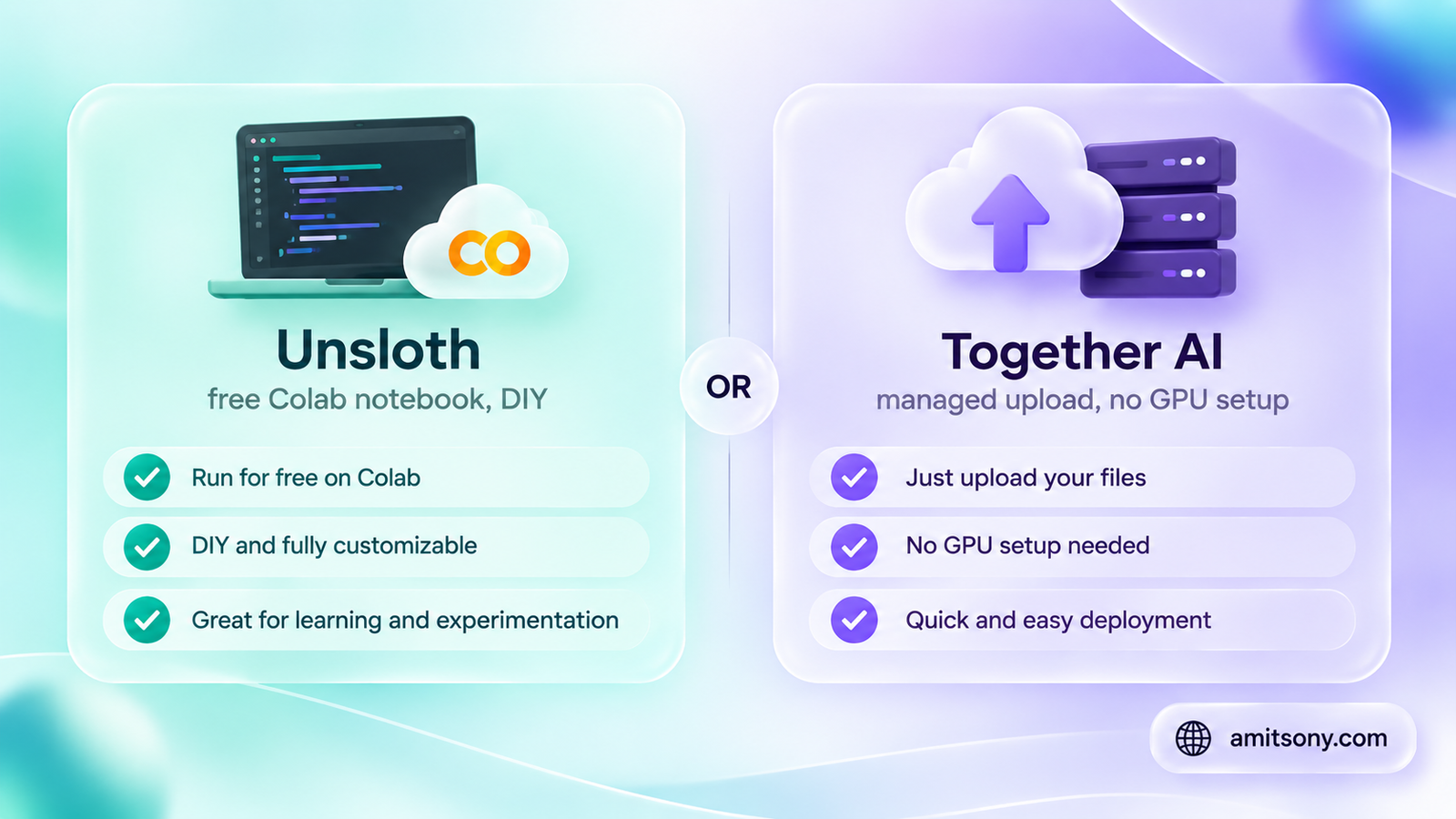
Unsloth is the most commonly recommended starting point for a DIY, zero-cost path. Its own documentation suggests beginners start with a small instruct model like Llama 3.1 8B, choosing between standard fine-tuning, QLoRA, or LoRA depending on hardware. A finished LoRA adapter typically saves as a compact file under 100MB, small enough to push straight to the Hugging Face Hub.
Together AI is the managed alternative if you'd rather skip GPU setup entirely. It handles the full lifecycle, data upload, training, hosting, and inference, with LoRA as the default method since it's faster and cheaper than full fine-tuning for most use cases. You upload a JSONL file, pick a base model, and it runs the job on its own infrastructure.
Choose Unsloth if you want to actually learn the mechanics and don't mind a notebook environment. Choose Together AI if you just want a working fine-tuned model without touching infrastructure at all.
Step By Step - How Do You Actually Fine-Tune Your First Model?
Confirm you actually need fine-tuning first, using the prompt-engineering-then-RAG-then-fine-tuning filter from earlier. Skipping this step is the single most common wasted weekend in this entire process.
Collect and format 500 or more example input-output pairs into a JSONL file, consistent formatting throughout, since the model will faithfully copy any inconsistency in your data.
Pick your path: a free Colab notebook with Unsloth and QLoRA if you want to DIY it with zero budget, or a managed platform like Together AI if you'd rather upload a file and let infrastructure be someone else's problem.
Run a small test job first on a subset of your data, evaluate the output honestly, then scale up once you're confident the format and approach actually work before committing your full dataset and budget.
What Mistakes Do Beginners Usually Make?
Jumping straight to fine-tuning before trying a better prompt or a RAG setup is the most common one, and it wastes both time and the dataset-building effort that fine-tuning actually requires.
Inconsistent or messy training data is the second. The model doesn't know which examples in your dataset are the exceptions, it learns the pattern exactly as given, contradictions included.
Skipping a validation set is the third. Without one, you won't know if the model is actually improving or just memorizing your training examples until it's already too late to fix cheaply.
Quick Verdict
Fine-tuning in 2026 is genuinely accessible, a free Colab notebook and QLoRA can get a real result without spending a dollar on hardware. The skill that actually matters isn't running the training job, it's correctly deciding whether you need to run it at all, and building a clean enough dataset that the result is worth the effort.
Frequently Asked Questions
Do I need a powerful GPU to fine-tune an AI model?
Not necessarily. QLoRA combined with Unsloth can fine-tune a 7-billion-parameter model on a free Google Colab or Kaggle GPU, no paid hardware required.
What's the difference between fine-tuning and RAG?
RAG retrieves outside information at query time without retraining the model, best when your knowledge base changes often. Fine-tuning changes how the model behaves, its tone, format, or a specific skill, and requires retraining on example data.
How much data do I need to fine-tune a model?
Typically 500 to 10,000-plus labeled examples depending on task complexity, though clean, consistent data matters more than raw volume.
What's the difference between LoRA and QLoRA?
LoRA trains a small set of additional parameters while keeping the base model frozen. QLoRA adds 4-bit quantization of the base model on top of that, cutting memory requirements enough to run on a single consumer GPU.
Should beginners use Unsloth or a managed platform like Together AI?
Unsloth suits beginners who want a free, hands-on notebook workflow. Together AI suits beginners who'd rather upload a data file and let a managed platform handle training and hosting.