
Smart Design: Top AI Tools for Architects & Interior Designers (2026)
By: Amit Sony
Author & Researcher
Release : min read

Table of Content:
- ArchiVinci — All-in-one AI rendering (3M+ renders, architecture-first)
- Veras (by Chaos) — AI visualisation inside SketchUp, Revit & Rhino
- Maket — AI floor plan generator (1M+ users, free trial)
- Finch3D — Generative floor plan optimisation for complex projects
- Autodesk Forma — Site analysis, wind/sun/noise simulation
- Coohom — Free AI design platform (1M+ 3D models, 10M users)
- RoomGPT — Instant room redesign from a photo (2M+ users, first render free)
- D5 Render — Real-time photorealistic rendering with LiveSync
- Midjourney — Concept art and mood board generation
- ChatGPT / Claude — Design documentation, specifications, client communication
Firms using AI report 30–50% time savings on early-phase design work. A freelance architectural visualiser typically charges ₹40,000–₹2,50,000 per rendered image. AI tools now produce comparable visuals in seconds for a fraction of the cost. And generative design platforms compress schematic iteration from days to minutes.
The design profession has fundamentally changed between 2024 and 2026. Architects and interior designers no longer fear AI as a job threat — they’ve embraced it as the most powerful productivity tool the profession has ever seen. The conversation has shifted from “will AI replace designers?” to “which AI tools are giving our firm the biggest competitive advantage?”
Here’s what has changed: photorealistic renders that used to require expensive GPU workstations and days of rendering time now generate in seconds on any browser. Floor plan generation that required weeks of manual iteration now produces optimised layouts in real-time. Client presentations that needed a team of visualisers now come from a single designer with the right AI stack.
But the fundamentals haven’t changed. AI handles ideation volume, repetitive documentation, and early visualisation. Human architects provide site judgment, client relationships, structural intuition, and creative direction. The best firms are those that leverage both.
1. ArchiVinci — All-in-One AI Rendering for Architects & Interior Designers
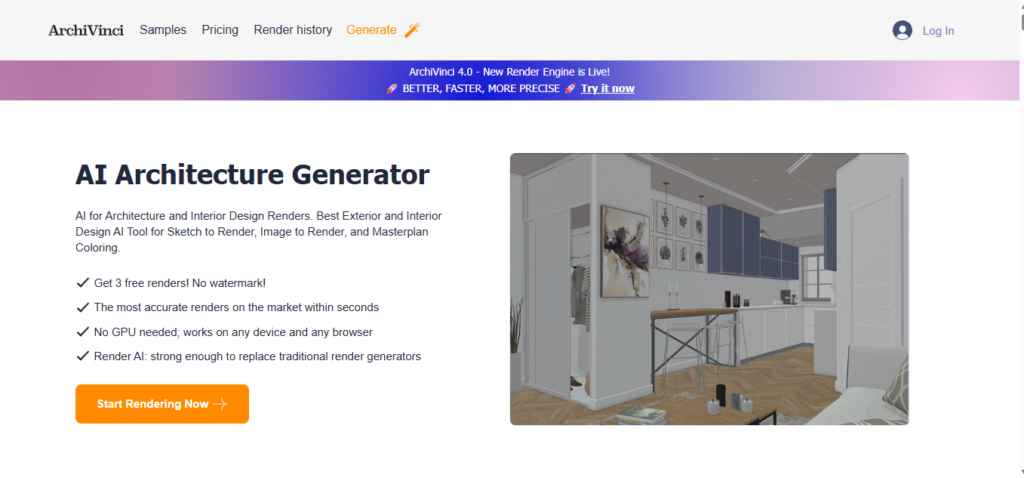
ArchiVinci has become the go-to AI rendering platform for architectural and interior design professionals — with over 3 million renders created by its global user community. What separates it from generic image generators is that it’s architecture-first: built specifically for arch/interior tasks, not generic image prompts. Upload a sketch, floor plan, or 3D model screenshot, and it generates photorealistic renders in seconds.
What it does:
- Sketch to render — converts hand-drawn sketches, napkin drawings, and floor plans into photorealistic images
- Interior and exterior rendering from photos, sketches, and model screenshots
- Inpainting — swap specific furniture pieces or materials without regenerating the entire scene
- Style transformation — apply any style (modern, traditional, Scandinavian, luxury) to existing designs
- Virtual staging for real estate presentations
- Masterplan and urban environment visualisation
- Video generation — turn renders into short walkthrough animations
- Works on any device and browser — no GPU required
- ArchiGPT integration for chat-based design workflows
- Unlimited renders on subscription plans with commercial use rights
Pricing: Subscription plans available (3-day, 1-month, 3-month, 6-month, 1-year). All plans include unlimited renders and commercial rights. Check website for current pricing.
Best for: Architects and interior designers who need professional renders without a dedicated rendering specialist on the team. If you currently outsource renders at ₹40,000+ per image, ArchiVinci produces comparable quality in minutes at a fraction of the cost. Particularly powerful for client presentations where you need multiple design directions quickly.
2. Veras (by Chaos) — AI Visualisation Inside SketchUp, Revit & Rhino
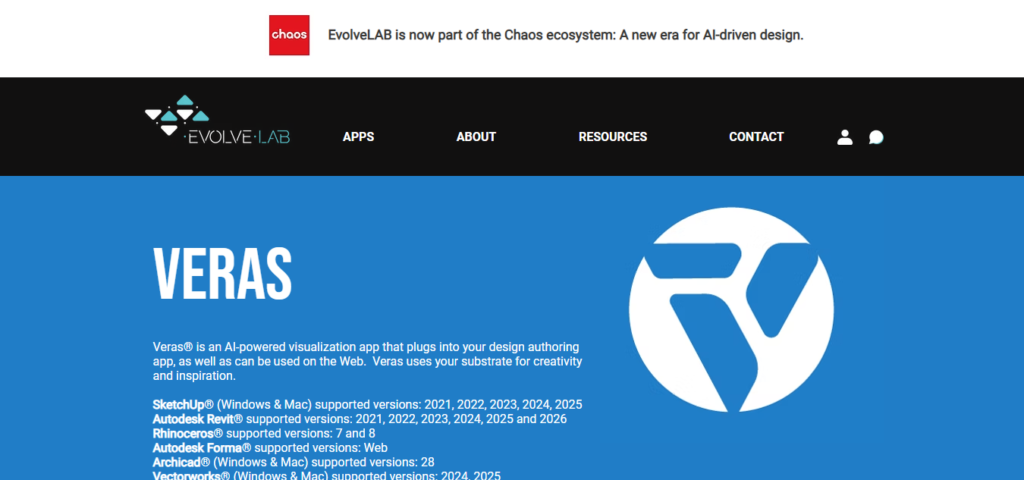
Veras is the most sophisticated AI visualisation tool for professional architects because it plugs directly into the software you already use — SketchUp, Revit, and Rhinoceros. Instead of exporting and importing between tools, Veras works within your existing BIM/CAD workflow. The Geometry Override Slider controls how much creative freedom the AI takes versus how closely it follows your model.
What it does:
- Direct plug-in for SketchUp, Revit, and Rhinoceros — no export/import needed
- Transforms BIM/CAD models into photorealistic renders using AI diffusion
- Geometry Override Slider — control whether AI follows your geometry strictly or takes creative liberties
- 2D-to-3D feature — transforms flat sketches into dimensional renders
- Render Same Seed — generate multiple style variations of the same design for client presentations
- Reference image input for stylistic guidance and precedent matching
- Real-time rendering and iteration within the modelling environment
- Ideal for early-stage massing studies and concept presentations
- Free trial available
Pricing: Free trial available. Subscription plans based on usage. Check evolvelab.io for current pricing.
Best for: Professional architects who work in SketchUp, Revit, or Rhino and don’t want to leave their modelling environment to create client-ready visuals. The BIM integration is the key differentiator — your model geometry stays intact while the AI adds materials, lighting, vegetation, and atmosphere. Essential for schematic design presentations.
3. Maket — AI Floor Plan Generator for Residential Design
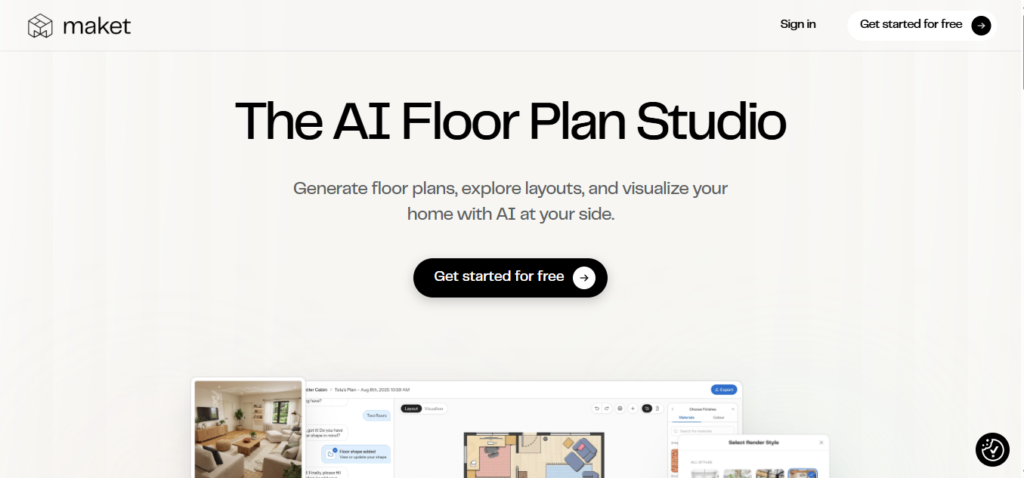
Maket has been used by over 1 million people for one specific purpose: generating residential floor plans from plain language descriptions. Describe your requirements — rooms, shape, square footage, style — and Maket generates multiple layout options in seconds. Architects use it for rapid early-stage iteration. Developers use it for feasibility exploration. Homeowners use it to visualise before hiring a professional.
What it does:
- Natural language floor plan generation — describe what you want, Maket generates it
- Multiple layout options from a single description for rapid iteration
- Editable floor plans — refine, adjust, and customise after generation
- 2D to 3D conversion — turn floor plans into 3D visualisations
- Zoning research — checks design against regulation requirements
- Style library — explore different design styles from a single text prompt
- Reference image input for style guidance
- Version history — track and compare different design iterations
- 1M+ users on v1; v2 is now live with improved AI capabilities
- Free trial available (no credit card required)
Pricing: Free trial available. Pro at $30/month for unlimited projects, high-res exports, and advanced features.
Best for: Residential architects, home designers, and developers who need to generate and iterate floor plan options rapidly in the early design phase. If you spend hours manually drafting 5 different layout configurations for a client to review, Maket generates those 5 options in minutes — letting you spend your time on the configurations that actually match the brief.
4. Finch3D — Generative Floor Plan Optimisation for Complex Projects
Finch3D is the most technically sophisticated AI floor plan tool for professional architects working on multifamily residential, mixed-use, and commercial projects. Built by architects using proprietary graph technology (not pixel-level AI image generation), Finch produces architecturally coherent floor plans that are spatially logical — not just visually plausible. It integrates natively with Rhino, Grasshopper, and Revit.
What it does:
- Generative floor plan optimisation from building massing models
- Graph-based AI — produces structurally logical plans, not just visual approximations
- Real-time performance feedback during design iteration
- Unit mix testing — optimise for different apartment/unit configurations
- Compliance checking — flags issues against spatial requirements
- Two-way native integration with Rhino, Grasshopper, and Revit
- Automated error detection in floor plan logic
- Explains why certain unit mixes are infeasible for a given footprint
- Compresses schematic iteration from days to minutes
- Built by architects, for AEC professionals
Pricing: Contact Finch3D for current pricing plans.
Best for: Architecture firms working on medium-to-large residential, mixed-use, and commercial projects where floor plan optimisation significantly impacts project feasibility and developer ROI. If you spend weeks manually iterating floor plans during schematic design, Finch3D compresses that to hours. The Revit integration means outputs feed directly into your existing BIM workflow.
5. Autodesk Forma — AI Site Analysis & Environmental Simulation

Autodesk Forma is the heavyweight AI tool for urban-scale architectural work. It runs complex wind, sun, daylight, and noise simulations in seconds — giving you predictive analytics right from the start of the design process. Instead of discovering at the end of design development that your building creates a wind tunnel on the street below, Forma flags it during early schematic design when changes are still inexpensive.
What it does:
- Real-time wind simulation — predict wind behaviour around buildings before construction
- Daylight and solar analysis — optimise building orientation and window placement
- Noise simulation — identify acoustic issues in urban context
- Shadow studies for neighbouring buildings and public spaces
- Site feasibility analysis based on local planning constraints
- AI-generated site solutions from user-defined parameters
- Integration with Revit and other Autodesk products
- Climate analysis for energy efficiency planning
- Masterplan-level environmental analysis
- Cloud-based — no expensive local hardware required
Pricing: Available as part of Autodesk’s subscription ecosystem. Contact Autodesk for current pricing.
Best for: Architects and urban designers working on projects where environmental performance is a client or regulatory requirement. If you’re designing a high-rise in a dense urban context, Forma tells you in minutes how your building will affect wind, daylight, and noise for surrounding properties — information that used to require weeks of specialist consultant reports.
6. Coohom — Free AI Interior Design Platform with 1M+ 3D Models

Coohom is the most generous free AI design platform available — with over 10 million users across 200 countries. Its library of 1 million+ ready-to-deploy 3D models (furniture, fixtures, lighting, finishes) combined with AI-assisted layout generation makes it the first choice for interior designers who need a comprehensive free starting point.
What it does:
- Draw or import floor plans, then furnish with drag-and-drop placement
- AI-powered layout recommendations based on room dimensions and function
- Library of 1 million+ 3D models including brand-name furniture and fixtures
- 10,000+ pre-furnished templates for rapid concept development
- High-resolution renders up to 16K
- Panoramic walkthroughs and 1080P video tours
- AR (Augmented Reality) previews — see design in real space via phone
- Intelligent decorator — AI suggests layouts based on your room type and size
- VR integration for immersive client walkthroughs
- Free tier available with basic design tools
Pricing: Free tier available (genuinely useful). Premium plans for higher resolution, more models, and advanced features. Check website for current pricing.
Best for: Interior designers, particularly those starting out or working on mid-range residential projects, who need a comprehensive design and visualisation platform without a large software budget. The 1M+ model library means you can specify virtually any furniture piece in your design — and the free tier gives you enough to deliver professional-quality client presentations.
7. RoomGPT — Instant Room Redesign from a Single Photo

RoomGPT pioneered the idea of “upload a photo, see your room redesigned” — and it remains the fastest tool for this specific use case. With 2 million+ users, it’s the industry standard for rapid style exploration and client concept conversations. Upload a photo of any room, select a style, and see a complete redesign in under 30 seconds. First render is free.
What it does:
- Upload any room photo → AI redesigns in chosen style in under 30 seconds
- 30+ design styles — Scandinavian, modern, minimalist, traditional, industrial, and more
- Multiple style variations from the same photo
- No account required for the first render
- Works for any room type — living room, bedroom, kitchen, bathroom, office
- Fast iteration — test multiple styles before client presentation
- Simple interface — no technical skills required
- Open-source underlying technology (ControlNet ML model)
- Browser-based — works on any device
Pricing: Free (first 1-2 renders). Credit-based: $9 for 30 credits, $19 for 100 credits, $29 for 200 credits. Monthly plans: Pro at $15/month, Business at $30/month.
Best for: Interior designers and architects who need to show clients quick style directions before committing to detailed design. If a client says “I like modern but also warm,” you can upload their living room photo and show them 5 different interpretations in 2 minutes — before the first meeting is even over. Also excellent for homeowners exploring renovation options.
8. D5 Render — Real-Time Photorealistic Rendering with AI Materials
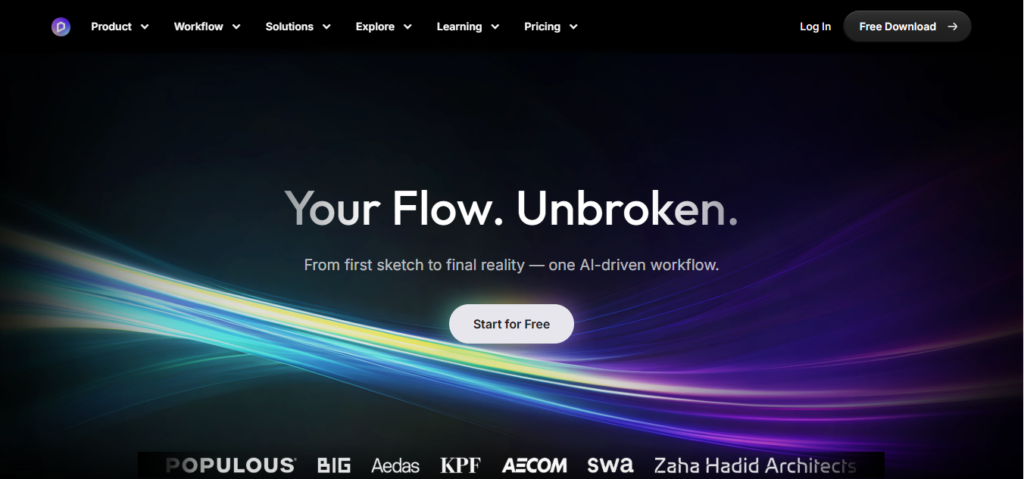
D5 Render is a powerful real-time 3D rendering tool that bridges the gap between professional rendering quality and AI-assisted workflow efficiency. It integrates seamlessly with SketchUp, Rhino, Revit, Blender, and ArchiCAD via live synchronisation — meaning changes in your model appear immediately in the render. Its library of 15,000+ ready-to-use models, materials, and scene elements accelerates set-up significantly.
What it does:
- Real-time rendering with advanced lighting, weather, and shadow controls
- AI-powered material generation from reference photos
- AI sky and vegetation inpainting — add trees, clouds, and atmosphere intelligently
- AI image enhancement for polishing final renders
- LiveSync integration with SketchUp, Rhino, Revit, Blender, ArchiCAD — changes update instantly
- Library of 15,000+ models, textures, and scene elements
- Path tracing for production-quality final renders
- Time-of-day and weather simulation for mood variations
- Animation and walkthrough video generation
- Available for Windows (GPU required for best performance)
Pricing: Free personal plan (for non-commercial use). Professional plan at $39.9/month. Studio plans available for teams.
Best for: Architects and designers who need production-quality renders for marketing materials, competition submissions, and client presentations. D5’s LiveSync means you can design in SketchUp and see your design in photorealistic quality simultaneously — eliminating the traditional wait for renders to complete before seeing results.
9. Midjourney — Concept Art & Mood Board Generation

Midjourney produces the most aesthetically compelling AI-generated images of any tool on this list — and while it’s not architecture-specific, it’s invaluable for concept exploration, mood board creation, and presenting design intent to clients before a detailed design exists. Many architecture firms use Midjourney for early client vision workshops to establish aesthetic direction before a single line is drawn.
What it does:
- Highest quality AI image generation for architectural concept art
- Exceptional at mood boards, atmospheric renders, and design intent imagery
- Style Reference feature — maintain visual consistency across a concept series
- Architectural prompting for building exteriors, interiors, and urban spaces
- Generate multiple variations for client review
- Reference images for stylistic and material direction
- Strong community of architects sharing prompts and techniques
- Web interface plus Discord workflow
- Inspires and explores design directions that human creativity might not immediately reach
Pricing: Plans start at ~$10/month (Basic). Standard at $30/month. Pro at $60/month.
Best for: Architects and interior designers during the conceptual design phase — particularly for client vision workshops and RFP responses where compelling imagery matters before a design is fully developed. Use Midjourney for “what this could feel like” imagery, then move to ArchiVinci or Veras for “what this actually looks like” renders once the design is defined.
10. ChatGPT / Claude — Design Documentation, Client Communication & Specifications

The unsexy but enormously practical application of AI in architecture: documentation. Architects spend a significant portion of their professional lives writing — design briefs, specifications, client reports, project descriptions, proposal narratives, planning statements, and email communications. AI handles all of this in a fraction of the time.
What they do:
- Write design narratives and project descriptions for RFP responses
- Draft planning statements and design justifications for approval submissions
- Generate technical specifications from design intent notes
- Produce client reports and meeting summaries
- Draft fee proposals and scope of service documents
- Create tender documents and contractor briefs
- Compose client emails and professional communication
- Summarise lengthy building regulations and planning guidelines
- Generate interior design schedules and finish specifications
- Explain technical decisions to non-technical clients in plain language
Pricing: Free versions available. Paid plans at ~$20/month.
Best for: Every architect and interior designer — for the writing-heavy parts of the job that consume hours but don’t require design expertise. If you spend 3 hours writing a planning statement for every submission, Claude can generate a comprehensive first draft in 5 minutes. The remaining time goes into review, customisation, and applying professional judgment — not starting from a blank page.
Quick Comparison: Which Tool Should You Try First?
| Your Design Challenge | Start With This |
|---|---|
| Quick renders from sketches or photos | ArchiVinci |
| AI inside your existing SketchUp/Revit/Rhino | Veras |
| Residential floor plan generation | Maket (free trial) |
| Optimised plans for complex multi-unit projects | Finch3D |
| Environmental simulation and site analysis | Autodesk Forma |
| Free full-featured design platform | Coohom (free tier) |
| Show clients quick style options from a photo | RoomGPT (first render free) |
| Production-quality renders with model integration | D5 Render |
| Concept art and mood boards | Midjourney |
| Design documentation and client communication | ChatGPT / Claude |
The Designer’s AI Workflow
The most successful architecture and design firms in 2026 use AI tools in sequence across the design process — not as a replacement for any phase, but as an accelerator at every phase:
- Concept Phase: Use Midjourney for inspiration and mood boards. Use ChatGPT/Claude to draft the design brief and vision statement.
- Schematic Design Phase: Use Maket or Finch3D for floor plan generation and iteration. Use Autodesk Forma for site analysis and environmental compliance.
- Design Development Phase: Use ArchiVinci or Veras for client-presentation renders. Use RoomGPT for quick style variations during client review meetings.
- Documentation Phase: Use ChatGPT/Claude for specifications, reports, and planning statements. Use D5 Render for final photorealistic marketing visuals.
Important Note on AI and Architectural Practice
AI-generated visuals are powerful tools for communication — but they have limits that every professional must understand.
Design responsibility remains with the architect. AI floor plans and renders are starting points and visualization aids, not construction documents. They require professional review, structural engineering, compliance verification, and site-specific adaptation before being used for any regulatory or construction purpose.
Copyright considerations. In most jurisdictions, AI-generated outputs cannot be directly copyrighted. Your design intent, floor plans, material selections, and professional compilation of the work remains your intellectual property — use AI as a visualization medium, not as the sole source of the design.
Accuracy limitations. AI renders are approximations. Proportions, material scales, and spatial relationships may not be perfectly accurate. Always validate against actual dimensions and specifications before client commitment.
Final Thoughts
AI has done for architecture and interior design what CAD did in the 1980s: compressed the time required for technical drafting and visualization so designers can spend more time on the creative and intellectual work that defines great design.
The firms thriving in 2026 aren’t the ones with the most advanced hardware or the largest rendering farms. They’re the ones where a single designer can produce the visualization output that used to require a team — allowing more time for client relationships, design refinement, and the creative thinking that no AI tool will ever replace.
Pick one tool from this list that addresses your biggest current bottleneck. Try it for two weeks. The time you save on that one task will tell you everything about how to build the rest of your AI stack.
Last Updated: April 2026 · Prices and features are subject to change — always verify on the official website. AI-generated renders should not be used as construction documents. Always apply professional judgment and regulatory compliance review
Suggested Resources
Get Connected
Interested Working With me? Let's connect!
Interested Working With me? Let's connect!
Grow Your Business with Our Digital Marketing Agency Don’t miss our future updates!