An LLM router is a layer that picks which model answers each request, based on rules, a trained classifier or live health checks. It cuts cost by sending easy prompts to cheap models and improves reliability through fallbacks. Start with simple rules, then test any learned router on your own prompts.
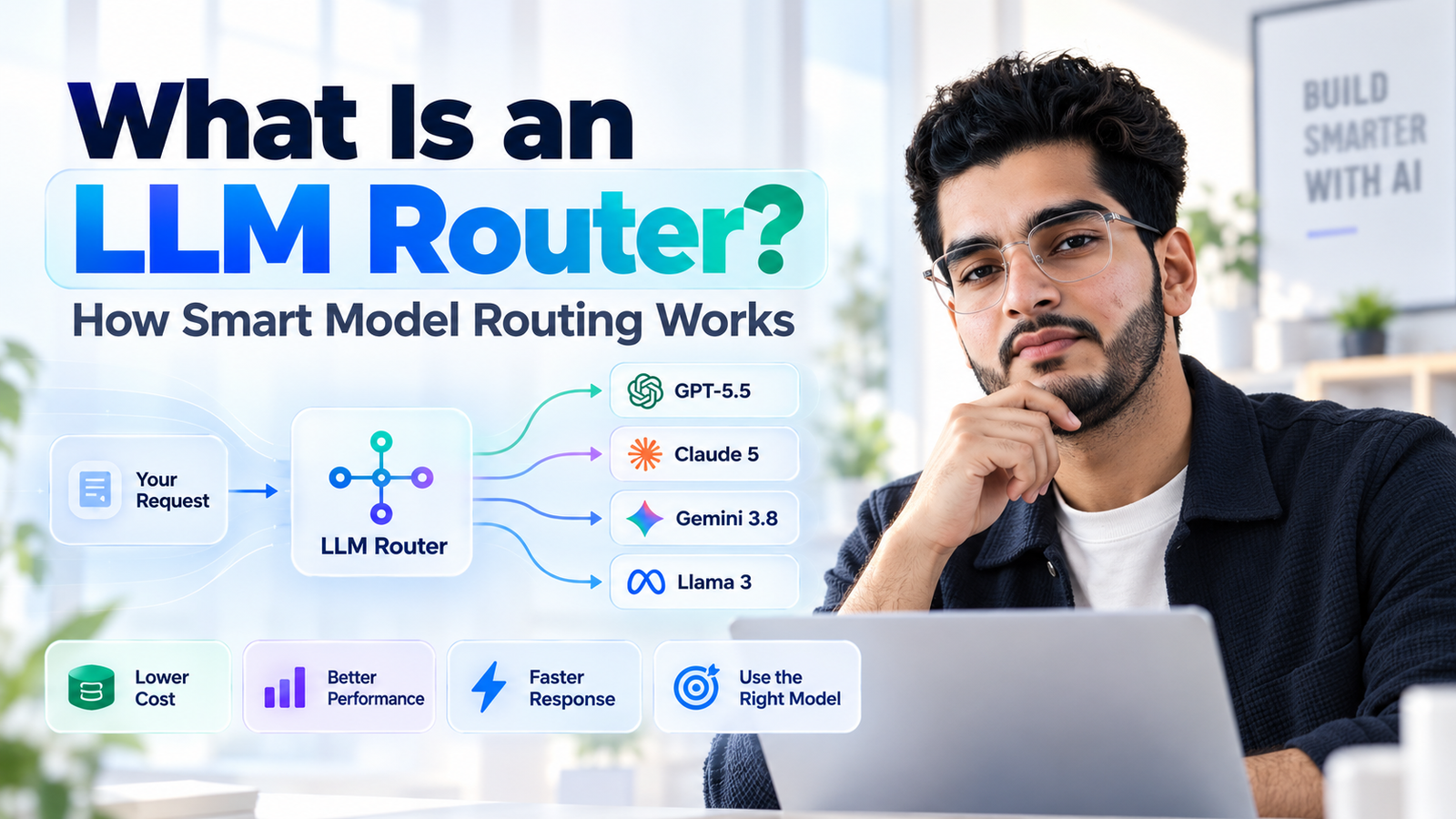
Sending every request to your biggest model is like shipping every parcel by air freight. It works, and it is wasteful.
An LLM router fixes that. This guide explains what it is, how the main types work, which products are worth a look, and when a router is not worth the trouble.
What is an LLM router, and what does it actually do?
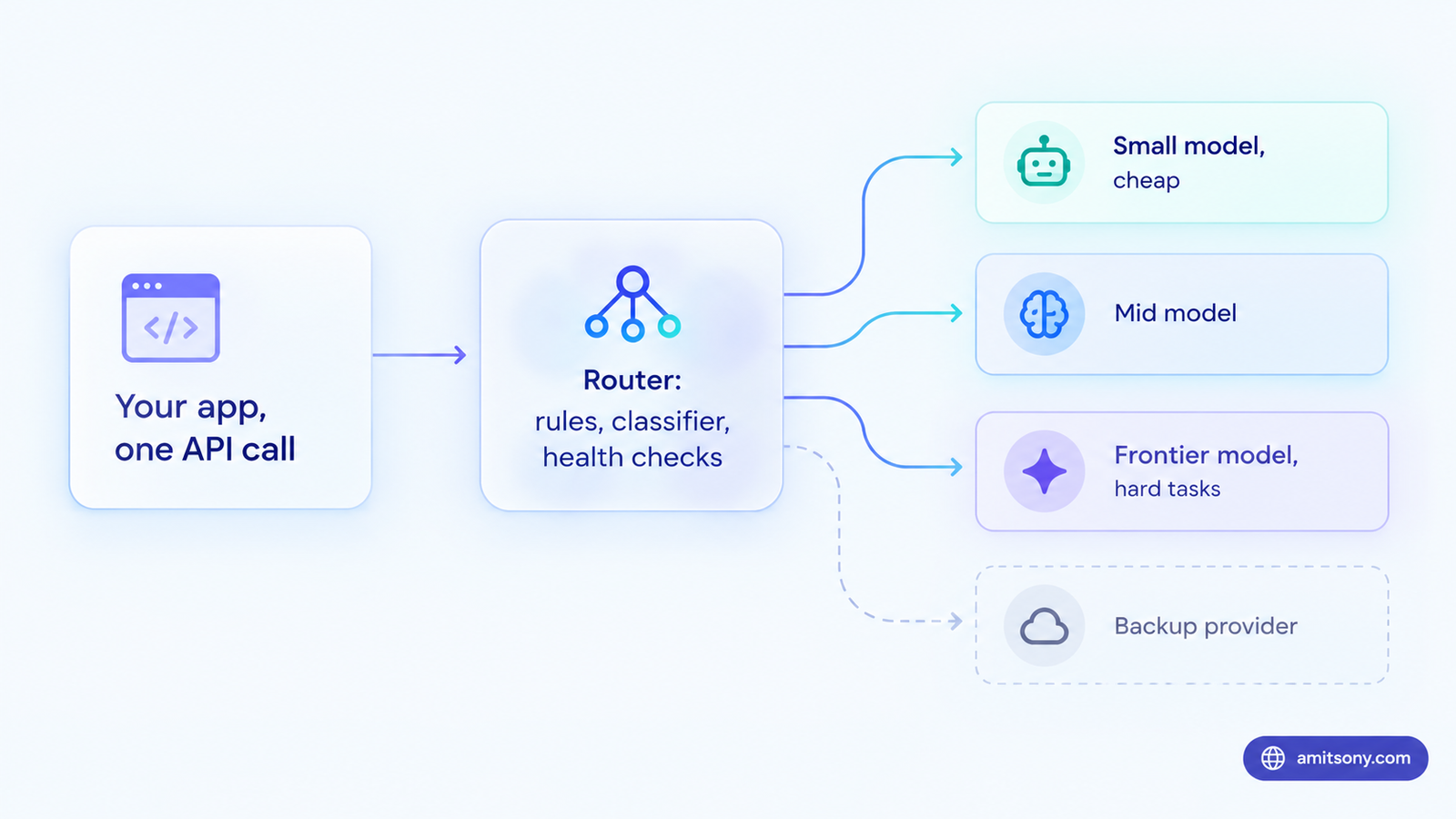
An LLM router sits between your app and your models. For each request it decides which model, and sometimes which provider, should answer. Your code sends one call, and the router handles the rest.
The decision can rest on cost, speed, quality or reliability. A simple prompt like "classify this email" goes to a small model. A hard reasoning task goes to a frontier model. If a provider is down or rate limited, the request moves to a backup.
You will also hear the term LLM gateway. The two overlap, but they are not identical. A router chooses the model. A gateway adds the plumbing around it, such as key management, logging, budgets and access control. Many products do both, which is why the labels get mixed up.
What are the main types of LLM routers?
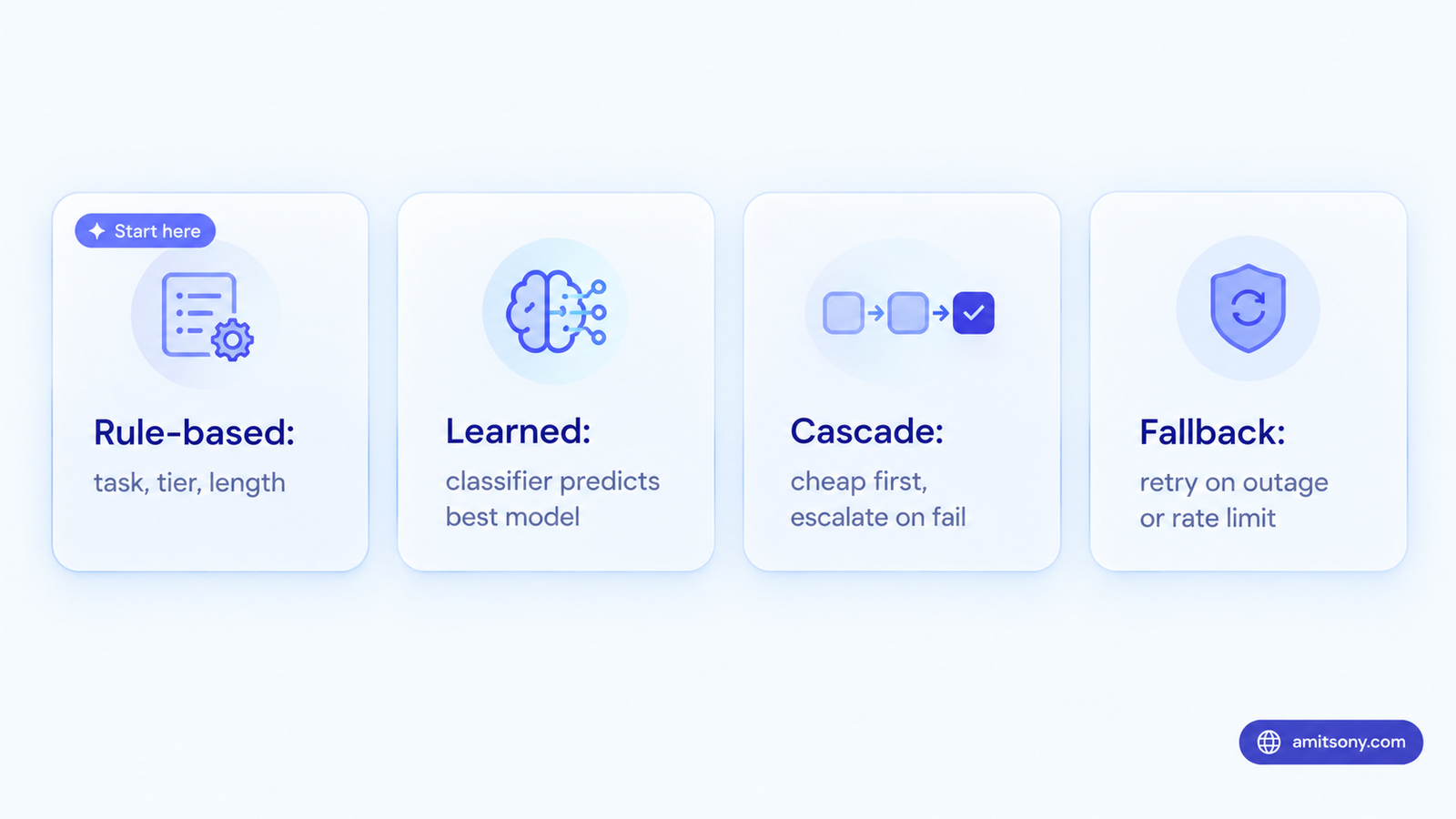
There are four patterns, and most real systems mix two of them.
Rule-based routing uses conditions you write yourself. Route by task type, user tier, prompt length or a request header. It is predictable, fast and easy to debug. Verdict: this is where nearly everyone should start.
Learned routing uses a small trained model to predict which candidate will answer best. It handles messy, mixed traffic that rules cannot describe, but you have to trust and test the classifier.
Cascade routing tries the cheapest model first and escalates only when a check fails, such as low confidence or invalid output. It saves money when most answers are good enough the first time. It wastes money when most are not.
Fallback routing is about uptime, not cost. If the first choice errors out or hits a rate limit, the router retries elsewhere. Some hosted gateways also offer a fusion style mode that sends one prompt to a panel of up to 8 models and merges the answers. That is a niche tool for high-stakes questions, not a cost saver.
How does a learned LLM router decide which model to use?
A learned router reads the prompt, then predicts how well each candidate model would answer it. It picks the cheapest model whose predicted quality clears a threshold you set.
RouteLLMRouteLLM is the best known open source example. It trains classifiers on human preference data to choose between one strong and one weak model. In the published benchmarks it cut cost by up to 85 percent on MT Bench while keeping about 95 percent of GPT-4 quality, and it called the strong model on only around 14 percent of queries. Those numbers are benchmark specific, so treat them as a ceiling.
Cloud vendors ship their own versions. Microsoft Foundry has a Model Router with Balanced, Cost and Quality modes. Balanced picks the cheapest model within roughly 1 to 2 percent of the top quality score, Cost widens that band to around 5 to 6 percent, and Quality always takes the best model. You can also limit the pool to a model subset.
Amazon Bedrock offers a narrower design. A router uses exactly two models from the same family, such as a small and a large Claude model, plus a fallback. AWS says it can reduce costs by up to 30 percent.
Savings vary widely. A Microsoft sample run showed single digit to low double digit savings, while academic benchmarks show far more. Your number depends on how much of your traffic is easy, so measure it before you believe any headline.
Which LLM router should you use?
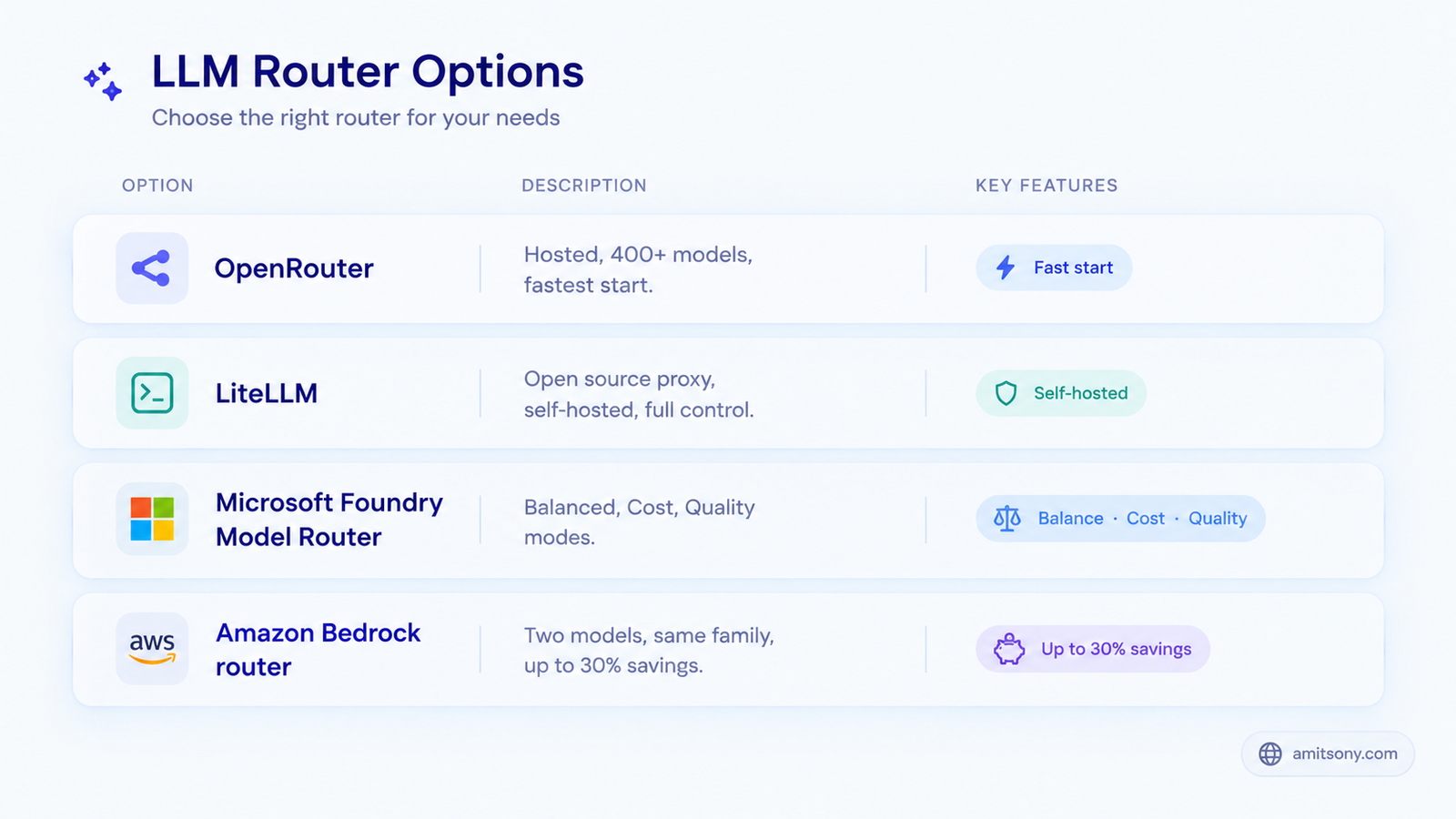
Match the router to where your code already lives.
If you are all in on AWS, Bedrock's router is a low effort way to save between two models in one family. If you are on Azure, Foundry's router works across providers inside one deployment. Both only route among models hosted on their own platform.
For many providers through one API, OpenRouter is the quickest start. It offers 400+ models from 80+ providers and an Auto Router that classifies each prompt and picks a model. One recent development: Stripe announced on August 19, 2026 that it agreed to acquire OpenRouter, with the price undisclosed and reported at around $7.5 billion. Nothing has to change for you today, but check its terms and roadmap before building a core dependency on it.
If you want control, LiteLLM is an open source proxy you host yourself. Its routing strategies include simple shuffle, usage based, latency based, least busy and cost based, plus fallbacks, retries and cooldowns. You keep your own provider keys and your prompts stay on your infrastructure.
My verdict: OpenRouter if you want speed, LiteLLM if you want control, and a cloud router only if you are already locked into that cloud. Skip a learned router until rules stop saving money.
When is an LLM router not worth it?
At low volume. If your monthly bill is a few thousand rupees, the engineering time costs more than the savings.
When one narrow task dominates. If almost every request needs the same quality, there is nothing to route.
When quality risk is high. A misrouted legal or medical answer costs more than any token saving. Use a quality mode, or route those tasks to the strong model by rule.
Mind the cache too. Prompt caches are tied to a specific model, so bouncing a conversation between models can throw away your caching savings. Keep one conversation on one model where you can.
Hosted routers add a dependency and a data path. Your prompts pass through a third party, so check the privacy terms if they contain sensitive data.
How do you set up a basic LLM router step by step?
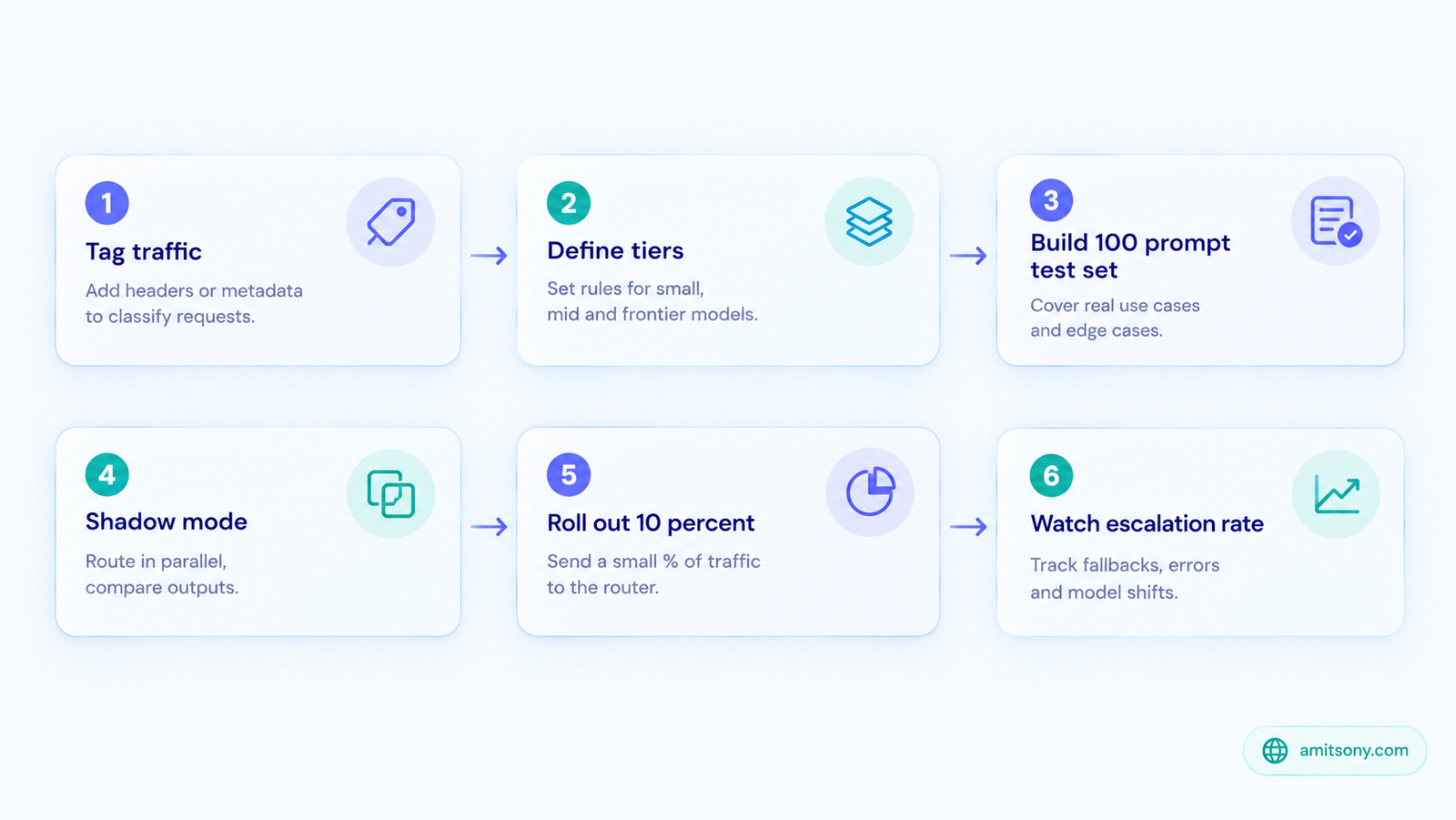
Step 1. Log your traffic and tag each request by task, such as classification, extraction, summarising, chat or code.
Step 2. Define three tiers, a cheap model, a mid model and a strong model. Write plain rules that map each task to a tier.
Step 3. Build a test set of 100 real prompts with an expected result or a simple pass check for each one.
Step 4. Run the router in shadow mode. It makes decisions, but your users still get the old answers. Compare the outputs and the cost.
Step 5. Roll out gradually, starting with 10 percent of one task. Add a validation check and escalate to the strong model on failure.
Step 6. Watch four numbers: escalation rate, quality score, cost per request and 95th percentile latency. A rising escalation rate means the cheap tier is not good enough for that task.
How much can an LLM router save? A worked example
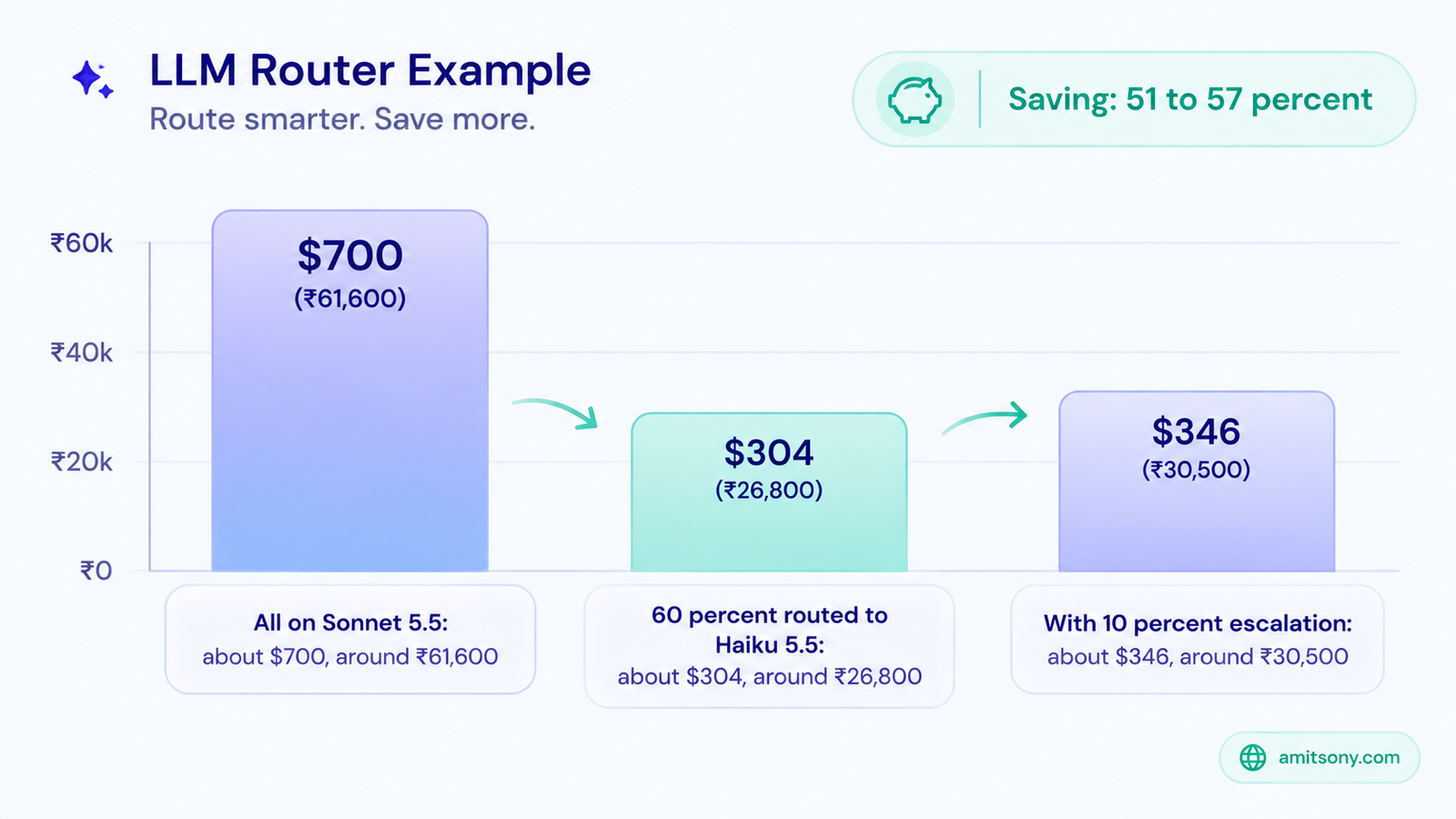
Assume 100,000 requests a month, each with 1,500 input tokens and 400 output tokens. Using Anthropic's October 2026 list prices, Sonnet 5.5 costs $2 input and $10 output per million tokens, and Haiku 5.5 costs $0.10 and $0.50.
Sending everything to Sonnet 5.5 costs about $700, or roughly ₹61,600.
Now route 60 percent of requests to Haiku 5.5 by rule. Haiku's share costs about $21 and Sonnet's 40 percent costs about $280. A small classifier call on every request adds around $3. The total is about $304, roughly ₹26,800, a saving of 57 percent.
Be honest about failures. If 10 percent of Haiku answers fail a check and get re-run on Sonnet, add about $42. The total becomes about $346, and the saving drops to about 51 percent. That is still real money, but it is the number to plan around.
Frequently Asked Questions
What is the difference between an LLM router and an LLM gateway?
A router chooses which model answers a request. A gateway adds keys, logging, budgets and access control, and often includes routing.
Does an LLM router reduce answer quality?
It can if it misroutes hard prompts to a weak model. Testing on your own prompts and escalating on failed checks keeps the risk low.
Is OpenRouter an LLM router?
Yes, it is a hosted gateway with an Auto Router that classifies prompts and picks a model across many providers.
How much latency does an LLM router add?
Rule-based routing adds almost none. Classifier based routing typically adds tens of milliseconds per request.
Can you build your own LLM router?
Yes. A rule-based router takes a few hours to build. Add a classifier only after rules stop saving money.