Otter.ai leads for live meeting transcription, Rev covers both fast AI and 99%+ guaranteed human transcription for legal work, and Sonix handles multilingual audio with transparent per-second billing. OpenAI Whisper is genuinely free and unlimited but has no interface. Vendor accuracy claims of 95 to 99% usually describe clean audio only, real-world accuracy with accents or background noise commonly runs 85 to 92%.
Every transcription tool's homepage advertises accuracy somewhere between 95% and 99%. Independent testing tells a more complicated story: those numbers hold up on a clean, single-speaker recording in a quiet room, and drop noticeably the moment real conditions show up, background noise, crosstalk, accents, technical vocabulary.
This guide focuses on tools that show up as genuine, repeated recommendations across multiple independent testing sources, what actually changes their accuracy, and which one fits a specific use case instead of chasing the single highest number on a features page.
Why Do Accuracy Claims Vary So Much Between Vendors and Real Use?
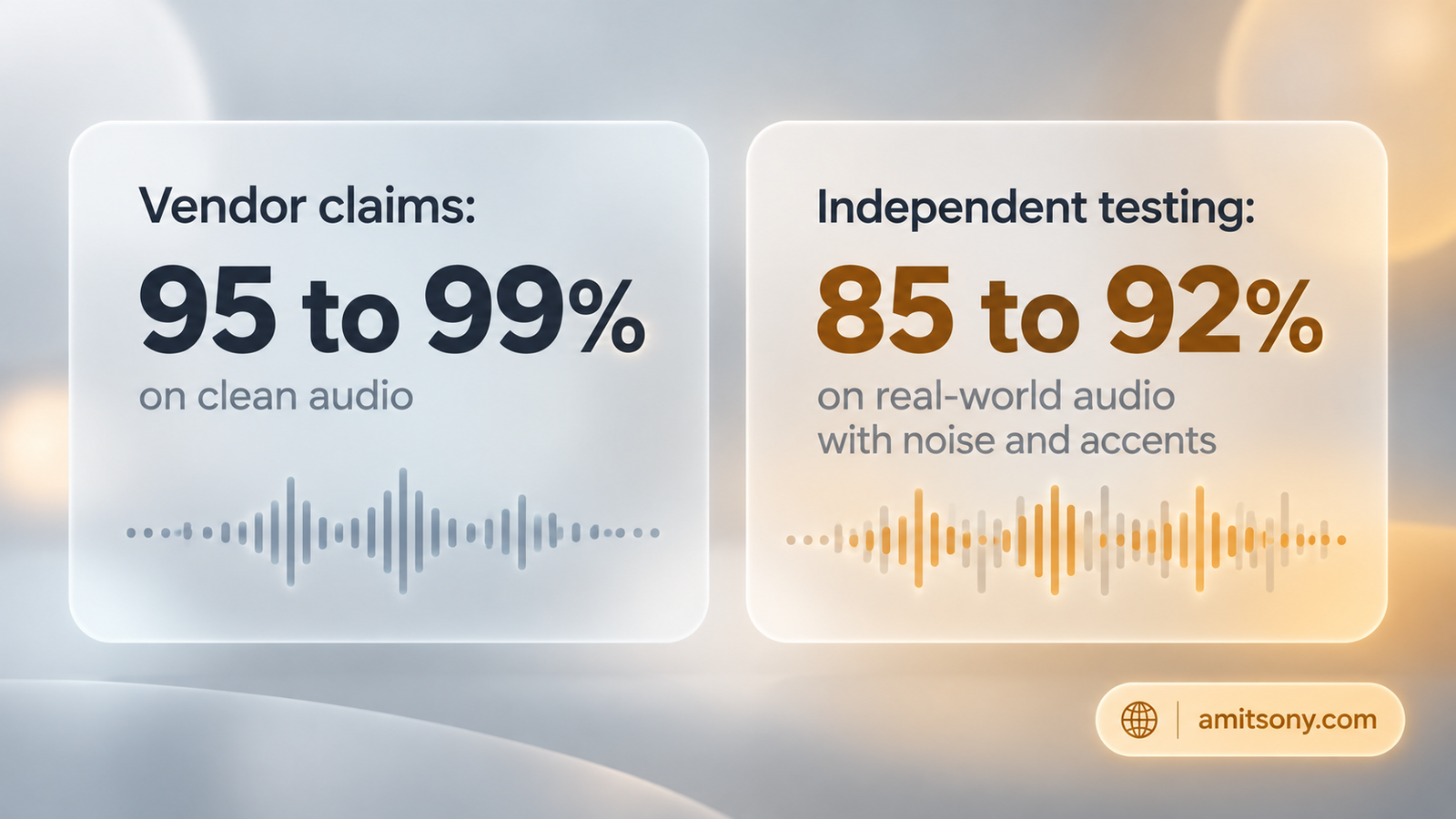
Vendor-quoted accuracy numbers are almost always measured on ideal audio, one clear speaker, no background noise, standard accent, common vocabulary. Under those conditions, 95 to 99% is genuinely achievable for several tools.
Independent testers running the same tools against messier, real-world audio, a 30-minute recording with four speakers, moderate background noise, and mixed accents, consistently report accuracy landing closer to 85% to 92%. That's not a small gap, it's the difference between a transcript you can trust and one that needs a real editing pass before you use it for anything important.
The practical takeaway: test any tool you're considering against your own actual audio, not a demo clip, before committing to a paid plan or trusting a transcript for something that matters.
Which Tool Is Best for Live Meeting Transcription?
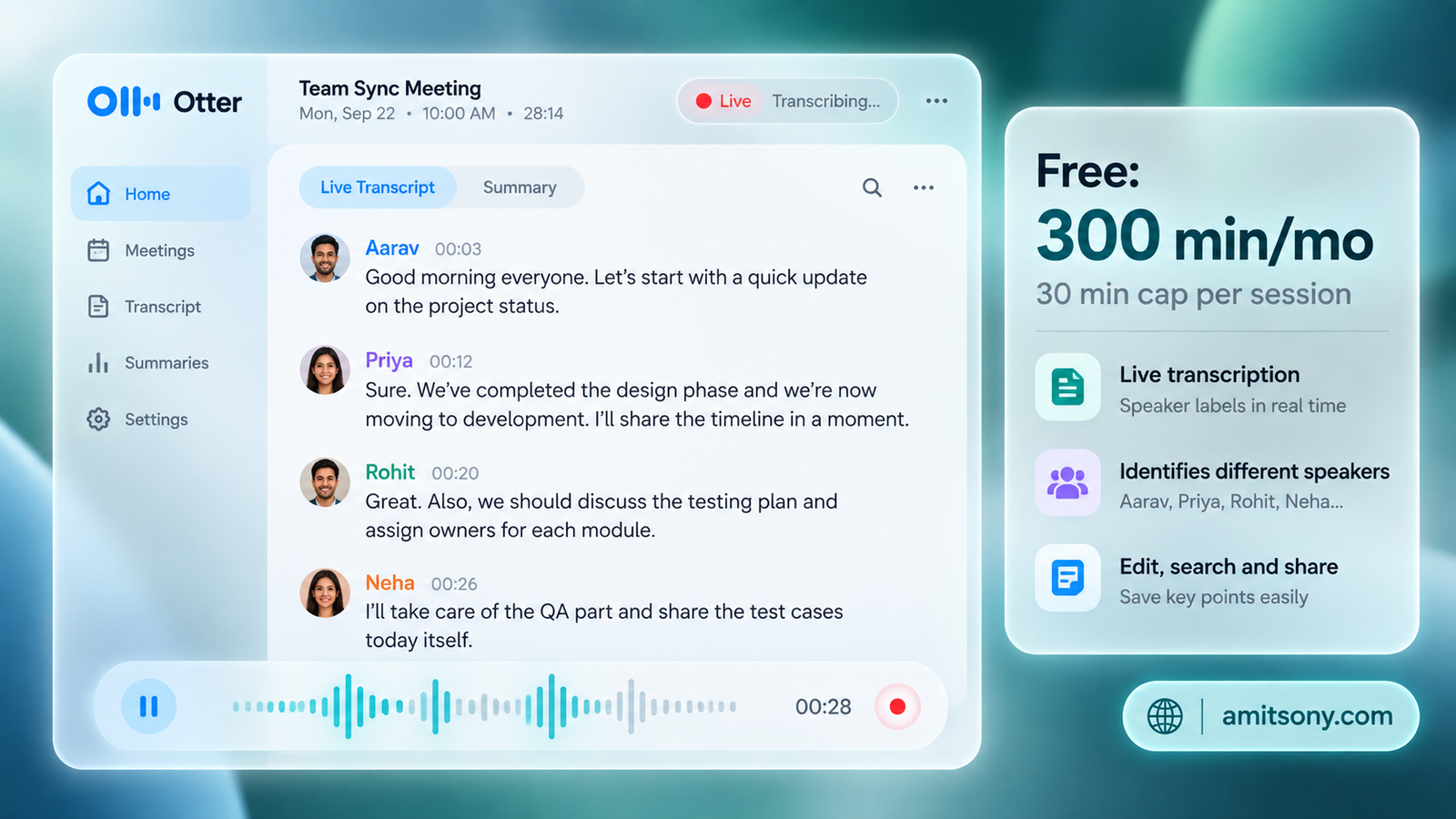
Otter.ai remains the most recognizable name for real-time meeting transcription, with live speaker detection and searchable transcript archives as its strongest feature.
Free gives 300 minutes a month with a 30-minute cap per session. Paid plans run from roughly $8.33/month billed annually up to $16.99/month billed monthly, though it's worth checking current included minutes carefully, Otter has previously reduced included minutes on its Pro tier without lowering the price.
Independent testing puts real-world accuracy in the high 80s to low 90s for typical meeting audio, below the marketing page's headline number but still solid for searchable notes and quick reference.
Best suited to teams that need searchable meeting history more than publication-ready transcripts.
Which Tool Is Best for Legal or Compliance-Grade Work?
Rev covers both ends of the accuracy spectrum under one roof: a fast AI tier and a human transcription tier, with HIPAA compliance and a professional services option built specifically for legal and medical use.
AI transcription runs pay-as-you-go around $0.25/minute, while human transcription costs roughly $1.50/minute with turnaround typically under 12 hours, and hits 99%+ accuracy reliably where AI tools still occasionally slip.
The right pick specifically when a transcript needs to hold up as a real record, a deposition, a compliance interview, a medical consultation, not just a personal reference note.
Which Tool Is Best for Multilingual Audio?
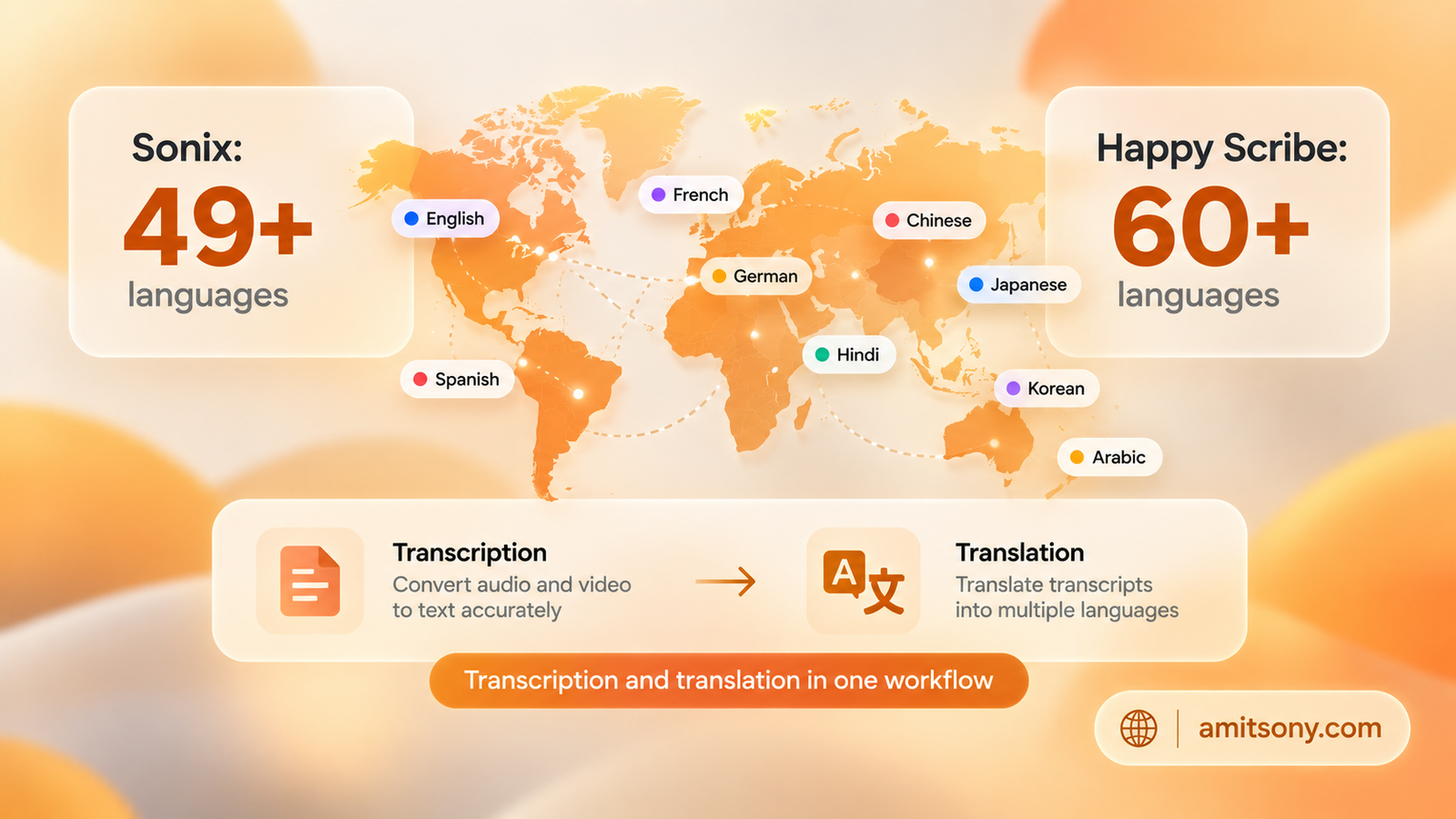
Sonix and Happy Scribe both stand out for multilingual work, Sonix covering 49+ languages and Happy Scribe covering 60+, with transcription and translation handled in the same workflow rather than requiring a separate tool.
Sonix bills pay-as-you-go, prorated to the second, which independent reviewers specifically praise for billing transparency, roughly $10/hour of audio processed. Happy Scribe adds an optional human proofreading upgrade on top of its AI pass for teams that need a guaranteed accuracy ceiling.
Most general-purpose transcription tools handle multilingual audio poorly by comparison, this is a genuine specialization worth paying for if your content regularly spans more than one language.
Is There a Genuinely Free, Unlimited Option?
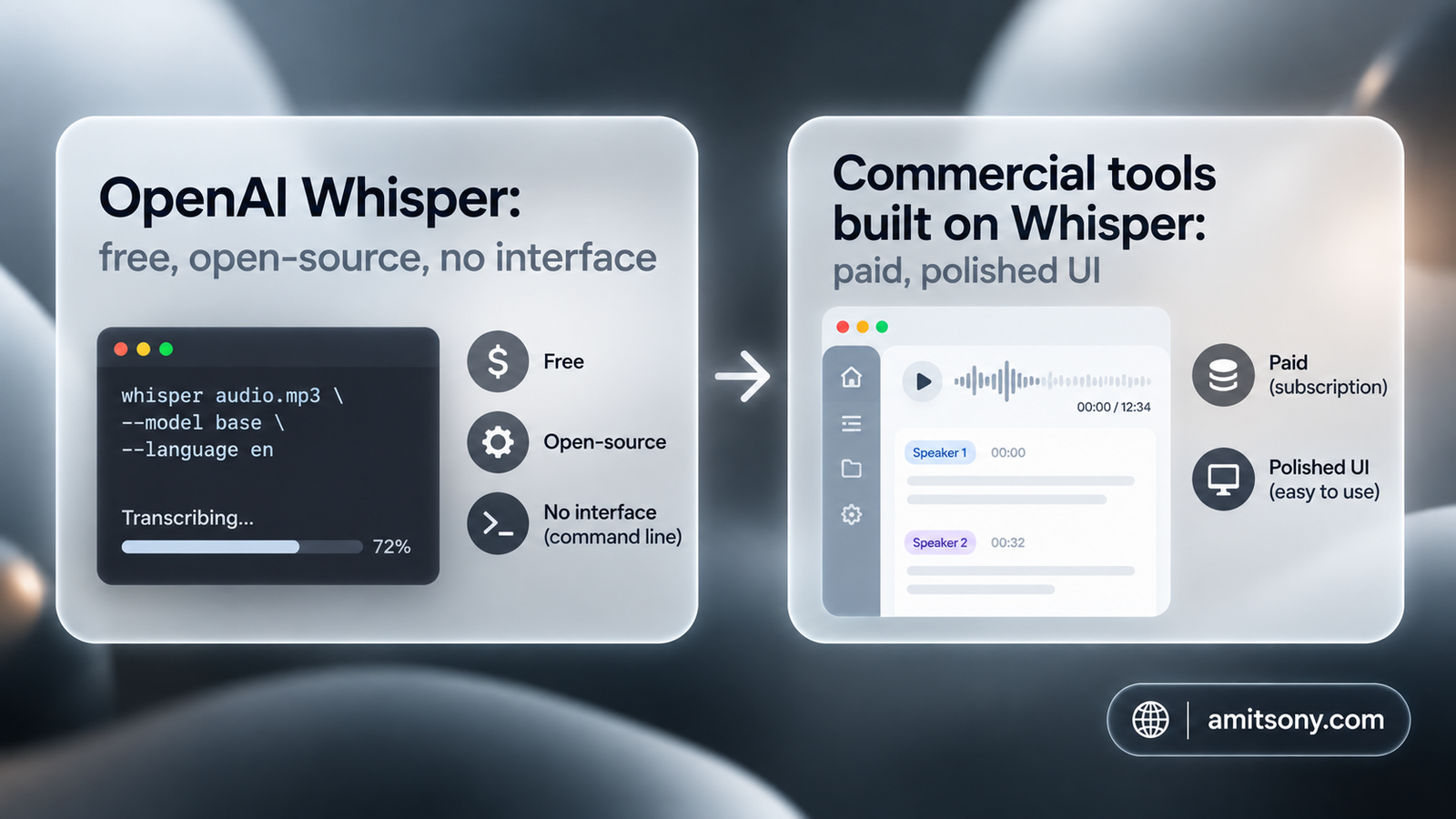
OpenAI Whisper is free, open-source, and runs locally on your own machine, no subscription, no per-minute fees, and no audio ever leaves your computer. Accuracy genuinely rivals several paid tools, and it supports 97 or more languages.
The real catch: there's no user interface. Running it requires technical setup through Python, which is exactly why several commercial tools, including Descript, quietly run Whisper under their own hood while charging for the polished interface wrapped around it.
Worth it specifically if you're comfortable with basic technical setup and want zero ongoing cost. Not the right choice if you need something a non-technical team member can open and use today.
Which Tool Is Best If You Also Need to Edit the Audio or Video?
Descript is built on Whisper's engine but wraps it in a full audio and video editor where you edit the transcript text and the underlying recording updates automatically, delete a sentence in the text and it cuts from the audio too.
Free tier accuracy lands around 94% in independent testing, competitive with paid competitors, and it's the more sensible choice if transcription is one step in a larger content production workflow rather than the entire task.
Skip this one if transcription is genuinely all you need, dedicated tools handle that single job with less complexity and often a better price.
When Do You Actually Need Human Transcription Instead of AI?
Human transcription services like Rev, GoTranscript, and Scribie consistently deliver 99% or higher accuracy on difficult, technical, or heavily accented audio where AI tools still make real mistakes.
The trade-off is speed and cost: human transcription runs $0.80 to $1.50 per minute and takes hours rather than the near-instant turnaround of AI, a genuine cost worth paying when the transcript is a legal record, a medical document, or anything where a single misheard word carries real consequences.
For everyday meeting notes, podcast drafts, or personal reference, AI accuracy in the high 80s to low 90s is normally good enough, and paying human rates for that use case is overkill.
What Should You Check Before Trusting a Free Tier?
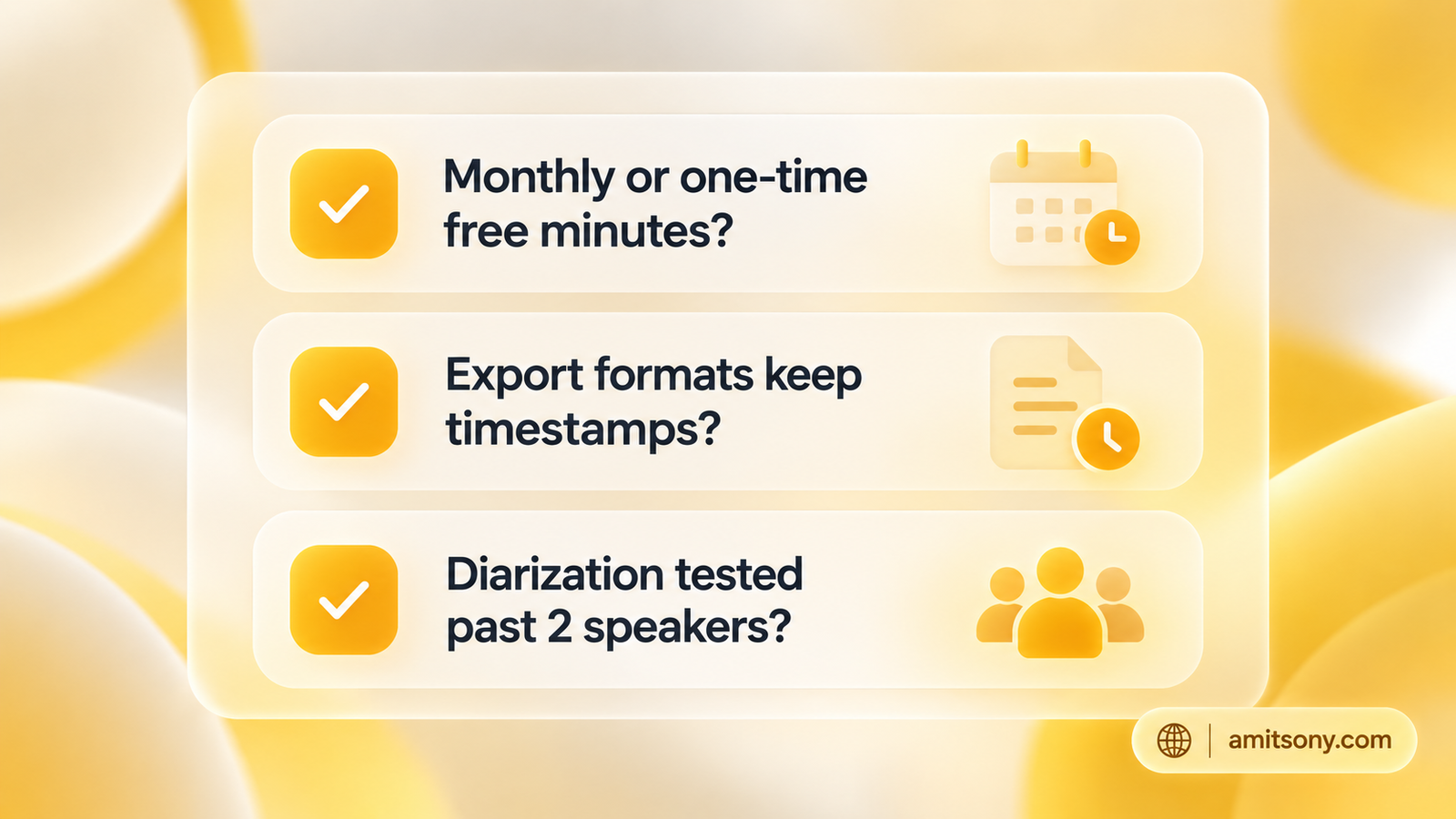
Confirm whether free minutes are monthly and recurring or a one-time allowance. Several tools advertise a generous-sounding free tier that turns out to be a single 10-minute allowance on signup rather than a monthly reset.
Check export format support before you rely on a tool, SRT for subtitles, TXT or DOCX for documents, and whether timestamps and speaker labels actually survive the export rather than only displaying inside the tool's own interface.
Test speaker diarization specifically if your audio involves more than one person. Some tools handle two speakers well and fall apart past three or four, exactly the scenario a real interview or panel discussion involves.
Quick Verdict
Match the tool to what the transcript is actually for. Otter for searchable meeting history, Rev when a transcript needs to hold up as a real record, Sonix or Happy Scribe for multilingual work, Whisper if you're technical and want zero cost, and Descript if editing the recording itself is part of the job. Test with your own real audio before trusting any vendor's accuracy number.
Frequently Asked Questions
What's the most accurate AI transcription tool in 2026?
On clean audio, several tools claim 95 to 99%, but independent testing on realistic audio with background noise or accents puts most AI tools closer to 85 to 92%. For guaranteed 99%+ accuracy, human transcription services like Rev or GoTranscript are more reliable than any AI tool alone.
Is there a completely free transcription tool with no limits?
OpenAI Whisper is free and unlimited with no subscription, but it requires technical setup through Python and has no user interface, unlike subscription tools built on top of it.
What's the difference between AI and human transcription?
AI transcription is near-instant and cheap or free but tops out around 85 to 92% accuracy on real-world audio. Human transcription costs more and takes hours but reliably reaches 99% or higher, important for legal or medical records.
Which transcription tool is best for interviews with multiple speakers?
Check a tool's speaker diarization quality specifically before relying on it for interviews or panels, since some tools handle two speakers well but degrade noticeably past three or four.
Do I need a paid plan for transcription, or is free enough?
Free tiers work fine for occasional personal use, but confirm whether the free allowance is monthly and recurring or a one-time amount, and check export format support before assuming a free tier will actually meet your needs.