
An AI receptionist answers your business calls 24/7, books appointments, takes messages and transfers urgent calls to you. Entry plans run from about $25 to $150 per month, depending on whether the tool bills by minute, call or unique caller. Set it up in a day, but disclose recording and test 20 calls first.
Missed calls are missed money. A plumber who cannot pick up during a job loses the customer to the next number on Google.
An AI receptionist picks up every call, at any hour, for a fraction of what a human costs. This guide covers which tools are worth it, what they cost in 2026 and how to set one up without annoying your callers.
What is an AI receptionist, and what can it actually do?
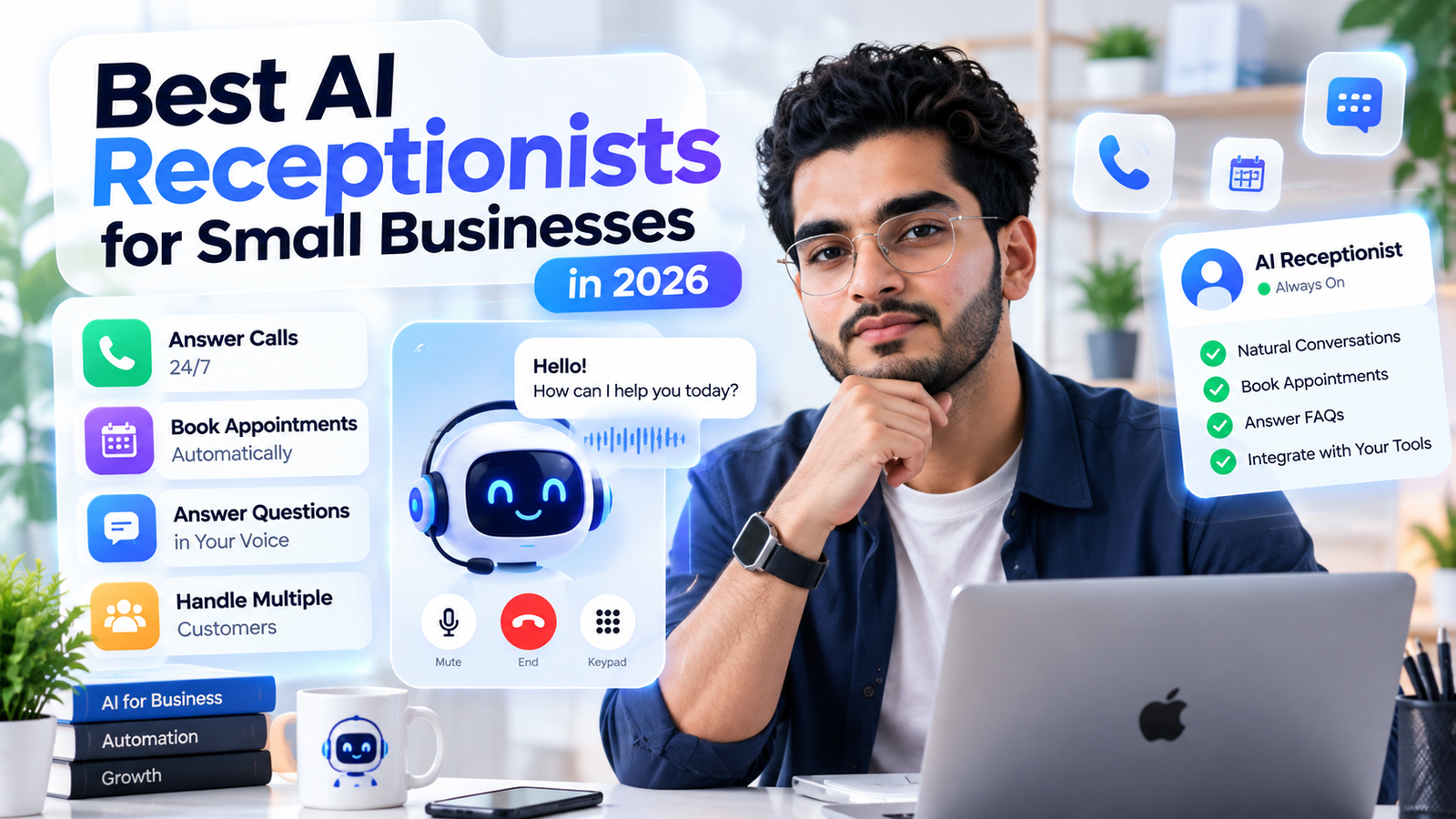
An AI receptionist is a voice agent that answers your business phone. It greets the caller, answers common questions from information you give it, takes messages, books appointments and sends you a summary. When a call needs a person, it transfers it.
Most tools do the first four jobs well. The difference shows up in transfer logic, which means knowing when to hand a caller to you and how smoothly it happens. That is where cheap tools tend to fall short.
It will not replace judgement. Angry customers, emergencies and complicated quotes still need a human. Think of it as a very reliable first answer, not a full replacement.
Which AI receptionist is best for a small business in 2026?
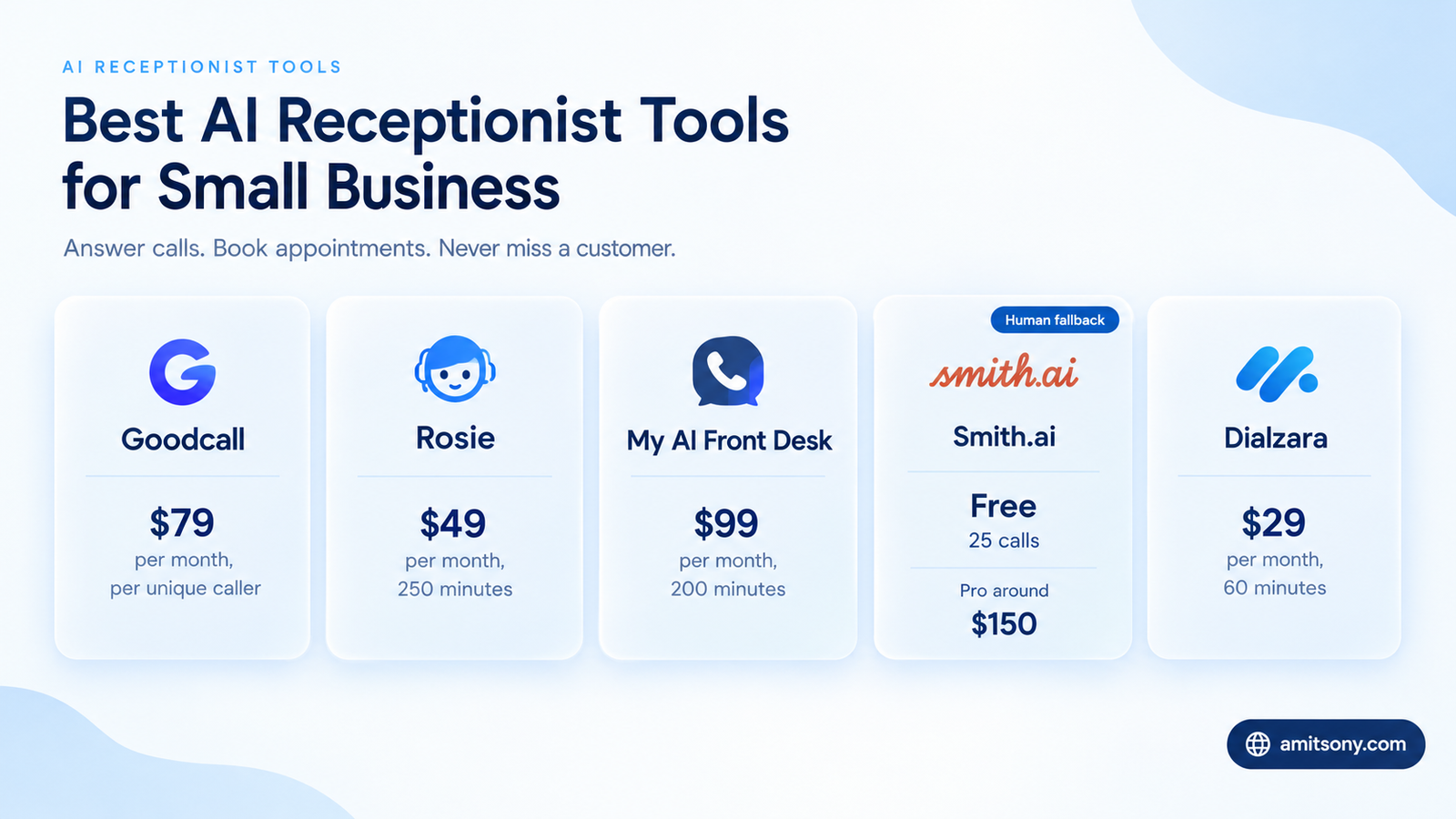
Prices below are entry plans as published in September 2026. They change often, so check the vendor page before you pay.
Goodcall bills by unique caller, not by minute. Starter is $79 per month, around ₹6,950, and covers 100 unique callers with unlimited minutes. Each extra caller costs $0.50. There is a 14 day trial but no permanent free plan. It is best for shops, salons and restaurants where the same customers call again and again. One quirk: pricing is per agent, so two locations means two subscriptions.
Rosie starts at $49 per month, around ₹4,300, for about 250 minutes, with a higher Scale tier near $149. It suits solo owners who mostly need the phone answered. Check what happens when you go over your minutes.
My AI Front Desk costs $99 per month, or $79 billed annually, for 200 voice minutes, then $0.25 per extra minute. It also bundles web chat, two-way texting and a light CRM. It is the stronger pick for clinics and appointment-heavy practices.
Smith.ai is the only option here with live humans behind the AI. It offers a free AI plan for 25 calls a month, with paid AI plans starting around $150 per month for 75 calls and human receptionists from about $300 for 30 calls. Per-call pricing climbs fast on a busy line.
Dialzara starts at $29 per month with 60 minutes, which makes it the cheapest serious entry for a quiet phone. Ruby is a human service at about $250 per month for 50 minutes. Skip it unless you want a real person on every call.
My verdict: try Goodcall if your callers repeat, Smith.ai's free plan if you want a no-risk test, and My AI Front Desk if you book appointments all day. Do not prepay an annual plan before you have run a full month of real calls.
Should you pay per minute, per call or per unique caller?
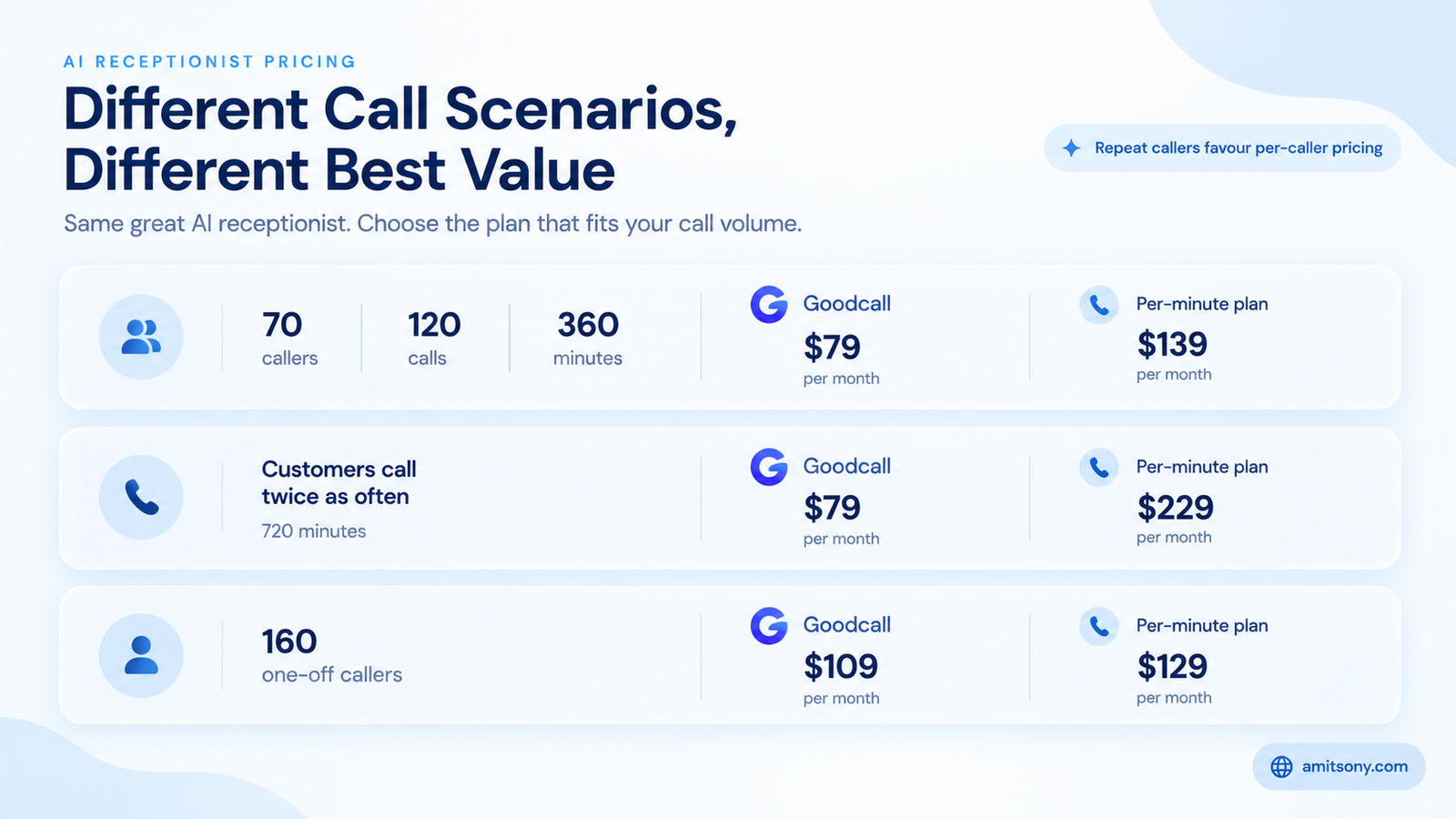
The pricing model matters more than the headline price. Here is why.
Say your business gets 120 calls a month from 70 different people, with an average call of 3 minutes. That is 360 minutes. Goodcall Starter costs $79 flat, because 70 callers is under the 100 limit. My AI Front Desk gives you 200 minutes and charges for the other 160, which adds $40, so the total is $139.
Now suppose your customers call twice as often. Goodcall still costs $79. The per-minute plan now has 720 minutes, so it climbs to $229.
The picture flips with one-off callers. Take 160 different people, each calling once for 2 minutes. Goodcall goes 60 callers over its limit and costs $109, while the per-minute plan costs $129.
The rule of thumb: unique-caller pricing wins when customers repeat or calls run long. Per-minute and per-call pricing win when calls are short and from new people each time.
How do you set up an AI receptionist step by step?
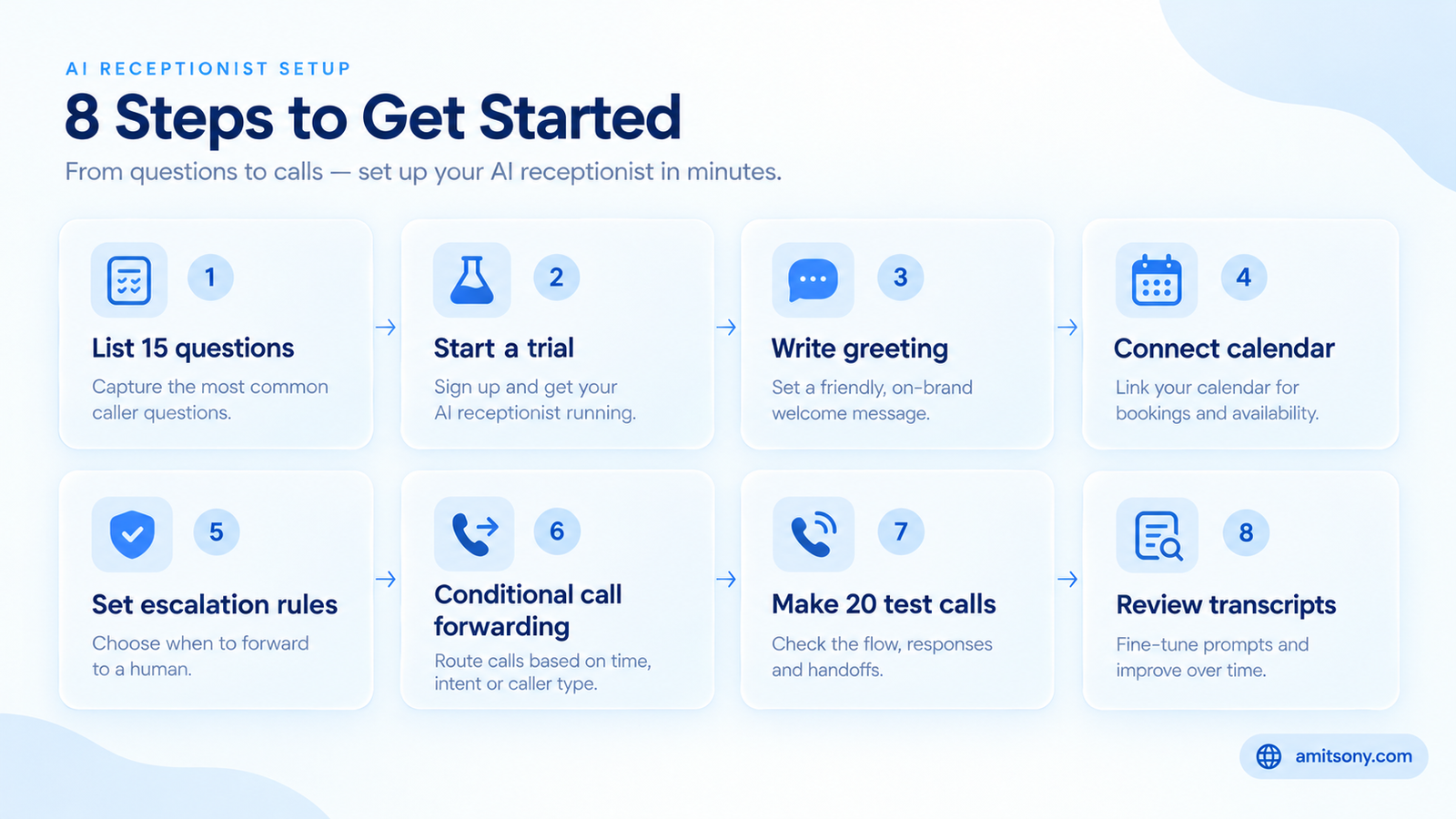
Step 1. Write down your 15 most common caller questions with the exact answers: hours, address, services, pricing ranges and policies. This list becomes the receptionist's brain.
Step 2. Pick a tool with a free trial or free plan and start there. Use the trial to test, not to commit.
Step 3. Enter your business details and write a short greeting. Keep it under 15 words, mention that the assistant is automated and say whether the call is recorded.
Step 4. Connect your calendar and, if you use one, your CRM so bookings land where you already work.
Step 5. Set escalation rules. Emergencies, angry callers, existing VIP customers and keywords like "refund" or "lawyer" should transfer straight to your mobile.
Step 6. Forward calls. Start with conditional forwarding, which sends calls to the AI only when you are busy or do not answer. Forwarding every call on day one is riskier.
Step 7. Make 20 test calls yourself. Try odd accents, background noise, interruptions, a request for a person and a question the AI should not answer.
Step 8. Go live and read the transcripts daily for the first week, then weekly. Fix every wrong answer in the knowledge base the same day.
What should your AI receptionist say, and what should it never say?
Keep answers short. A caller on the phone wants one clear sentence, not a paragraph. Tell the AI to answer in two sentences or fewer and then ask if there is anything else.
Collect the same four things on every call: name, phone number, reason for calling and how urgent it is. Make it repeat the number back, because misheard digits are the most common failure.
Draw hard limits. The AI should never quote exact prices unless you provide a fixed price list. It should never give medical, legal or safety advice. And it should say "let me take your details and have someone call you back" instead of guessing.
A confident wrong answer is worse than no answer. If the knowledge base does not contain the fact, the safest instruction is to take a message.
Is an AI receptionist legal, and what do you have to disclose?
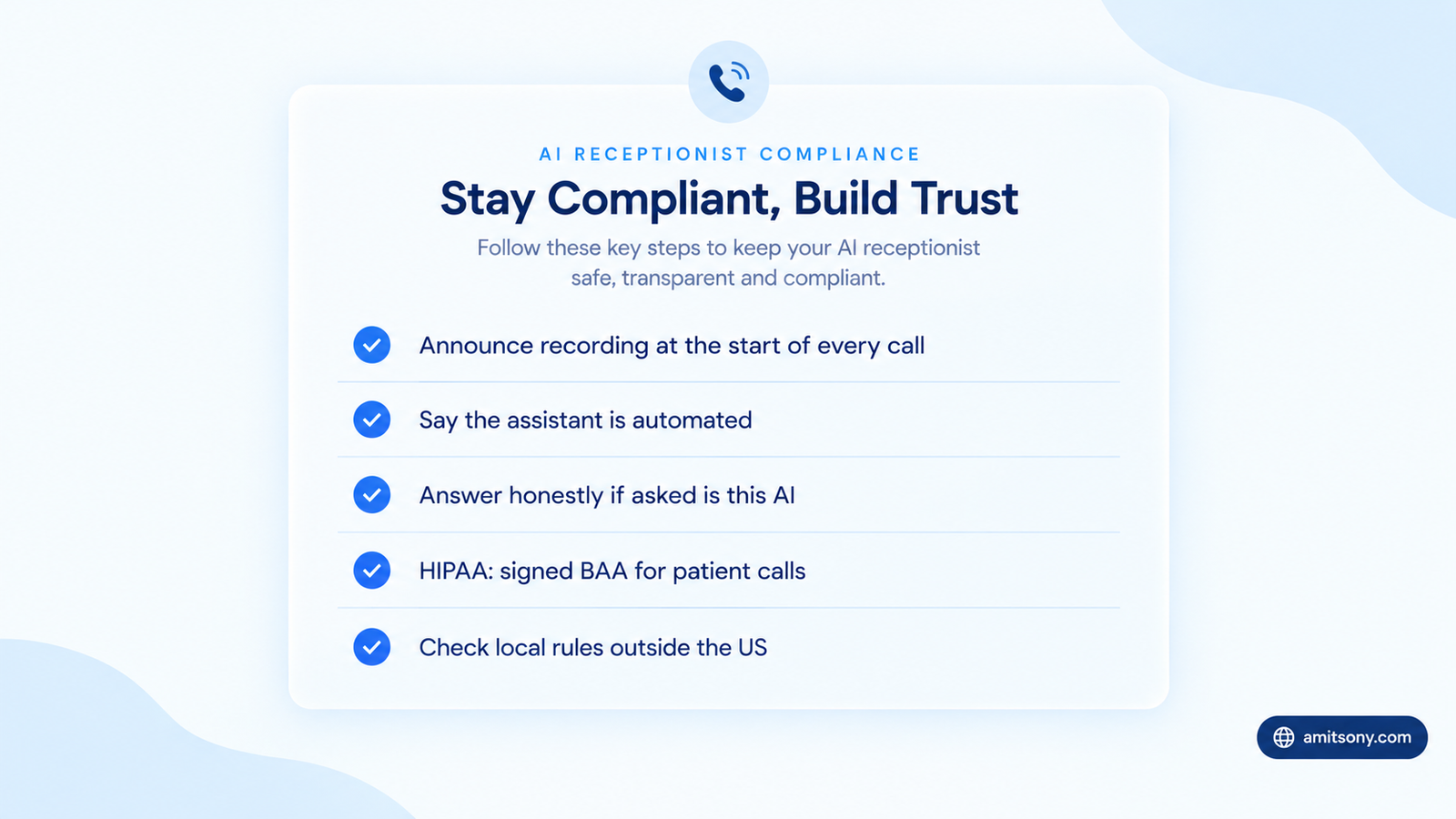
Yes, in the United States, but two issues need attention. I am not a lawyer, so check your own state and industry rules.
First, call recording. Roughly a dozen states require every party on a call to consent to recording, including California, Florida, Illinois, Maryland, Massachusetts, Pennsylvania and Washington. If a caller from a stricter state phones you, the stricter rule applies. The safest approach is to announce recording at the start of every call.
Second, AI disclosure. Several legal summaries say no federal law requires you to announce AI on inbound calls as of mid 2026, but Utah requires you to confirm it is AI when a consumer asks. Disclosing up front is the settled norm anyway, and callers react better to honesty.
If you are a clinic or handle patient information, the vendor must sign a business associate agreement under HIPAA and promise not to train models on your callers' audio. Outside the US, rules differ. In the EU, for example, GDPR covers call data.
When is an AI receptionist a bad idea?
Skip it if you get fewer than 20 calls a month. A good voicemail plus an automatic missed-call text can do the job for free.
Be careful with high-emotion businesses. Funeral homes, crisis services and urgent medical lines need a human voice from the first second.
Think twice if most of your calls are complicated sales or legal intake. A hybrid service with live humans behind the AI is a better fit there, even at a higher price.
Avoid it if your callers speak mostly in a language or dialect your chosen tool handles poorly. Test that before you commit, not after.
How do you know if an AI receptionist is paying off?
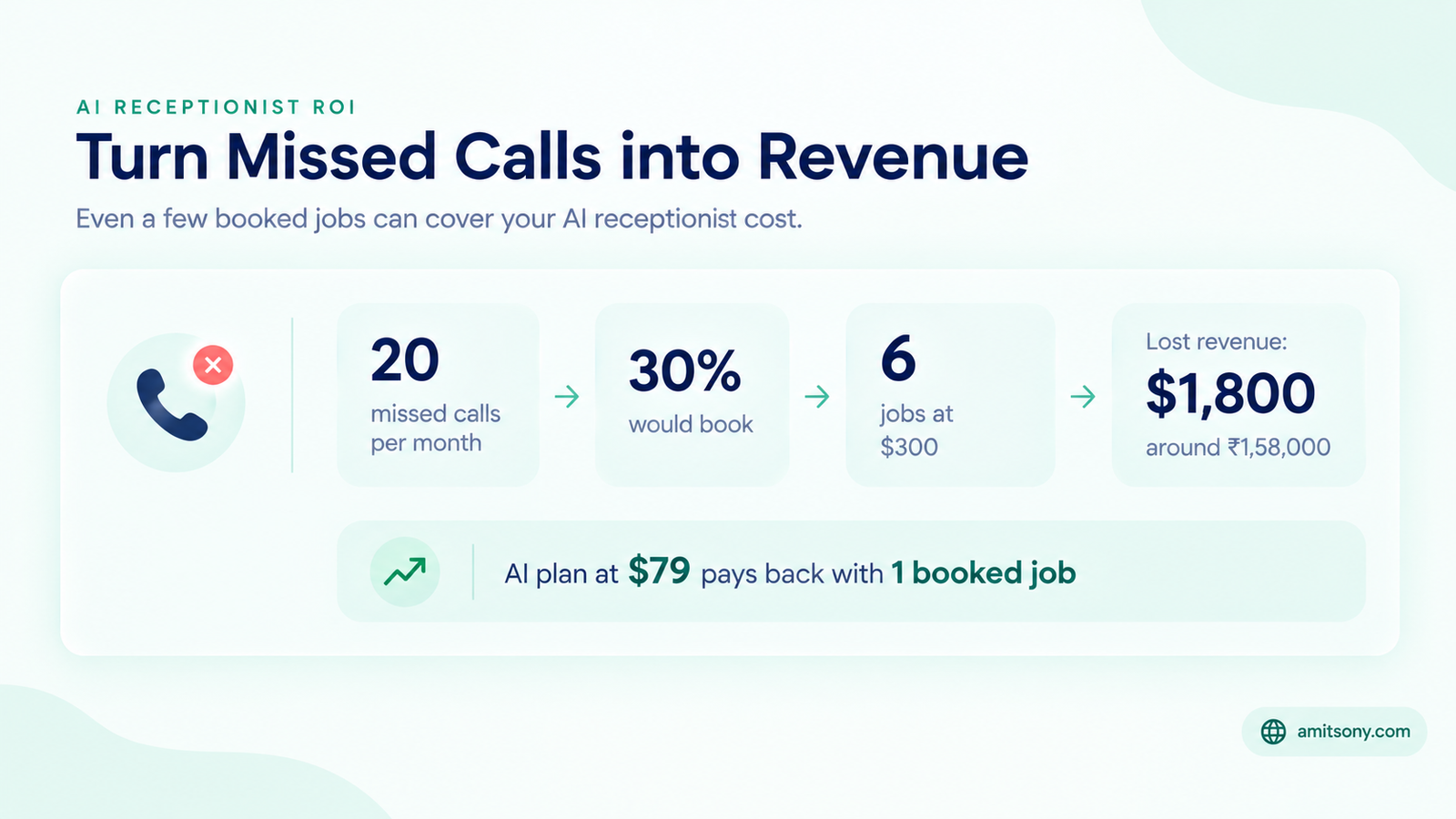
Track four numbers: share of calls answered, bookings captured, escalation rate and callers who hang up early. Check them weekly for the first month.
Here is a simple illustration. A plumber misses about 20 calls a month while on jobs. If 30 percent of those callers would have booked a $300 job, that is $1,800 of lost revenue, or roughly ₹1,58,000. A plan at $79 pays for itself with a single booked job.
Your numbers will differ, so run your own version of this sum. Count only calls that were genuinely missed, not every call the AI answers.
If the escalation rate is above 30 percent, your knowledge base is too thin. Add the questions callers actually asked, and the rate usually drops within a week.
Frequently Asked Questions
How much does an AI receptionist cost per month?
Entry plans run from about $25 to $150 per month. Busier lines and human fallback services can cost $250 or more.
Can an AI receptionist book appointments?
Yes. Most tools connect to Google Calendar or a scheduling app and book during the call. Test the connection before going live.
Do you have to tell callers it is an AI?
Several legal summaries say no federal law requires it on inbound calls, but some states do when asked. Disclosing at the start is the safest habit.
Is an AI receptionist better than an answering service?
For routine calls, yes, since it is cheaper and always on. For sensitive or complex calls, a human or hybrid service is safer.
Can you keep your existing phone number?
Yes. You forward calls from your current number to the AI, so customers keep calling the same number.